4th Feb '25
/
2 comments

Checking ‘PublishPress Future’ plugin’s Future Action enabled posts

PublishPress Future is a handy plugin for scheduling actions like unpublishing or deleting posts (of any post type) at a specified date and time in the future.
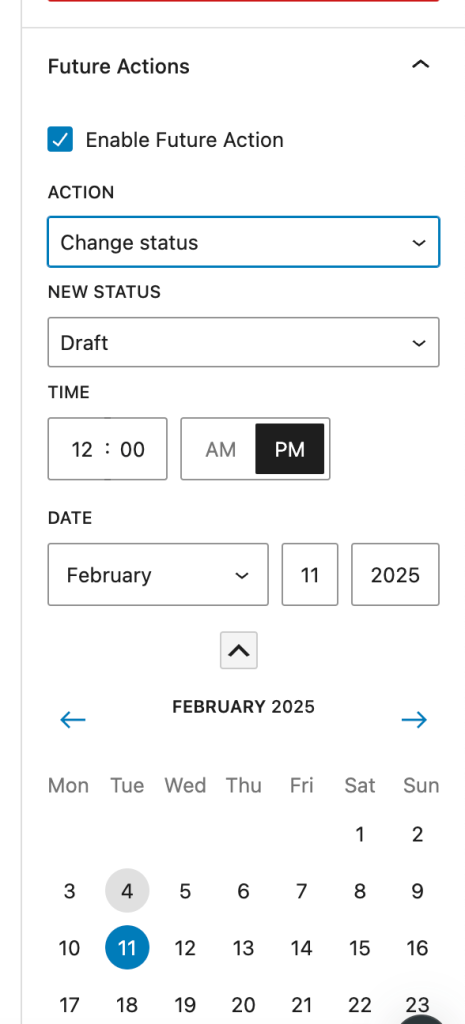
It provides a handy [futureaction] shortcode that outputs the current single post's action date.

If you are looking to conditionally output an element in Bricks depending on whether the current post has a PublishPress Future action set, define a custom PHP function like this:

This is a BricksLabs Pro tutorial.

For full access login below or create your BricksLabs Pro account

Get access to all 633 Bricks code tutorials with BricksLabs Pro

Related Tutorials..

Pro
Showing a Popup conditionally in Bricks based on Query Parameter

Showing a Popup conditionally in Bricks based on Query Parameter

Here's two ways a Bricks Popup can be shown on page load depending on URL parameter value.
Categories:
Tags:
Pro
Custom Conditions in Bricks Builder

Custom Conditions in Bricks Builder

Updated on 22 Jun 2022 This Pro tutorial is a continuation of the previous Conditions in Bricks Builder tutorial. We are going to keep updating…
Categories:
Conditional Output on the First Page of Archives in Bricks

Conditional Output on the First Page of Archives in Bricks

How to output an element on an archive page only if we're on the first page of the archive.
Categories:
Pro
Query Variables Condition in Bricks

Query Variables Condition in Bricks

This Pro tutorial provides the steps to register a custom function that returns true or false depending on whether the current page URL has specific…
Pro
Condition for checking Bricks content

Condition for checking Bricks content

Only outputting Bricks content when a Page is built with Bricks, otherwise display WP content.
Categories:
Checking if Repeater/Cloneable Meta Fields Are Empty in Bricks

Checking if Repeater/Cloneable Meta Fields Are Empty in Bricks

Creating a condition to ensure that a section only gets output if at least one row of data is filled in.
Categories:
Pro
User Role Condition in Bricks

User Role Condition in Bricks

This Pro tutorial provides the steps to conditionally output elements depending on the currently logged-in user's role. Step 1 Create a section Template having the…
Categories:
Pro
Conditionally outputting an element in a Query Loop based on date-type custom field

Conditionally outputting an element in a Query Loop based on date-type custom field

This Pro tutorial shows how to output an element in a Bricks' query loop only if the value of a date-type of custom field for…
Categories: