

Get access to all 633 Bricks code tutorials with BricksLabs Pro
Related Tutorials..
Pro

Search Results Template in Bricks
Updated on 26 Oct 2023 This Pro tutorial provides the steps to set up a search template in Bricks with these features: Step 1 Create…
Categories:
Tags:

How to create filters with IsotopeJS in Bricks (Part 4): AJAX filter and infinite loops, Sorting, List view and Disable animations
This tutorial will explain how to enable the AJAX filter with an infinite scroll query loop container, how to add a sorting function, how to…
Categories:
Tags:
Pro

Horizontal Scrolling Sections in Bricks Using GSAP’s ScrollTrigger
In this Pro tutorial we'll use GSAP's ScrollTrigger library in Bricks to create a section that will scroll horizontally across a number of full width…
Categories:
Tags:
Pro
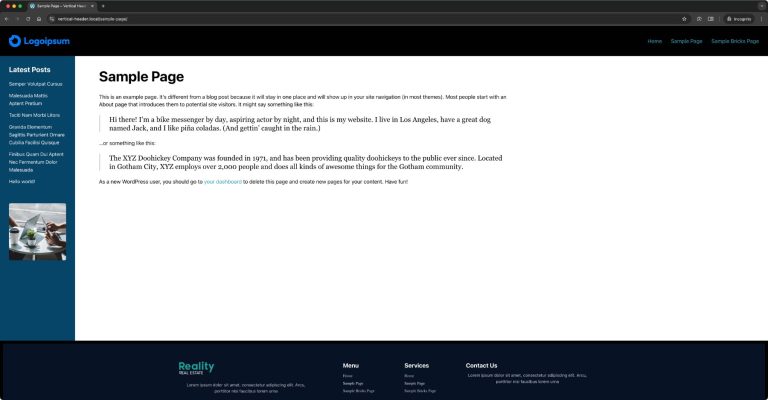
Another Fixed Sidebar Layout in Bricks
How to get the main content and sidebar sandwiched between the site header and footer.
Categories:
Tags:
Pro

Reading Progress Bar in Bricks
This Pro tutorial provides the steps to implement a reading progress bar in Bricks builder. Step 1 Add the progress element as the first child…
Categories:
Tags:

How to populate a map with dynamic markers from a CPT using ACF in Bricks (PART 3)
This tutorial provides the PHP & JS codes that can be pasted in order to filter your markers on a map each time you digit…
Categories:
Tags:

How to create filters with IsotopeJS in Bricks (Part 2): Dynamic Image Galleries
This tutorial series will review how to create a dynamic filterable image gallery using the IsotopeJS library‘s features in Bricks. Requirements Create a custom taxonomy for your…
Categories:
Tags:
Pro

Dropdown Menu in Bricks using Interactions
This Pro tutorial provides the steps to toggle a WordPress menu when a div is clicked using the Interactions feature in Bricks. When clicked: Step…
Categories:
Tags:

How to add SVG icon as list item bullets
Add this sample CSS: Replace brxe-list with the class of your ul element. Here's how you can generate the value of background-image property: Copy your…
Categories:
Tags: