28th Sep '23
/
0 comments

Dropdown Menu in Bricks using Interactions

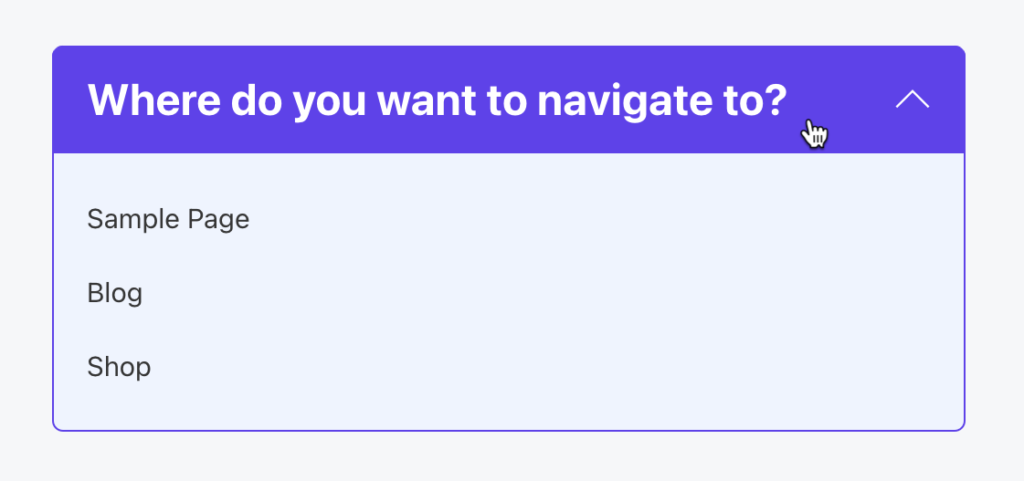
This Pro tutorial provides the steps to toggle a WordPress menu when a div is clicked using the Interactions feature in Bricks.

When clicked:
Step 1

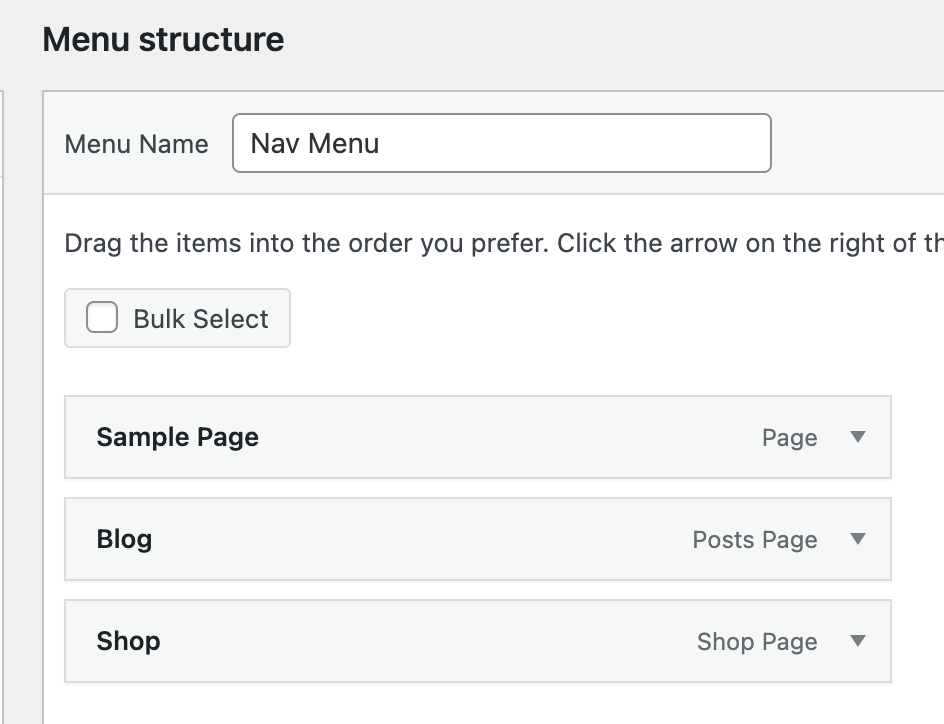
At Appearance → Menus create a navigation menu having top-level items.

Ex.:
Step 2

Copy the following JSON code and paste it in your Bricks editor.

This is a BricksLabs Pro tutorial.

For full access login below or create your BricksLabs Pro account

Get access to all 610 Bricks code tutorials with BricksLabs Pro

Related Tutorials..

Pro
Filtering Masonry-layout Posts by Categories in Bricks using Isotope

Filtering Masonry-layout Posts by Categories in Bricks using Isotope

Step by step on how to use Isotope in Bricks for filtering posts by categories.
Categories:
Create a App-Like Navigation in Bricks

Create a App-Like Navigation in Bricks

I've promised a few folks in the Facebook group to create a tutorial on how to create an app-like navigation in Bricks like in the…
Categories:
Animated Border Hover Effect Buttons

Animated Border Hover Effect Buttons

Here's how can be implemented in HTML/WordPress/Bricks. Step 1 Add this CSS in your child theme's style.css or another appropriate location: Step 2 Add a…
Categories:
Pro
Codrops Dynamic Shape Overlay in Bricks

Codrops Dynamic Shape Overlay in Bricks

This Pro tutorial provides the steps to implement Codrops' SVG shape overlay in Bricks. We shall display a WordPress menu in the overlay after an…
Categories:
Pro
Masonry + Click-type Infinite Scroll in Bricks

Masonry + Click-type Infinite Scroll in Bricks

This Pro tutorial provides the steps to lay out posts in a masonry style with a View More button, which, when clicked, loads the next…
Categories:
Pro
How to Combine Multiple Menus into Bricks’ Mobile Menu

How to Combine Multiple Menus into Bricks’ Mobile Menu

Bricks' native 'Nav Menu' element comes with a built-in mobile menu, which shrinks the menu down to a menu toggle button to open an offcanvas…
Categories:
Pro
Image Banner as Query Loop Posts Grid’s Last Item in Bricks

Image Banner as Query Loop Posts Grid’s Last Item in Bricks

In the comments section of How to Insert Element(s) Between Query Loop Posts in Bricks tutorial, a site member asked: This is fantastic! Is there…
Categories:
Tags: