28th Sep '24
/
0 comments

Checking if the current post has been published within the last x days

Checking if the current post has been published within the last x days

Looking to conditionally output an element if the current post (either in a query loop or when viewing a single post) has been published in the last x number of days?

Here’s how.

Step 1

Register a custom function with the number of days as a parameter and returns true or false depending on whether the current post is written in those number of days.

Add the following in child theme‘s functions.php (w/o the opening PHP tag) or a code snippets plugin:

<?php

/**
 * Check if the current post is published within the last X days.
 *
 * @param int $days Number of days to check against. Default is 30.
 * @return bool True if the post is published within the specified number of days, false otherwise.
 */
function bl_is_post_published_within_days( int $days = 30 ): bool {
    $current_time = time();
    $post_time    = get_the_date( 'U' );
    $time_diff    = $current_time - $post_time;
    $days_in_seconds = $days * 24 * 60 * 60;

    return $time_diff < $days_in_seconds;
}

We are setting the default function argument value to be 30 days.

Step 2

The function can now be used like this:

if ( bl_is_post_published_within_days() )

for 30 days

or

if ( bl_is_post_published_within_days( 7 ) )

for 7 days

If you are using Bricks make sure you whitelist the bl_is_post_published_within_days function.

Ex.:

<?php 

add_filter( 'bricks/code/echo_function_names', function() {
  return [
    'bl_is_post_published_within_days'
  ];
} );

You should also add other functions (native or custom) being used in your Bricks instance besides bl_is_post_published_within_days. This can be checked at Bricks → Settings → Custom code by clicking the Code review button.

More info on whitelisting can be found here.

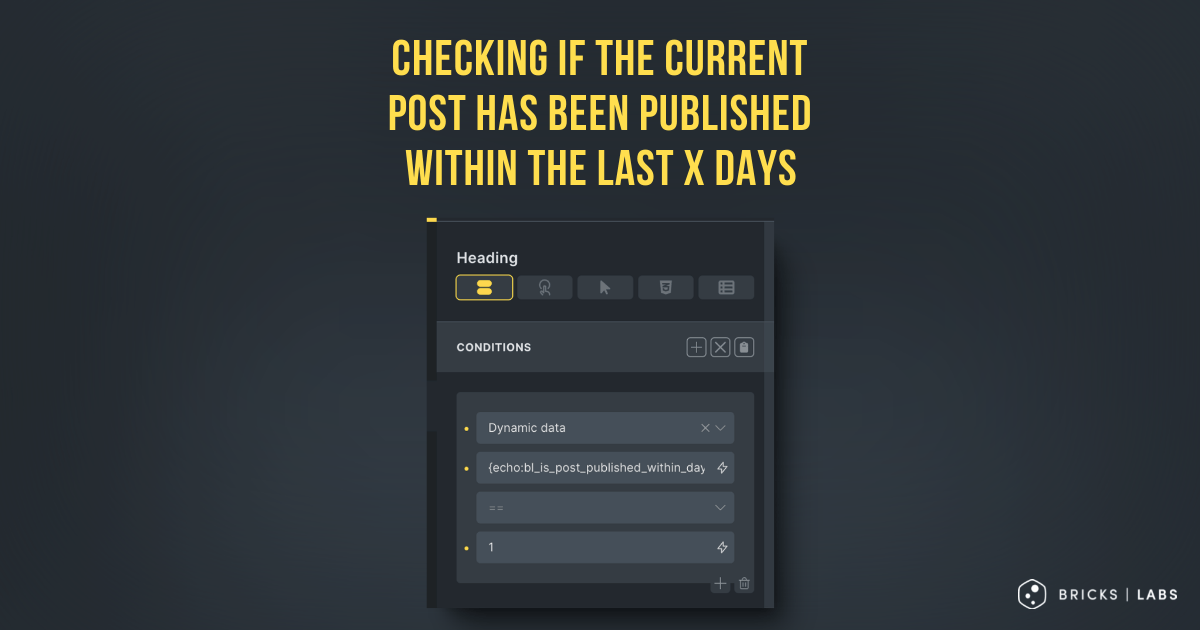
Then set up a dynamic data condition like this:

{echo:bl_is_post_published_within_days}

If you want to check for number of days other than 30, specify it as an argument like this:

{echo:bl_is_post_published_within_days(7)}

Reference

https://brickslabs.com/new-ribbon-for-posts-in-bricks/

Get access to all 633 Bricks code tutorials with BricksLabs Pro

Leave the first comment


Related Tutorials..

Pro
Custom Conditions in Bricks Builder

Custom Conditions in Bricks Builder

Updated on 22 Jun 2022 This Pro tutorial is a continuation of the previous Conditions in Bricks Builder tutorial. We are going to keep updating…
Categories:
Pro
Bricks Dynamic Condition – Check if today falls within 5 days before any holiday date

Bricks Dynamic Condition – Check if today falls within 5 days before any holiday date

Creating a custom condition that returns true or false depending on whether today falls within 5 days before any holiday dates selected on a Meta…
Categories:
Tags:
How to conditionally load your scripts based on an ACF field

How to conditionally load your scripts based on an ACF field

This tutorial provides the PHP codes that can be pasted in order to enqueue your scripts conditionally based on the value of an ACF field…
Categories:
Pro
ACF Repeater sub field value dynamic data condition in Bricks

ACF Repeater sub field value dynamic data condition in Bricks

This Pro tutorial provides the steps to output an element on single posts (can be of any post type) only if a specified ACF (Pro)…
Conditionally Outputting Based on Query Count in Bricks

Conditionally Outputting Based on Query Count in Bricks

Update on 22 Sep 2023: There's a much simpler built-in method now. See this post. In the Bricks Facebook group a user asks: Is there…
Categories:
Create A Customizable AJAX Add To Cart Button In Bricks Builder

Create A Customizable AJAX Add To Cart Button In Bricks Builder

In Bricks, you can simply create an Add To Cart button from a dynamic data / function {woo_add_to_cart}. This button supports AJAX as well if…
[Function] Current Term Has Children

[Function] Current Term Has Children

Updated on 20 Jul 2024 A user asks: I'm working on an archive template for WooCommerce products. I'm trying to hide a section if there…