

Get access to all 630 Bricks code tutorials with BricksLabs Pro
Related Tutorials..
Pro

New Ribbon for Posts in Bricks
This Pro tutorial provides the steps to display a "New" ribbon for posts that were published in the last x days in Bricks. Update: Added…
Categories:
Tags:
Pro

Horizontal Scrolling Tabs in Bricks
Nestable Tabs element in Bricks wraps into multiple lines out of the box at smaller viewport widths. This Pro tutorial provides the steps to remove…
Categories:
Tags:
Pro

Horizontal Scrolling Sections in Bricks Using GSAP’s ScrollTrigger
In this Pro tutorial we'll use GSAP's ScrollTrigger library in Bricks to create a section that will scroll horizontally across a number of full width…
Categories:
Tags:
Pro

How to Hide the Header Initially and Show It After Scrolling Down in Bricks
Hiding the header when the scroll position is at the top and reveal it after the user scrolls down.
Categories:
Tags:

Plain HTML pages in Bricks
How to output only raw HTML on the page with no other WordPress/Bricks (or any other active child/parent theme)/plugins baggage.
Categories:
Tags:
Pro

Reading Progress Bar in Bricks
This Pro tutorial provides the steps to implement a reading progress bar in Bricks builder. Step 1 Add the progress element as the first child…
Categories:
Tags:

How to add SVG icon as list item bullets
Add this sample CSS: Replace brxe-list with the class of your ul element. Here's how you can generate the value of background-image property: Copy your…
Categories:
Tags:
Pro
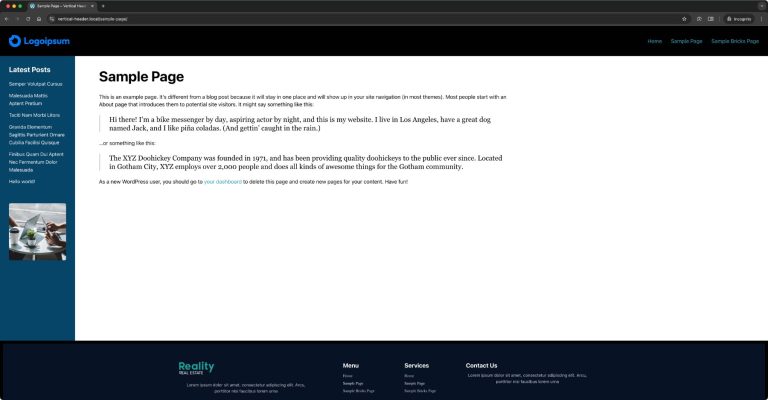
Another Fixed Sidebar Layout in Bricks
How to get the main content and sidebar sandwiched between the site header and footer.
Categories:
Tags:
Pro

Sticky Header Only For Visitors in Bricks
A user asked: Anyone know if its possible to make the sticky of the header conditional only for logged out users? This Pro tutorial shows…
Categories:
Tags: