28th Sep '23
/
0 comments

Dropdown Menu in Bricks using Interactions

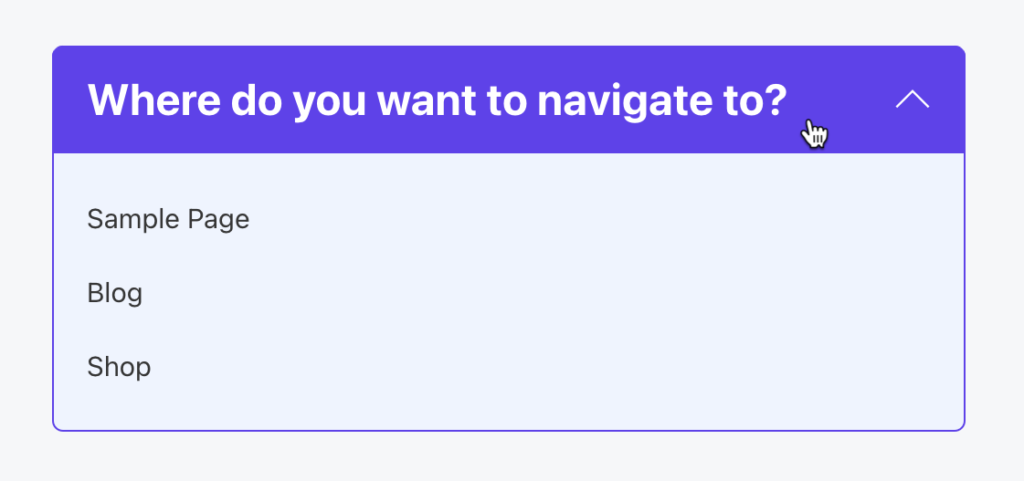
This Pro tutorial provides the steps to toggle a WordPress menu when a div is clicked using the Interactions feature in Bricks.

When clicked:
Step 1

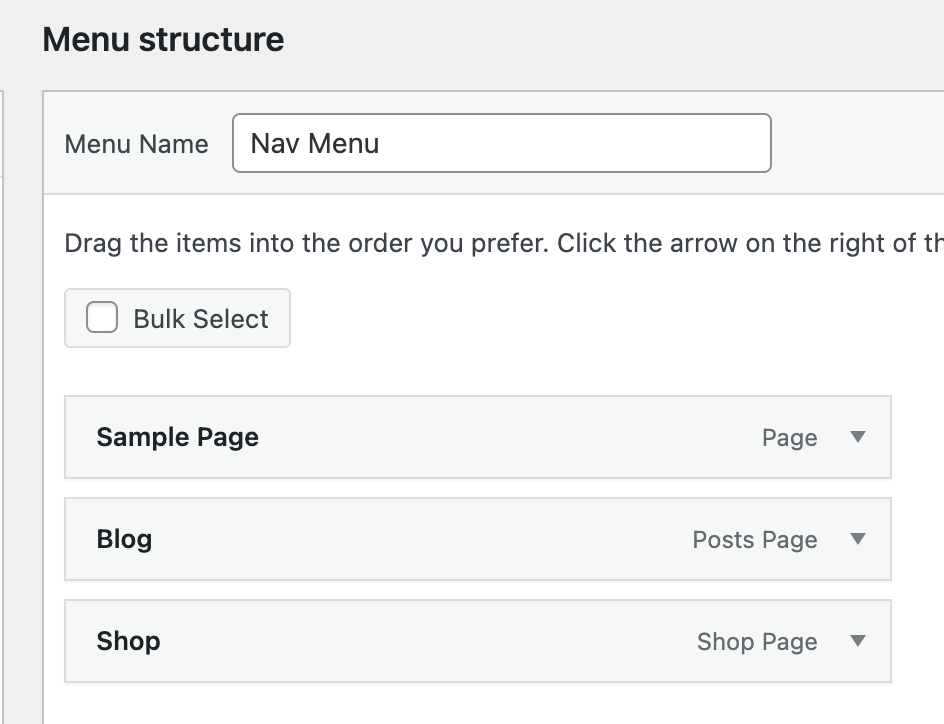
At Appearance → Menus create a navigation menu having top-level items.

Ex.:
Step 2

Copy the following JSON code and paste it in your Bricks editor.

This is a BricksLabs Pro tutorial.

For full access login below or create your BricksLabs Pro account

Get access to all 610 Bricks code tutorials with BricksLabs Pro

Related Tutorials..

Pro
Reading Progress Bar in Bricks

Reading Progress Bar in Bricks

This Pro tutorial provides the steps to implement a reading progress bar in Bricks builder. Step 1 Add the progress element as the first child…
Categories:
Pro
Team Member Photos Stack with Hover Tooltips in Bricks

Team Member Photos Stack with Hover Tooltips in Bricks

Herman Baiatian shared in the Bricks Facebook group here that he worked on overlapping team member headshots showing info in hover tooltips. I recreated it…
Categories:
How to create filters with IsotopeJS in Bricks (Part 4): AJAX filter and infinite loops, Sorting, List view and Disable animations

How to create filters with IsotopeJS in Bricks (Part 4): AJAX filter and infinite loops, Sorting, List view and Disable animations

This tutorial will explain how to enable the AJAX filter with an infinite scroll query loop container, how to add a sorting function, how to…
Categories:
Pro
How to Combine Multiple Menus into Bricks’ Mobile Menu

How to Combine Multiple Menus into Bricks’ Mobile Menu

Bricks' native 'Nav Menu' element comes with a built-in mobile menu, which shrinks the menu down to a menu toggle button to open an offcanvas…
Categories:
Pro
Search Results Template in Bricks

Search Results Template in Bricks

Updated on 26 Oct 2023 This Pro tutorial provides the steps to set up a search template in Bricks with these features: Step 1 Create…
Categories:
How to add SVG icon as list item bullets

How to add SVG icon as list item bullets

Add this sample CSS: Replace brxe-list with the class of your ul element. Here's how you can generate the value of background-image property: Copy your…
Categories:
Tags:
Floating Element in Bricks

Floating Element in Bricks

How to create a floating element in Bricks that appears across the entire website.
Categories:
Tags:
Pro
Viewport Entry Animation for all Sections Sitewide in Bricks

Viewport Entry Animation for all Sections Sitewide in Bricks

How to make viewport entry animations be automatically applied to either all sections of a page/template or sitewide across all pages.
Categories:
How to create filters with IsotopeJS in Bricks (Part 1)

How to create filters with IsotopeJS in Bricks (Part 1)

This tutorial series will explore the IsotopeJS library's features inside the Bricks ecosystem.
Categories: