
In the comments section of Filtering posts by a group field’s true / false field sub field value with ACF or Meta Box in Bricks tutorial, a member asks:
Do you have a tutorial for how true/false works in a custom database table with metabox?
I use custom database table for faster queries.
Make a select field and and two options YES and NO.
then go to settings tab in the custom field area in metabox and...
enable > "save data in a custom table"enable > "include table prefix"enable > "create table automatically"
Then fill in custom table > "my_product_details"Then fill in custom prefix > "my_prefix_".
Then in bricks go query products and go add add below in meta query:key > mb_product_product_detail_latest_productvalue > 1
"mb_product" references to metabox product post type.Then "product_detail_" is the table prefix.Then "latest_product" is the field ID.
But whatever I do, it doesn't query.
I tried without mb_product. With brackets around it. Nothing works.
This Pro tutorial provides the steps to filter the posts of a Bricks query loop to output only those with the value of a Select subfield of a Group field set to Yes when using a custom table in Meta Box.
Consider this scenario:
Field Group name: Product Fields
Settings: Location is Post type = Product (product)
Product Detail (group type field)|__Latest Product (select type field with Yes and No choices. You may want to set Placeholder to -- Select --)
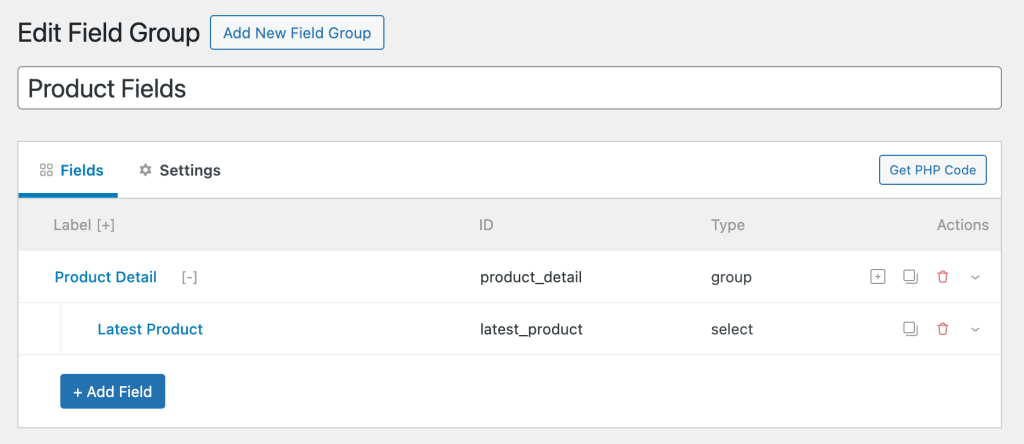
In the Settings tab:

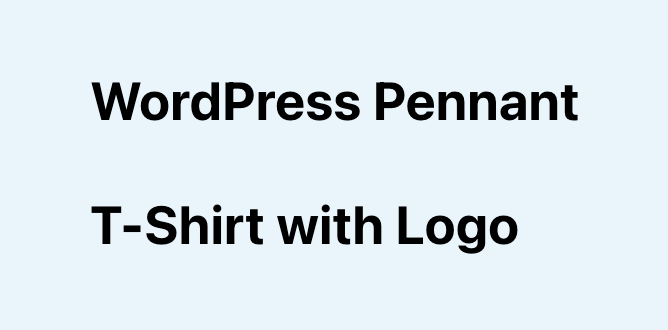
For products titled "WordPress Pennant" and "T-Shirt with Logo":

For other products either the value is set to No or not set.
After implementing the tutorial, output of a query loop:
Step 1
[optional] If you want to output the value of the 'Latest Product' select subfield on single products, add this in a Code element:


