
This Pro tutorial provides the code to
- programatically sync separate date and time custom fields with Pie Calendar's meta fields for all existing
eventCPT posts. The custom fields were created with Meta Box in our dev site, but this method/code works for fields created with any plugin like ACF or ACPT or JetEngine. Note that with ACF, Pie has built-in support for a Datetime type of field. This tutorial is especially useful when your site already has separate fields for event's start and end date and time and you are trying to show them in Pie Calendar. - set separate Meta Box date and time fields to be automatically synced with Pie Calendar's meta fields when the event post is saved or updated
- programatically tick 'Post is Event' in a single go for all existing events
- set event background colors conditionally based on the value of a custom field
- set grid cells background colors conditionally based on the value of a custom field
Sync Meta Box fields with Pie Calendar's for existing events
This is a one-time backfill script - meaning, we add this code temporarily and remove after it has run once.
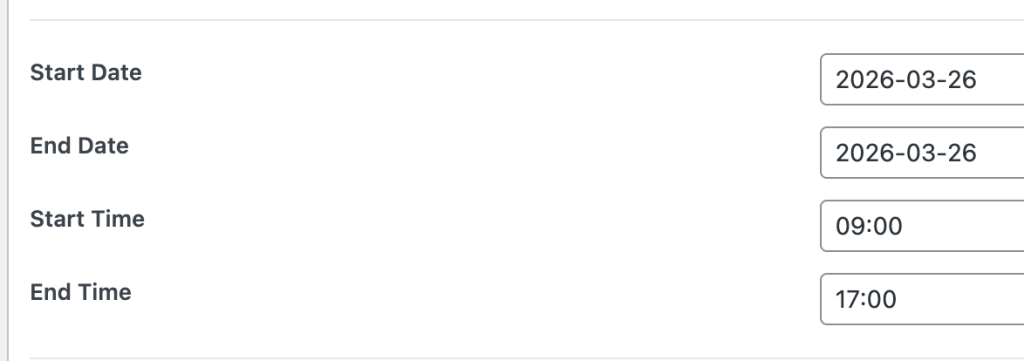
Sample MB fields for an event post:
After implementing:
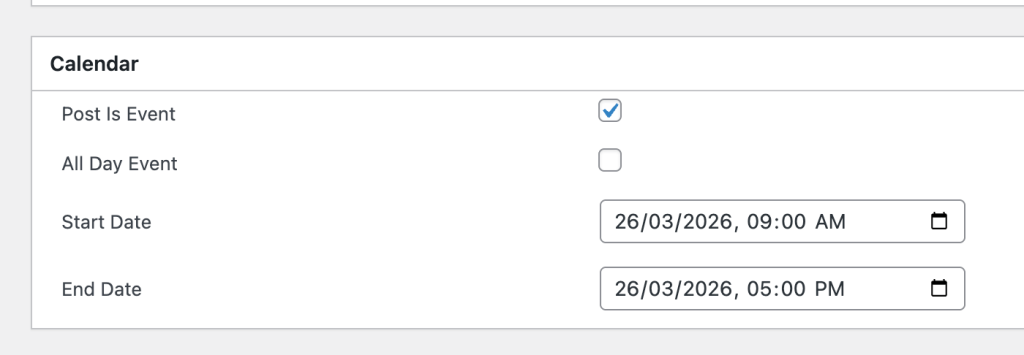
This also works for multi-day events.
Add the following in child theme's functions.php (w/o the opening PHP tag) or a code snippets plugin:
