(20 tutorials)
McDonald’s Order Promise Analogy

McDonald’s Order Promise Analogy

From the JavaScript course I am doing now: A Promise is like placing an order at a restaurant. You receive a ticket (Promise object) that…
Categories:
Pro
[WooCommerce] Sticky on Scroll Add to Cart section in Bricks

[WooCommerce] Sticky on Scroll Add to Cart section in Bricks

Setting up a sticky section that fades in when scrolling down and fades away when scrolled to the top.
Categories:
Auto-switching Bricks Tabs

Auto-switching Bricks Tabs

How to switch tabs every x seconds when the tabs element is scrolled into view.
Categories:
Setting Active Tab in Bricks’ Tabs (Nestable) Element

Setting Active Tab in Bricks’ Tabs (Nestable) Element

With Bricks' Nestable tab element, here's how we can set which tab is active by default.
Categories:
Pro
Grid.js in Bricks

Grid.js in Bricks

This Pro tutorial provides the steps to use Grid.js in a WordPress site powered by Bricks builder. Grid.js is a lightweight and performant JavaScript library…
Categories:
Pro
Post Title at a Different Location on Image Hover

Post Title at a Different Location on Image Hover

This Pro tutorial provides the steps to update the text of a sticky div with the title of the post that is hovered on the…
Categories:
Pro
tsParticles in Bricks

tsParticles in Bricks

Updated on 5 Aug 2023 This Pro tutorial provides the steps to set up tsParticles, a lightweight TypeScript (uses JavaScript) library for creating particles as…
Categories:
Pro
Button-specific HTML in Bricks Popup

Button-specific HTML in Bricks Popup

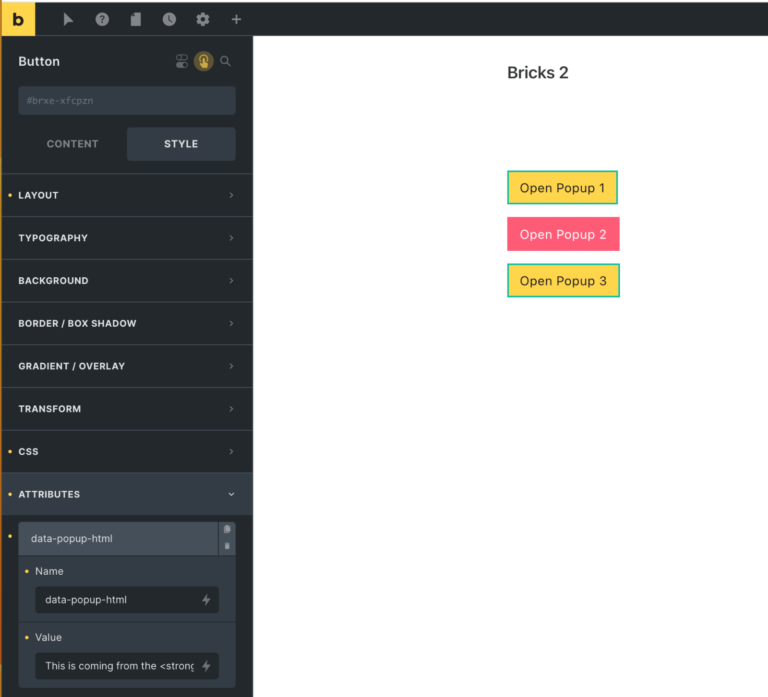
In the Bricks Facebook group a user asks: I need to create popups to expend the text (eg. read more). I wonder if I have…
Categories:
How to disable smooth scroll in Bricks

How to disable smooth scroll in Bricks

In certain situations like using ScrollSmoother, you may be looking to disable smooth scrolling functionality that’s built into Bricks.
Categories:
Pro
How to Link to a Specific Tab in Bricks

How to Link to a Specific Tab in Bricks

This Pro tutorial provides the JavaScript code that will automatically switch to the tab when using Nestable Tabs elements based on the "tab" URL parameter…
Categories: