
If you are using a Mac or Linux, chances are that after running the latest create-block npm command
npx @wordpress/create-block@latest todo-listand activating the newly created plugin, the site will get a fatal error as of today.
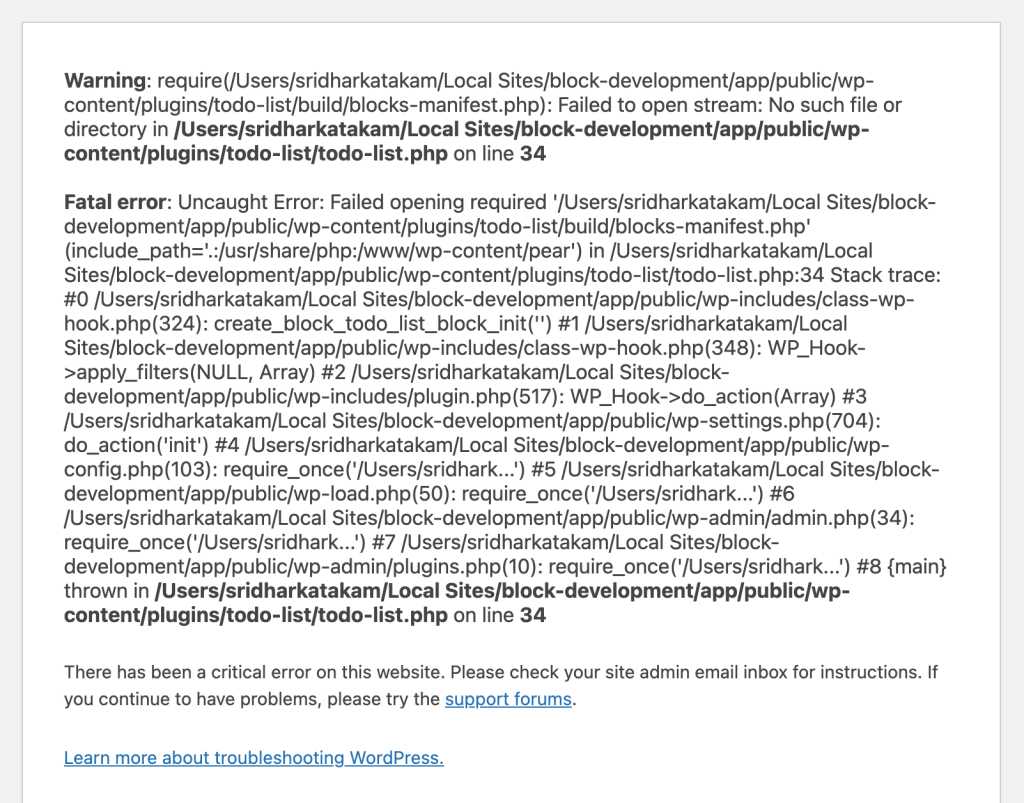
This seems to be due to require-ing blocks-manifest.php file from a location where it does not exist/gets created.
The issue has been marked as closed but it is not, at least for me, and three other users.
Update 1:
There’s now an easier fix which has been accepted into the core.
Until it goes live here’s how to implement the fix manually:
Open the plugin folder in a editor, edit /node_modules/@wordpress/scripts/config/webpack.config.js and apply this change.
i.e.,
change
apply( compiler ) {
	compiler.hooks.afterEmit.tap( 'BlocksManifest', () => {
		exec(
			`node ${ fromScriptsRoot(
				'build-blocks-manifest'
			) } --input="${ compiler.options.output.path }"`
		);
	} );
}
to
apply( compiler ) {
	compiler.hooks.afterEmit.tap( 'BlocksManifest', () => {
		exec(
			`node "${ fromScriptsRoot(
				'build-blocks-manifest'
			) }" --input="${ compiler.options.output.path }"`
		);
	} );
}
Then npm run build
Found some instructions on how to fix this in the WordPress GitHub repo and I am detailing them here.
Step 1
Navigate to the newly created plugin folder in your terminal.
Run
mkdir -p dirThis will create a dir folder inside the plugin’s root.
Step 2
Edit package.json.
Replace
"build": "wp-scripts build --blocks-manifest",with
"build": "wp-scripts build && wp-scripts build-blocks-manifest && cp build/blocks-manifest.php dir/",and
"start": "wp-scripts start --blocks-manifest"with
"start": "wp-scripts start && wp-scripts build-blocks-manifest && cp build/blocks-manifest.php dir/"If you have used the dynamic flag in the npx command like this:
npx @wordpress/create-block@latest copyright-date-block --variant="dynamic"or
npx @wordpress/create-block@latest copyright-date-block --variant dynamicreplace
"build": "wp-scripts build --webpack-copy-php --blocks-manifest",with
"build": "wp-scripts build --webpack-copy-php && wp-scripts build-blocks-manifest && cp build/blocks-manifest.php dir/",and
"start": "wp-scripts start --webpack-copy-php --blocks-manifest"with
"start": "wp-scripts start --webpack-copy-php && wp-scripts build-blocks-manifest && cp build/blocks-manifest.php dir/"Step 3
Edit the plugin’s main php file (Ex.: todo-list.php).
Replace
$manifest_data = require __DIR__ . '/build/blocks-manifest.php';with
$manifest_data = require __DIR__ . '/dir/blocks-manifest.php';Step 4
npm run buildNow you can successfully activate the plugin and are ready to
npm startReferences
https://github.com/WordPress/gutenberg/pull/69578#issuecomment-2763320067
https://github.com/WordPress/gutenberg/issues?q=blocks-manifest.php

