A user asks:
How to Display Related Episodes Grouped by Chapters on a Podcast Page in Bricks?
Hi everyone,
I have two post types created with JetEngine: Podcasts and Episodes. Each episode is related to a podcast via a JetEngine relationship and has a taxonomy called Chapters.
On the Podcast single page, I want to display its related episodes, but they should be grouped by Chapters (each chapter as a heading with its related episodes listed below).
What’s the best way to achieve this in Bricks Builder? Should I use Query Loops with nested queries, or is there a better approach?
Thanks for your help!
Let's summarize.
CPTs:
Podcasts
EpisodesTaxonomy: Chapters
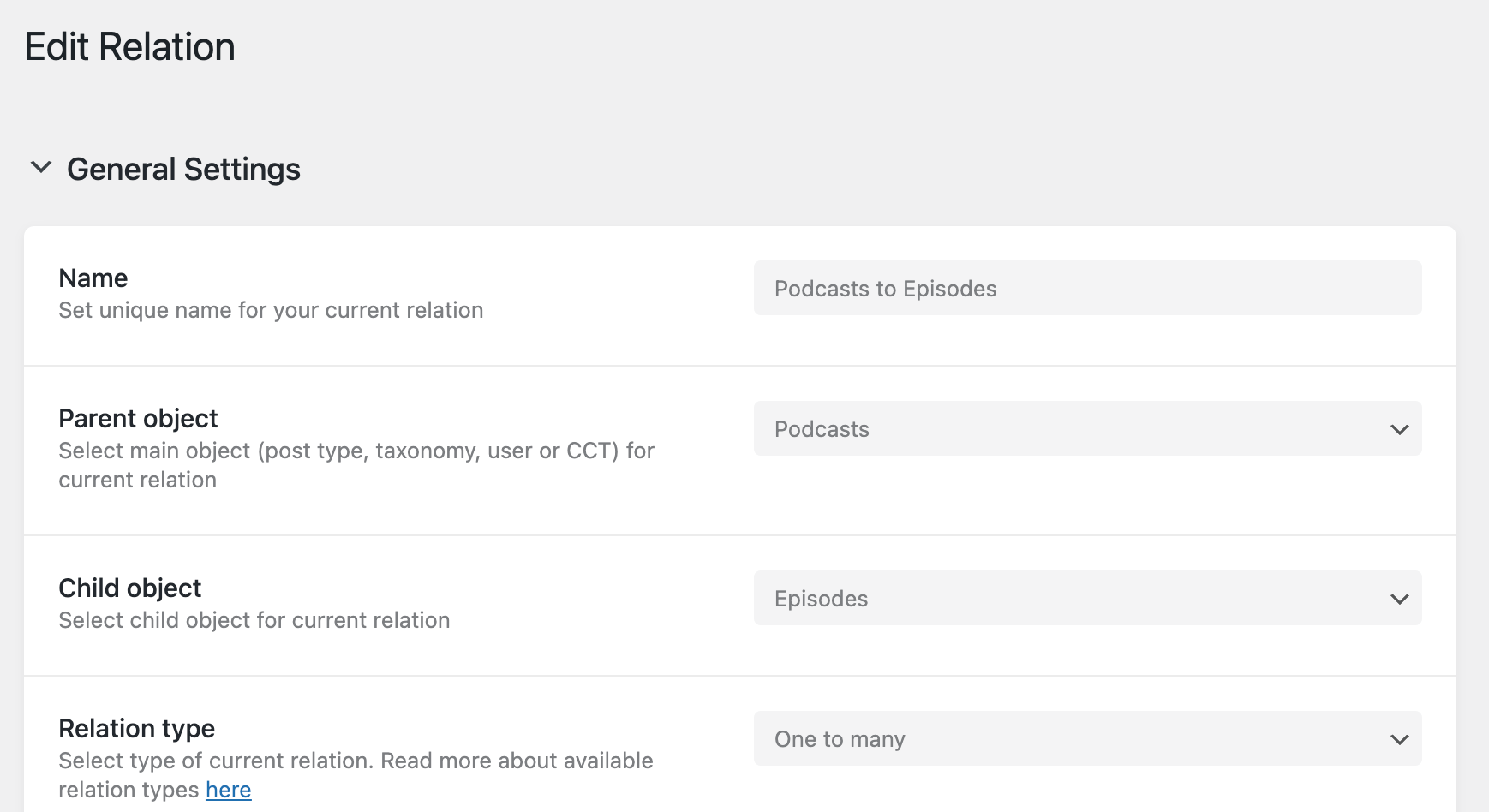
Relation: Podcasts to Episodes (one to many)
Objective: When viewing a single podcast post, instead of showing all the related episodes lumped together show them grouped by the episode chapters.
Consider this sample data:
Podcast 1 → nonePodcast 2 → Episode 1Podcast 3 → Episodes 2 and 3
Episode CPT taxonomy: chapterChapter 1: Episodes 1 and 3Chapter 2: Episodes 2 and 3Chapter 3: -
Before:

After:
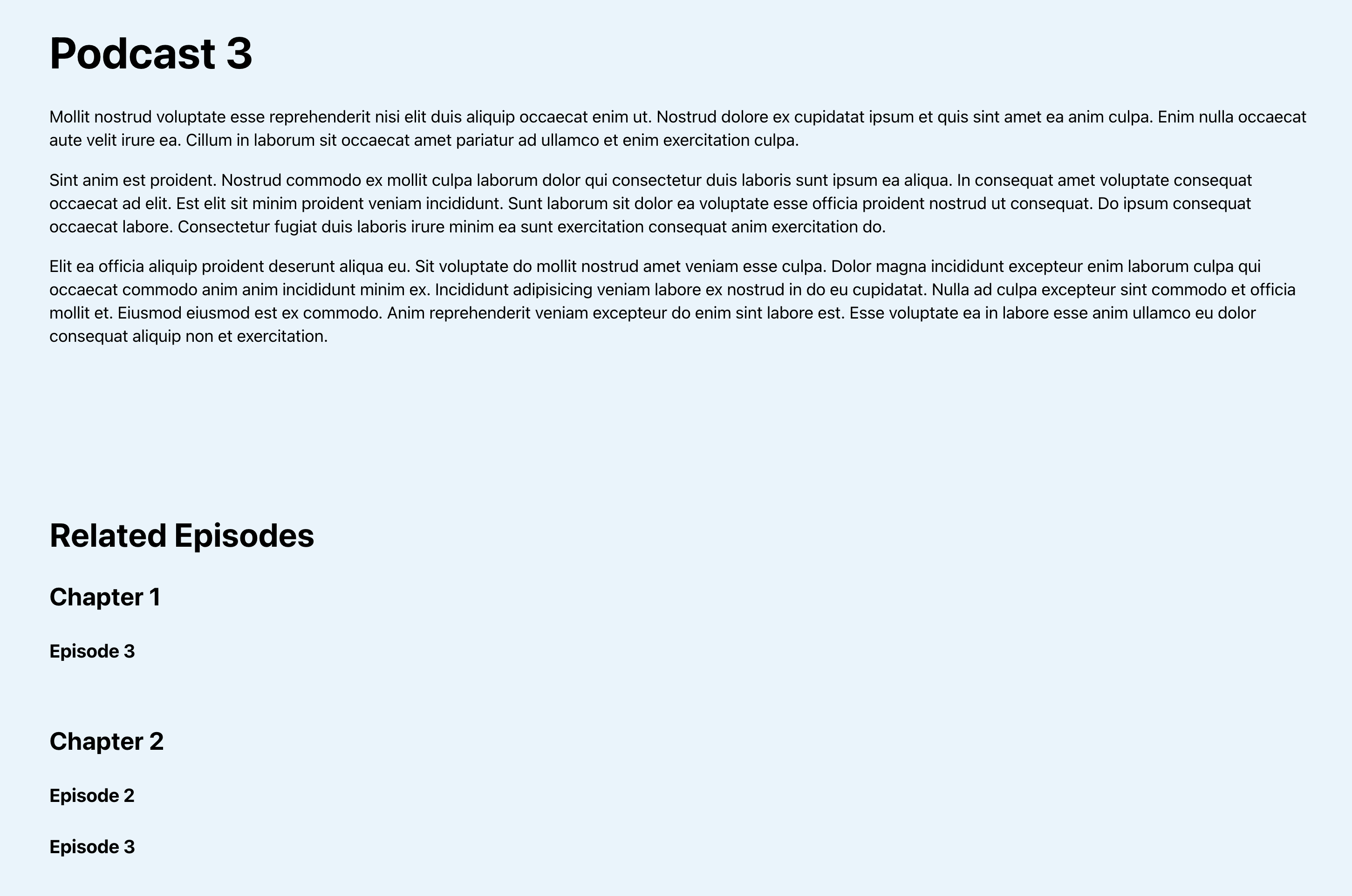
This Pro tutorial provides the steps to add custom code
- in the outer terms query loop to ensure that only the chapters that have at least 1 episode are output
- in the inner posts query loop to output only the episodes that are related to the current podcast being viewed and assigned to the current chapter being looped through
- for adding a dynamic condition that ensures that the entire section gets output only if there is at least one related episode.
Step 1
Create your CPTs.

Note that by default JetEngine sets the post type slugs as episodes and podcasts. WordPress uses singular for post type names. Ex.: post, page. Therefore, I personally prefer having CPT names as singular: episode and podcast.
Note: If you have already created the post types with plural names, update accordingly in the code snippets below.
Step 2
Create the relation.
Step 3
Create the chapter taxonomy for episodes.

Under Advanced Settings you may want to enable Hierarchical so chapters behave like categories and not tags.
Note: If you have already created the taxonomy with a plural name, update accordingly in the code snippets below.
Step 4
Add some sample chapters.
Add some sample episode and podcast posts.
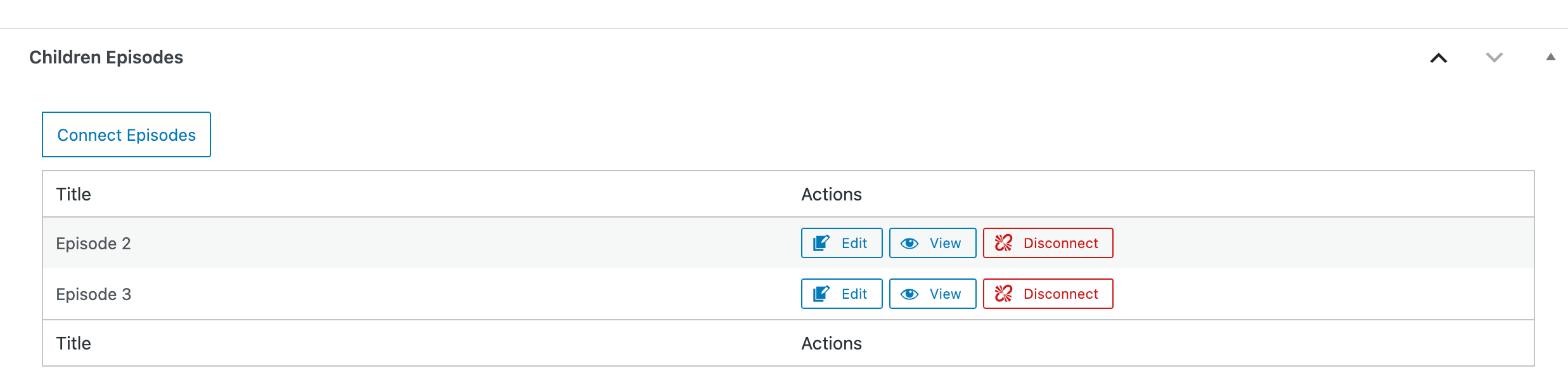
Select related item(s) as applicable.
Ex.:
Podcast 3:
Step 5
Create a single template named say, "Podcast" and edit it with Bricks.
Add a template condition to make it apply to all single podcast posts.
When done the structure should be like this:
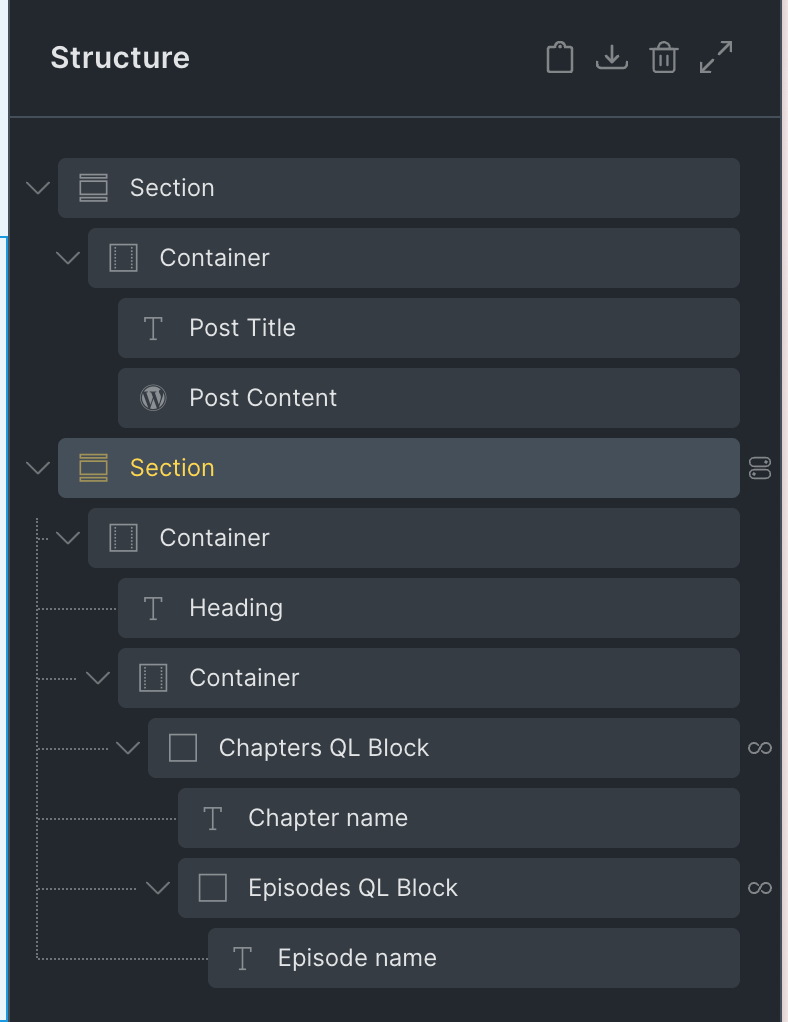
Add a Section having Post Title and Post Content elements.
Add another Section and inside its Container, add a "Related Episodes" h2 heading.
Add a Container and inside it a Block.
Rename the Block to say, "Chapters QL Block".
Enable query loop, set Type to Terms, enable PHP editor and paste: