
In Bricks Facebook group a user asks:
Some support pls? actually Im using Bricks builder to save post types, but I need select my active post as Relationship.
I saw that relationship is not custom fields, is another type of field, that I don't know how to save.
So, I looking for a way to save the { post_id } in the metabox relationship field. any ideas?
I have two post type and one relationship cpt 'atendimento' and 'relatorio-diario' When I open the post in 'atendimento' a need a bricks form that will save some informations from a metabox fields. all these savings will be posts inside 'relatorio-diario'.
I found some solutions using hidden fields, sometimes usign values as relac_relatorio_atendimento_relationships_from[] but no success.
The question can be summarized as follows:
CPTs:attendancediary
Meta Box relationship: diary → attendance (screenshot)An attendance post can relate to multiple diary posts.
View: Single attendance post
Bricks form on single attendance posts is used to create a diary post with 'Create post' action.
Requirement: relate the newly created diary post with the current single attendance post.
This Pro tutorial shows how we can relate the current single post having a Bricks' post creation form to the newly created post of another post type via a Meta Box relationship.
Consider this attendance post (at example.com/attendance/sequi-eos-deserunt-optio-sunt-in/):
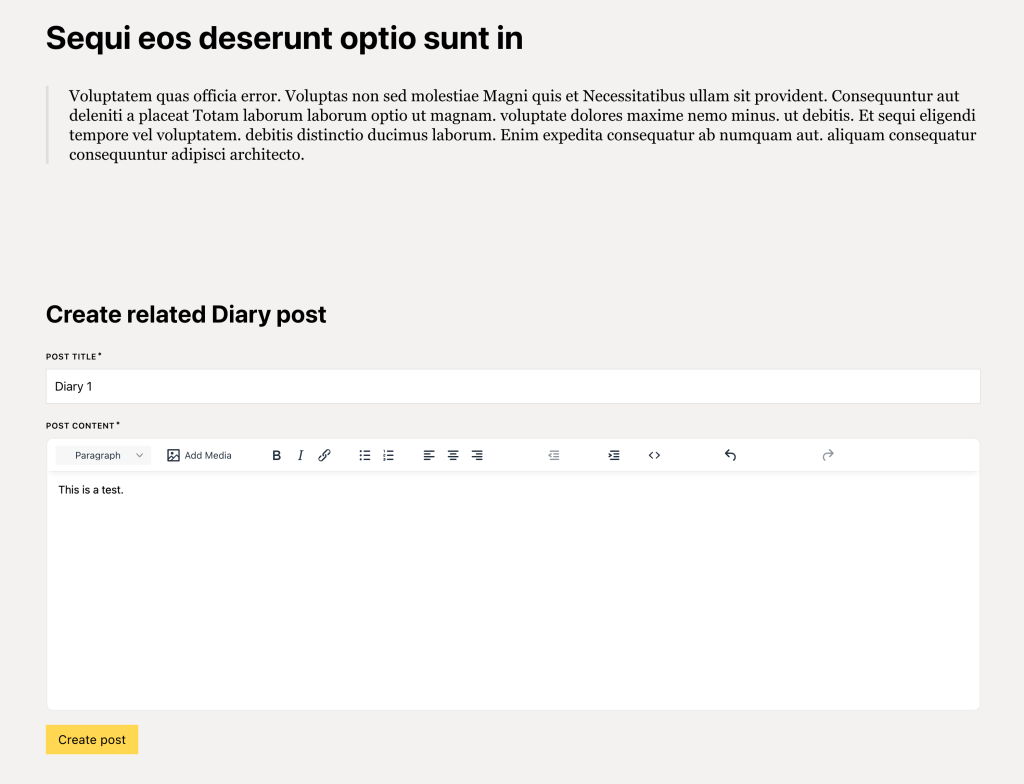
After a user (having appropriate permissions to create posts of diary post type) fills the above form and submits:
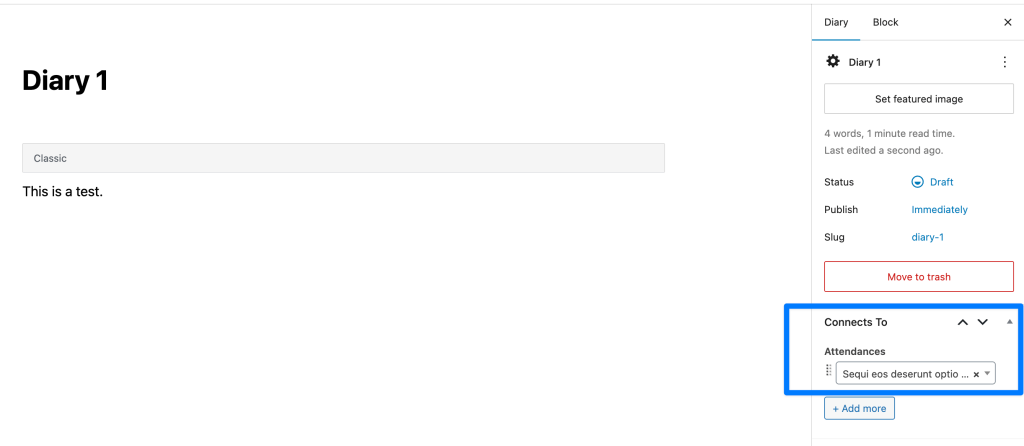
As can be seen, the post on which form has been filled and submitted will automatically be connected to the post that has just been created after implementing this tutorial.
Step 1
Create/edit your single Attendee template.
Add a Form element.
Besides fields for post title and post content, add a hidden field with a value of
{post_id}
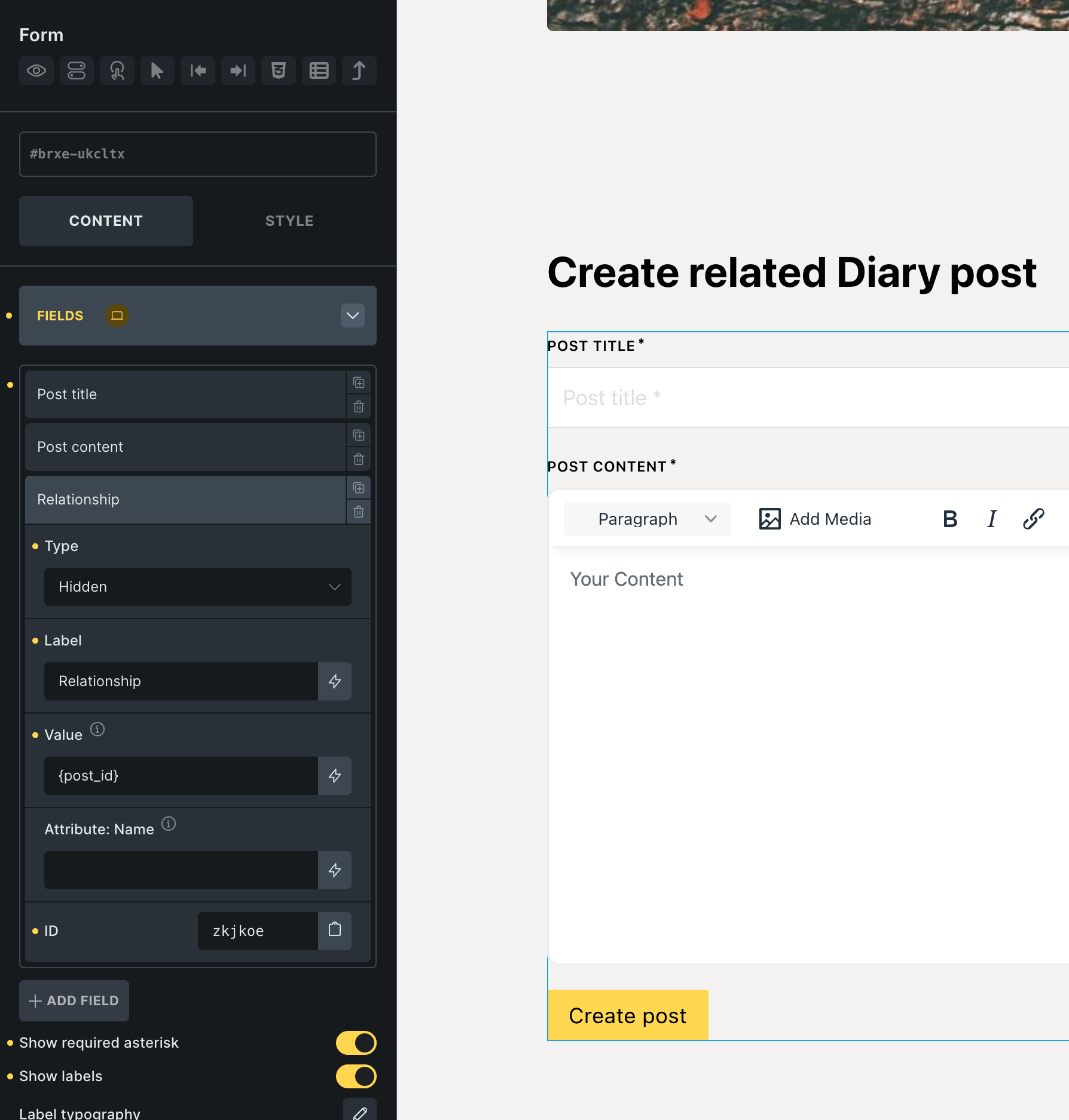
Set form action to: Create post.
Under CREATE POST control group select Diary post type.
Map attendance_post_id post meta to the Relationship field('s value i.e., the current post ID) with Integer sanitization method.

Step 2
Add the following in child theme's functions.php (w/o the opening PHP tag) or a code snippets plugin:


