
In the Bricks Facebook group a user asked:
how to conditionally apply a class
i like to add a class with the attribute as this:attribute name: classattribute value: something like: If {acf_field} > 25, then add "classname"I tried several syntaxes but cannot get it right, can someone help?
This Pro tutorial explores adding conditional classes or data attributes to Bricks query loop items.
In the case of Bricks' native global classes, we shall see how to pull the array of global classes from the database, finding the specified class ID and outputting its builder-configured styles on the front end.
Consider a Number-type custom field called stock_quantity attached to posts.
Step 1
Let's create a custom function that returns the text in-stock when the value of this field for the current post (in loop) is greater than 25.
Add the following in child theme's functions.php (w/o the opening PHP tag) or a code snippets plugin:
<?php

/**
 * Check if product is available based on stock quantity.
 *
 * Retrieves the stock_quantity custom field value and returns 'in-stock'
 * if the quantity is greater than 25.
 *
 *
 * @return string Returns 'in-stock' if stock is greater than 25, empty string otherwise.
 */
function bl_check_stock_availability(): string {
	// Get the stock_quantity custom field value.
	$stock_quantity = get_post_meta( get_the_ID(), 'stock_quantity', true );

	// Convert to integer and check if greater than 25.
	if ( (int) $stock_quantity > 25 ) {
		return 'in-stock';
	}

	return '';
}
Step 2
Whitelist the bl_check_stock_availability function.
Ex.:
<?php

add_filter( 'bricks/code/echo_function_names', function() {
  return [
    'bl_check_stock_availability'
  ];
} );
You should also add other functions (native or custom) being used in your Bricks instance besides bl_check_stock_availability. This can be checked at Bricks → Settings → Custom code by clicking the Code review button.
More info on whitelisting can be found here.
Step 3
In a Page or a Bricks template, set up a query loop on a Block element.
Go to STYLE → ATTRIBUTES and add an attribute.

Generally speaking, it is better to use a data attribute instead of a class. If you do not intend to use a Bricks' global class, you may want to replace class with something like data-stock-availability. The items can then be targeted in CSS via the [data-stock-availability="in-stock"] selector.
Using the class as the attribute name, sample output:

To add not-in-stock class to posts whose stock_quantity field value is <= 25 or those for which the field is empty, replace
return '';
with
return 'not-in-stock';
Step 4
Now let's consider the case of when you have assigned in-stock class to an element in the builder and styled it using the Bricks' element controls - on a different page/template.
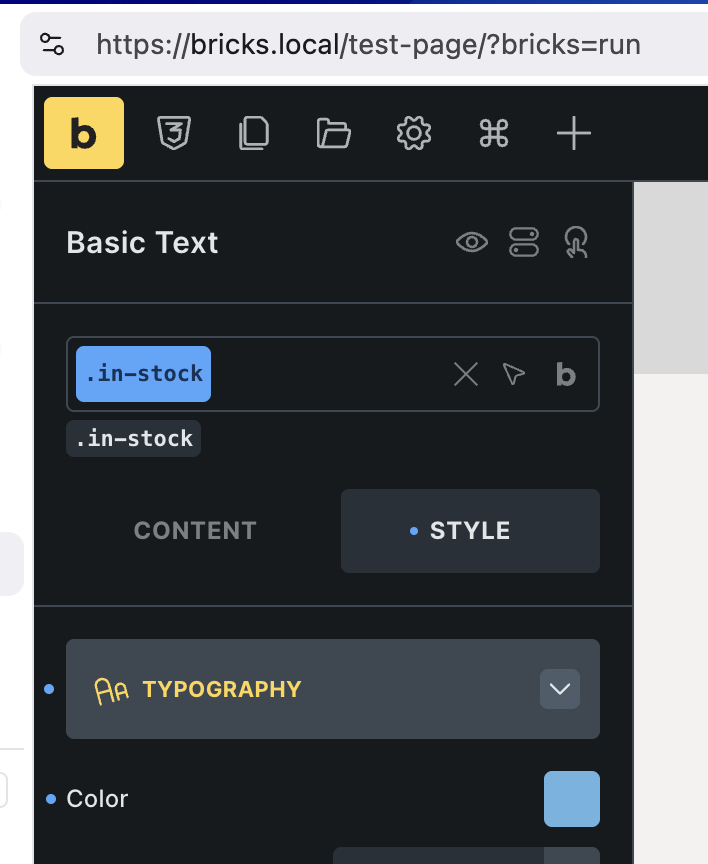
The simplest approach to making the styles available on a different page/template where there is no element having this class set via the builder interface is to add an element, assigning the class and setting its display to none via the CSS controls or using the recent Hide element feature.

If you do not want to do that though, here's how to programmatically make the class' styles available by generating and outputting the CSS for that class on the page:
