In the Bricks Facebook group a user asks:
is there any way to expand the accordion on page load desktop, but have it collapsed on page load mobile? is seems like you cant set these values per screen size
This is not an option out of the box for Accordion (Nestable) element in Bricks.
This Pro tutorial provides the steps to collapse all nestable accordion items at a specific width using a bit of custom CSS (to prevent a flash of expanded content before the JS executes), and JavaScript that checks window.innerWidth <= 480 and, if true, removes .brx-open, sets aria-expanded="false", and hides the content wrapper on all open accordion items.
Reminder: To expand specific accordion items on desktop, enter the item IDs separated by commas like this:
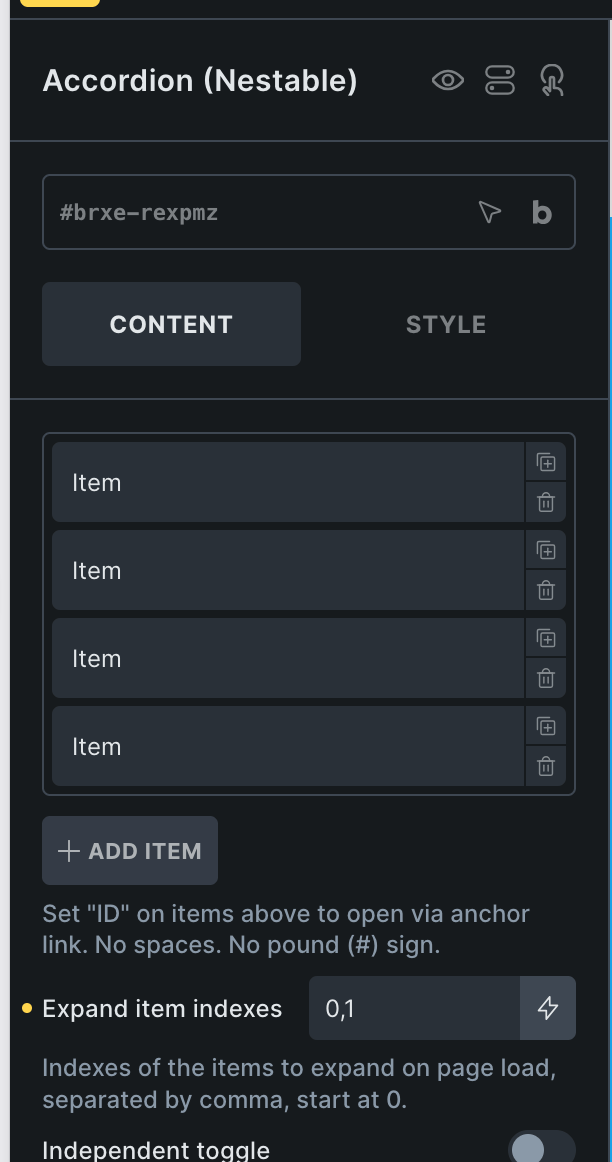
We'll also cover the case where all accordion items can be expanded on desktops and collapsed on mobile devices (to be specific, at a breakpoint).
Step 1
Create a directory named js in your child theme folder. Create a file named accordion-collapse-mobile.js inside it having the following code: