16th Mar '26
/
0 comments

Masonry Accordion Query Loops in Bricks Builder

This Pro tutorial provides the steps to enable masonry for posts query loops inside an Accordion (Nestable) Bricks element.
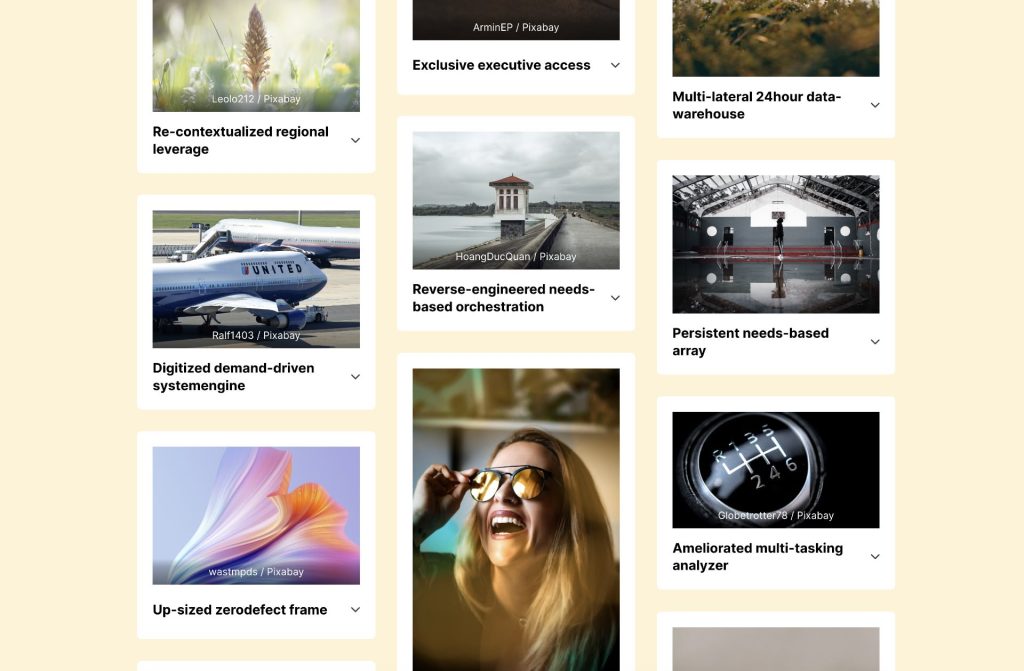
Step 1

Edit your Page/Template with Bricks and paste the Section's JSON after copying it from here.
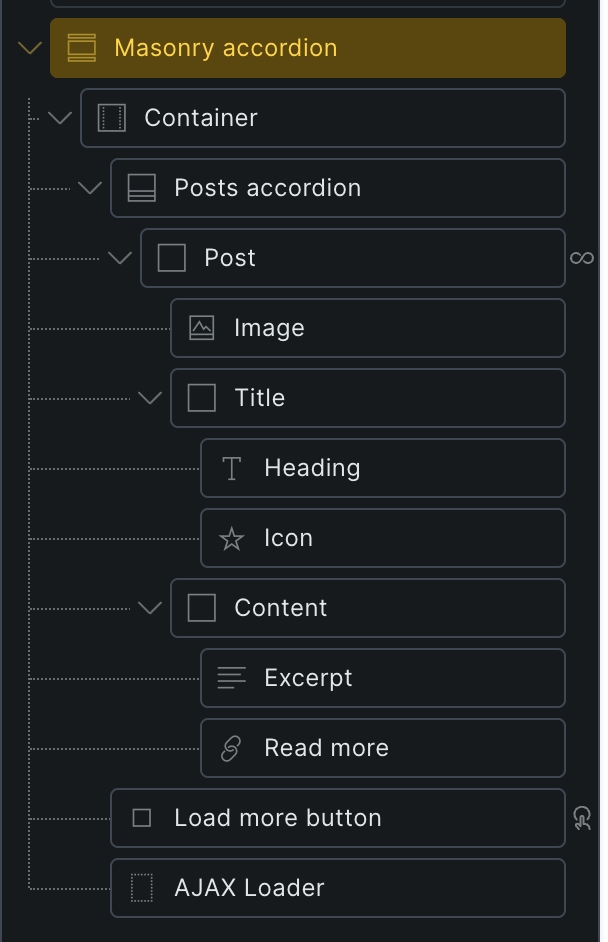
Step 2

Enable masonry controls for nestable accordion elements and inject Isotope JS library (built into Bricks)'s sizer elements into the elements.

Add the following in child theme's functions.php (w/o the opening PHP tag) or a code snippets plugin:

This is a BricksLabs Pro tutorial.

For full access login below or create your BricksLabs Pro account

Get access to all 633 Bricks code tutorials with BricksLabs Pro

Related Tutorials..

Pro
Dynamic Posts Side Menu with Expandable and Collapsible Accordion Submenus in WordPress

Dynamic Posts Side Menu with Expandable and Collapsible Accordion Submenus in WordPress

This Pro tutorial provides the steps to show all the posts of a specified post type as menu items with accordion functionality for submenus. This…
Categories:
Pro
Outputting an Element in Bricks x times where x is a custom field value

Outputting an Element in Bricks x times where x is a custom field value

Learn how to output a query loop item(s) as many times as the value of a custom field in Bricks.
Categories:
Bricks Query Loop – Posts Authored by Logged in User

Bricks Query Loop – Posts Authored by Logged in User

How to display only the posts authored by the currently logged-in user in a query loop.
Categories:
Pro
Querying Posts by ACF Date Sub Field in Bricks

Querying Posts by ACF Date Sub Field in Bricks

Updated on 17 Nov 2023. This Pro tutorial shows how we can set post__in query parameter of a query loop in Bricks to an array…
Categories:
Tags:
Making Bricks Nestable Accordion’s First Item Open on Desktop and Closed on Mobile

Making Bricks Nestable Accordion’s First Item Open on Desktop and Closed on Mobile

Using JS to ensure the accordion first entry is open on desktop but closed on mobile.
Categories:
Tags:
Pro
Dynamic Posts Lightbox in Bricks using GLightbox

Dynamic Posts Lightbox in Bricks using GLightbox

Steps to set create a dynamic lightbox with content from the post inside of the query loop.
Categories:
Auto Responsive Grids in Bricks

Auto Responsive Grids in Bricks

This tutorial provides the CSS that can be pasted for automatic responsive grids in Bricks Builder. Posts element Each post will get a right padding…
How to Show Future Events in Bricks

How to Show Future Events in Bricks

One of the common requirements in WordPress is being able to filter the events (or could be posts of any post type) to only those…
Categories: