25th Sep '22
/
3 comments

Conditional Rendering Based On Meta Box Group’s Sub Field

This Pro tutorial shows how we can output an element on a single post pages only if a specified sub-field (custom field created using Meta Box) inside a specified group has a value.

Given the following scenario where a text-type of sub field having an ID of text_ppe9vzbqld is present inside a group-type of field with an ID of group_7t3lautdysc,
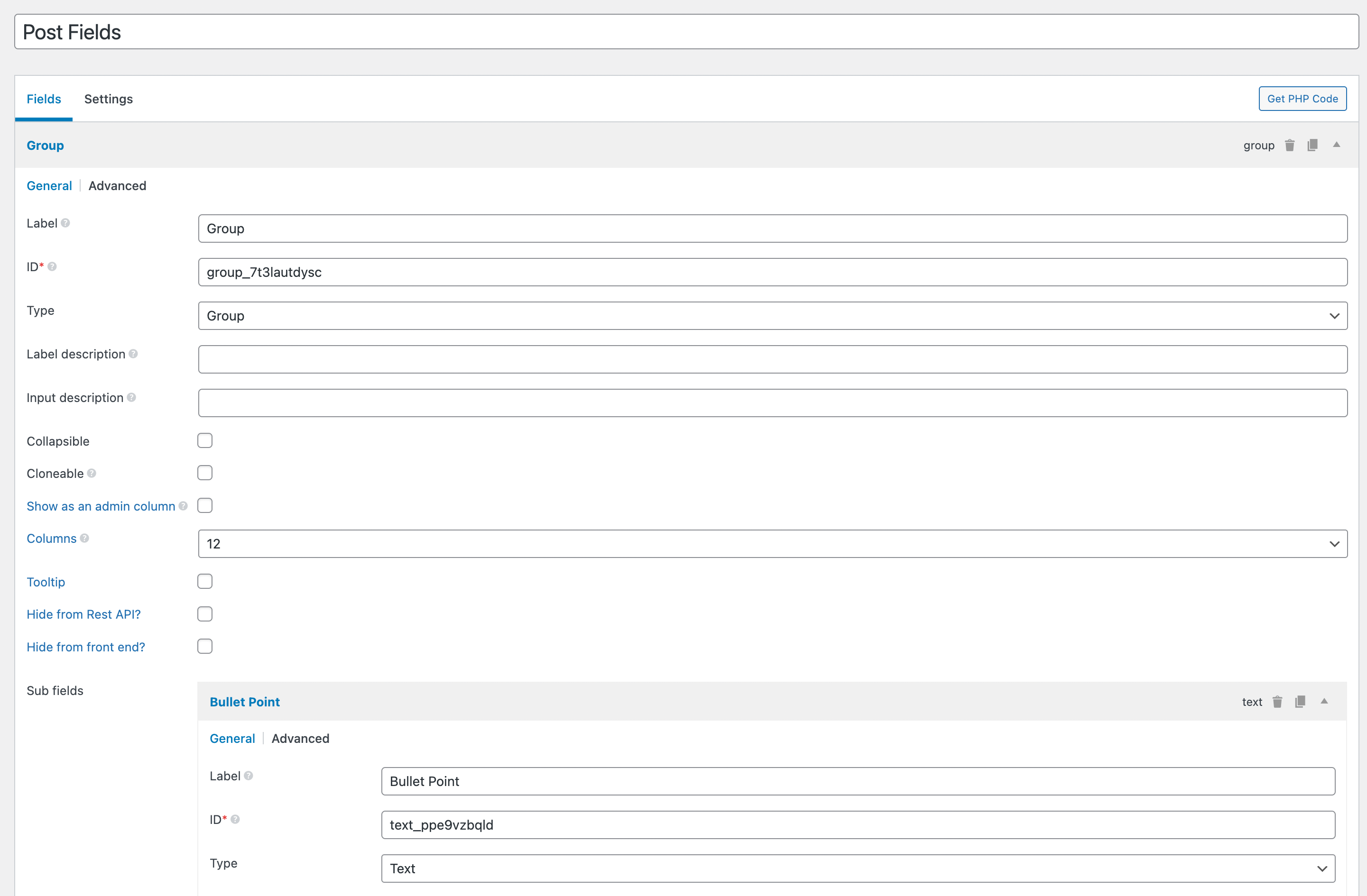
here's the code you would need to add to child theme's functions.php or in a code snippet plugin:

This is a BricksLabs Pro tutorial.

For full access login below or create your BricksLabs Pro account

Get access to all 626 Bricks code tutorials with BricksLabs Pro

Related Tutorials..

Pro
Conditional single post Bricks template based on internal referrer URL

Conditional single post Bricks template based on internal referrer URL

How to automatically select a single post template depending on the page from which the post is accessed.
Pro
ACF Repeater sub field value dynamic data condition in Bricks

ACF Repeater sub field value dynamic data condition in Bricks

This Pro tutorial provides the steps to output an element on single posts (can be of any post type) only if a specified ACF (Pro)…
Checking if Repeater/Cloneable Meta Fields Are Empty in Bricks

Checking if Repeater/Cloneable Meta Fields Are Empty in Bricks

Creating a condition to ensure that a section only gets output if at least one row of data is filled in.
Categories:
Pro
At Least 1 Search Result Condition in Bricks

At Least 1 Search Result Condition in Bricks

Registering a custom condition to render elements depending on whether there is at least one search result.
Categories:
Weekday Condition in Bricks

Weekday Condition in Bricks

As of Bricks 1.7, the built-in "Weekday" condition does not work correctly. This is most likely due to it not taking the site's timezone (set…
Categories:
Pro
User Role Conditional Output in Bricks

User Role Conditional Output in Bricks

This Pro tutorial provides the steps to output elements based on their CSS class to users of the specified role in WordPress when using Bricks…
Categories:
Create A Customizable AJAX Add To Cart Button In Bricks Builder

Create A Customizable AJAX Add To Cart Button In Bricks Builder

In Bricks, you can simply create an Add To Cart button from a dynamic data / function {woo_add_to_cart}. This button supports AJAX as well if…