

Get access to all 633 Bricks code tutorials with BricksLabs Pro
Related Tutorials..

How to add a resizable desktop navbar in Bricks
This tutorial will show you how to add a "More" menu item when the navbar overflows on desktop.
Categories:
Tags:
Pro

New Ribbon for Posts in Bricks
This Pro tutorial provides the steps to display a "New" ribbon for posts that were published in the last x days in Bricks. Update: Added…
Categories:
Tags:

Animated Border Hover Effect Buttons
Here's how can be implemented in HTML/WordPress/Bricks. Step 1 Add this CSS in your child theme's style.css or another appropriate location: Step 2 Add a…
Categories:
Tags:

How to Push The Footer Down in Bricks
Looking to have the footer stay at the bottom of the browser window in your Bricks site? Simply add this CSS: There are several places…
Categories:
Tags:
Pro
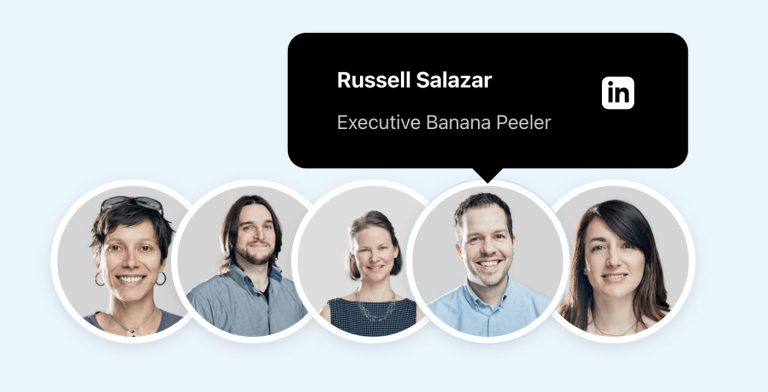
Team Member Photos Stack with Hover Tooltips in Bricks
Herman Baiatian shared in the Bricks Facebook group here that he worked on overlapping team member headshots showing info in hover tooltips. I recreated it…
Categories:
Tags:
Pro

Fixed Sidebar Layout in Bricks
A user asked: This Pro tutorial provides the steps to set up a fixed left (or can be on the right) sidebar using hooks and…
Categories:
Tags:
Pro

Reading Progress Bar in Bricks
This Pro tutorial provides the steps to implement a reading progress bar in Bricks builder. Step 1 Add the progress element as the first child…
Categories:
Tags:
Pro

Sticky Scrolling in Bricks Builder
Updated on 22 Apr 2024 This Pro tutorial provides the steps to fix elements in the viewport i.e., make them sticky while adjacent content in the section…
Categories:
Tags:
Pro

Search Results Template in Bricks
Updated on 26 Oct 2023 This Pro tutorial provides the steps to set up a search template in Bricks with these features: Step 1 Create…
Categories:
Tags: