6th Mar '24
/
2 comments

Fixed Sidebar Layout in Bricks

A user asked:

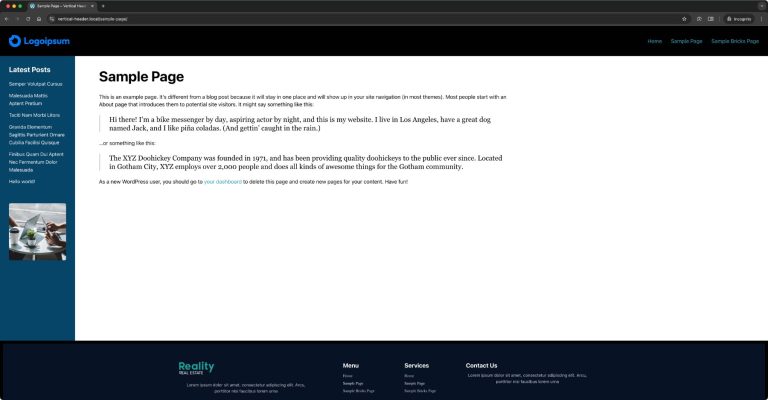
This Pro tutorial provides the steps to set up a fixed left (or can be on the right) sidebar using hooks and some custom PHP and CSS in Bricks.

Step 1

Create a Bricks template of type Section named say, "Sidebar".

Edit it with Bricks.

Add a Block.

Change its element ID to site-sidebar.

Set its width to say, 300px.

Do other styling like setting background color, text color, padding, row and column gap.

Add your desired elements inside.

Template settings:

This is a BricksLabs Pro tutorial.

For full access login below or create your BricksLabs Pro account

Get access to all 630 Bricks code tutorials with BricksLabs Pro

Related Tutorials..

How to create filters with IsotopeJS in Bricks (Part 4): AJAX filter and infinite loops, Sorting, List view and Disable animations

How to create filters with IsotopeJS in Bricks (Part 4): AJAX filter and infinite loops, Sorting, List view and Disable animations

This tutorial will explain how to enable the AJAX filter with an infinite scroll query loop container, how to add a sorting function, how to…
Categories:
Plain HTML pages in Bricks

Plain HTML pages in Bricks

How to output only raw HTML on the page with no other WordPress/Bricks (or any other active child/parent theme)/plugins baggage.
Animated Border Hover Effect Buttons

Animated Border Hover Effect Buttons

Here's how can be implemented in HTML/WordPress/Bricks. Step 1 Add this CSS in your child theme's style.css or another appropriate location: Step 2 Add a…
Categories:
How to create filters with IsotopeJS in Bricks (Part 2): Dynamic Image Galleries

How to create filters with IsotopeJS in Bricks (Part 2): Dynamic Image Galleries

This tutorial series will review how to create a dynamic filterable image gallery using the IsotopeJS library‘s features in Bricks. Requirements Create a custom taxonomy for your…
Pro
Dropdown Menu in Bricks using Interactions

Dropdown Menu in Bricks using Interactions

This Pro tutorial provides the steps to toggle a WordPress menu when a div is clicked using the Interactions feature in Bricks. When clicked: Step…
Categories:
Floats in Bricks for Wrapping Text Around Images

Floats in Bricks for Wrapping Text Around Images

In the Bricks Facebook group a user asks: Float, left or right? Just a quick question. Am I going crazy or can't I specify a…
Categories:
Tags:
How to add SVG icon as list item bullets

How to add SVG icon as list item bullets

Add this sample CSS: Replace brxe-list with the class of your ul element. Here's how you can generate the value of background-image property: Copy your…
Categories:
Tags:
Pro
Search Results Template in Bricks

Search Results Template in Bricks

Updated on 26 Oct 2023 This Pro tutorial provides the steps to set up a search template in Bricks with these features: Step 1 Create…
Categories: