
Update on 18 Aug 2025: Added the ACF version in the comments.
In the members-only Tutorial Requests section, a user asks
Conditionally show a banner if date exists and is equal to today + 5 days before
I would like to set up a banner for office closures based on holidays/ dates that I put into a meta box custom field ( would a repeater work?) I'd like the banner to show based on in the date is ON or 5 days before that day. It would go disappear if the date has passed. How can I do this?
This Pro tutorial provides a custom function that returns true or false depending on whether today falls within 5 days before any holiday dates selected on a Meta Box setting page.
Consider these dates (in yyyy-mm-dd format) on a settings page:

After implementing the tutorial you'll be able to do set a dynamic data condition like this

on a Section so it gets output only if the current date (i.e., today) is either one of the selected holiday dates or going back 5 days from any of the holiday dates.
Use case: Show a holiday banner only during the holiday period.
Example:
If one of the holiday dates is set to: 23rd August 2025, then any Bricks element can be set to be output only on these dates:
23 Aug 202522 Aug 202521 Aug 202520 Aug 202519 Aug 202518 Aug 2025
Step 1
Install and activate Meta Box and Meta Box AIO.
Meta Box → Settings Pages: Add a new settings page titled say, "Global Settings".
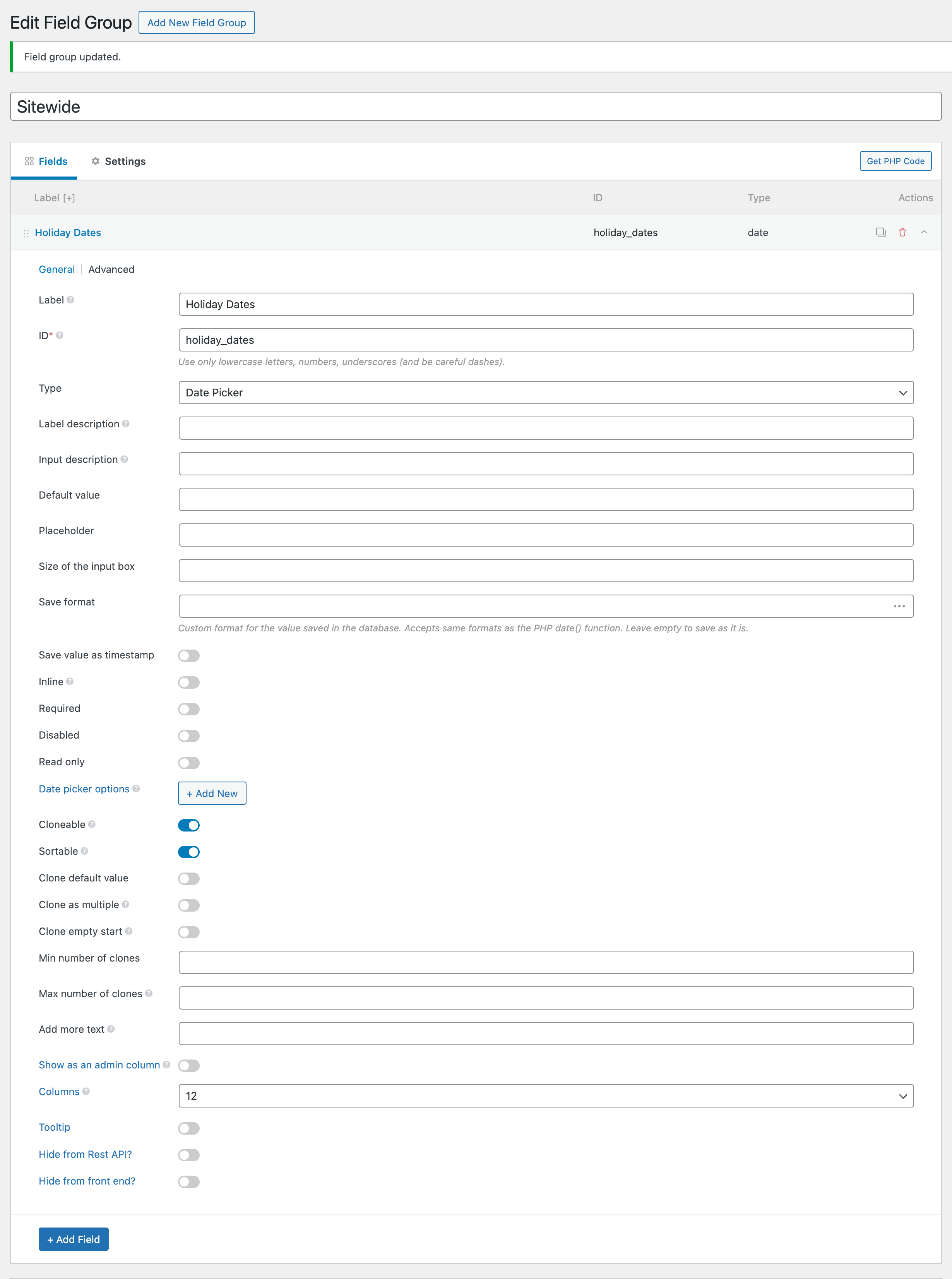
Meta Box → Custom Fields: Add a new field group titled say, "Sitewide". Add a Date Picker type field having a label of say, "Holiday Dates". Enable Cloneable and Sortable.
Location: Settings page = Global Settings.
Step 2
Go to your settings page and select as many holiday dates as the site's business has.
Save settings.
Step 3
Add the following in child theme's functions.php (w/o the opening PHP tag) or a code snippets plugin:


