4th Feb '25
/
2 comments

Checking ‘PublishPress Future’ plugin’s Future Action enabled posts

PublishPress Future is a handy plugin for scheduling actions like unpublishing or deleting posts (of any post type) at a specified date and time in the future.
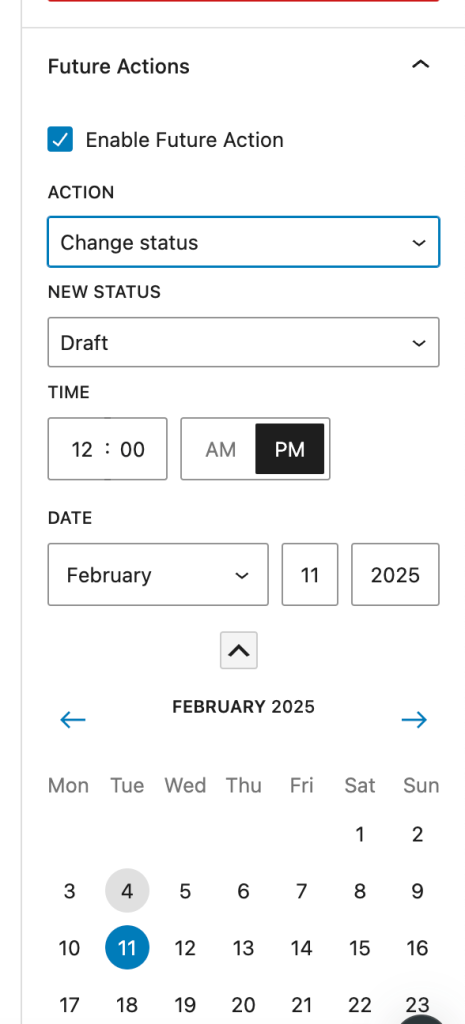
It provides a handy [futureaction] shortcode that outputs the current single post's action date.

If you are looking to conditionally output an element in Bricks depending on whether the current post has a PublishPress Future action set, define a custom PHP function like this:

This is a BricksLabs Pro tutorial.

For full access login below or create your BricksLabs Pro account

Get access to all 610 Bricks code tutorials with BricksLabs Pro

Related Tutorials..

[Function] Current Term Has Children

[Function] Current Term Has Children

Updated on 20 Jul 2024 A user asks: I'm working on an archive template for WooCommerce products. I'm trying to hide a section if there…
Pro
Conditional Rendering in Bricks Based on CSS Class

Conditional Rendering in Bricks Based on CSS Class

Updated on 19 Jun 2024 A user asks: Is there a way to apply the same conditions to several elements like we set styles appending…
Categories:
Pro
Custom Conditions in Bricks Builder

Custom Conditions in Bricks Builder

Updated on 22 Jun 2022 This Pro tutorial is a continuation of the previous Conditions in Bricks Builder tutorial. We are going to keep updating…
Categories:
Pro
Conditional Output in Bricks based on if Content has Headings

Conditional Output in Bricks based on if Content has Headings

How to prevent the output of the table of contents if the content has no headings.
Categories:
Tags:
Checking for Post Type in Bricks

Checking for Post Type in Bricks

A way to output elements conditionally based on the current post type in the loop in Bricks.
Categories:
Check if a given category has at least one post

Check if a given category has at least one post

There could be situations where you want to check if a given category (by its slug) has at least 1 post assigned to that category.…
Categories:
Checking if the current post has been published within the last x days

Checking if the current post has been published within the last x days

Conditionally output an element if the current post has been published in the last x number of days.
Categories:
Pro
User Role Condition in Bricks

User Role Condition in Bricks

This Pro tutorial provides the steps to conditionally output elements depending on the currently logged-in user's role. Step 1 Create a section Template having the…
Categories: