6th Mar '24
/
2 comments

Fixed Sidebar Layout in Bricks

A user asked:

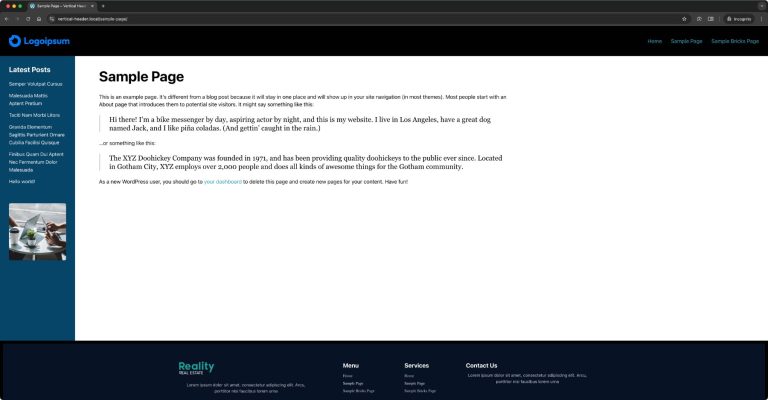
This Pro tutorial provides the steps to set up a fixed left (or can be on the right) sidebar using hooks and some custom PHP and CSS in Bricks.

Step 1

Create a Bricks template of type Section named say, "Sidebar".

Edit it with Bricks.

Add a Block.

Change its element ID to site-sidebar.

Set its width to say, 300px.

Do other styling like setting background color, text color, padding, row and column gap.

Add your desired elements inside.

Template settings:

This is a BricksLabs Pro tutorial.

For full access login below or create your BricksLabs Pro account

Get access to all 610 Bricks code tutorials with BricksLabs Pro

Related Tutorials..

Animated Border Hover Effect Buttons

Animated Border Hover Effect Buttons

Here's how can be implemented in HTML/WordPress/Bricks. Step 1 Add this CSS in your child theme's style.css or another appropriate location: Step 2 Add a…
Categories:
Pro
Dropdown Menu in Bricks using Interactions

Dropdown Menu in Bricks using Interactions

This Pro tutorial provides the steps to toggle a WordPress menu when a div is clicked using the Interactions feature in Bricks. When clicked: Step…
Categories:
How to add a resizable desktop navbar in Bricks

How to add a resizable desktop navbar in Bricks

This tutorial will show you how to add a "More" menu item when the navbar overflows on desktop.
Categories:
Tags:
Pro
Accordion Grid Query Loop in Bricks

Accordion Grid Query Loop in Bricks

How to set up a accordion in Bricks such that the "titles" are arranged in a grid with the full width content opening below.
Categories:
Pro
Custom WordPress Dashboard Page in Bricks

Custom WordPress Dashboard Page in Bricks

Updated on 10 Jul 2024 This Pro tutorial provides the steps to replace all the meta boxes of the WordPress admin dashboard page with the…
Categories:
Tags:
Pro
tsParticles in Bricks

tsParticles in Bricks

Updated on 5 Aug 2023 This Pro tutorial provides the steps to set up tsParticles, a lightweight TypeScript (uses JavaScript) library for creating particles as…
Categories:
Pro
Ken Burns Background Slideshow in Bricks

Ken Burns Background Slideshow in Bricks

Setting up a hero section, having images that pan and move as a background slideshow with content on top.
Categories:
Tags: