27th Jun '22
/
10 comments

Horizontal Scrolling Sections in Bricks Using GSAP’s ScrollTrigger

Horizontal Scrolling Sections in Bricks Using GSAP’s ScrollTrigger

In this Pro tutorial we'll use GSAP's ScrollTrigger library in Bricks to create a section that will scroll horizontally across a number of full width containers as the user scrolls down the page. This can be used on multiple sections on a page.

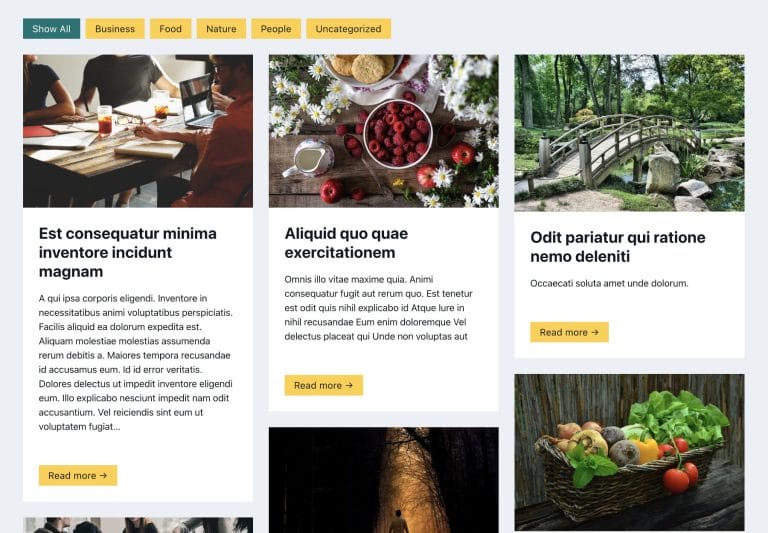
For the tutorial, we'll use Bricks' Query Loop feature to fetch a few posts with the container element and have these as the content that is inside the horizontal scrolling section. The effect is turned off for <992px (tablet portraight), where the posts are then stacked instead, this can be easily changed.

Demo

Page Export

An export file of the demo page is provided at the end.

Creating the Structure in Bricks

The demo page has a fairly simple structure, consisting of just three main sections. The top and bottom sections are just regular sections (container element) to show where other content would be on the page and can be ignored. The second section is where all of the horizontal scrolling is implemented. This is our horizontal scroll container, which we'll give the class 'horizontal-scroll-container' so we can apply some CSS later.

If we were creating two horizontal scrolling sections on the same page, we'd just create the same structure for that section and give it the same 'horizontal-scroll-container' class.
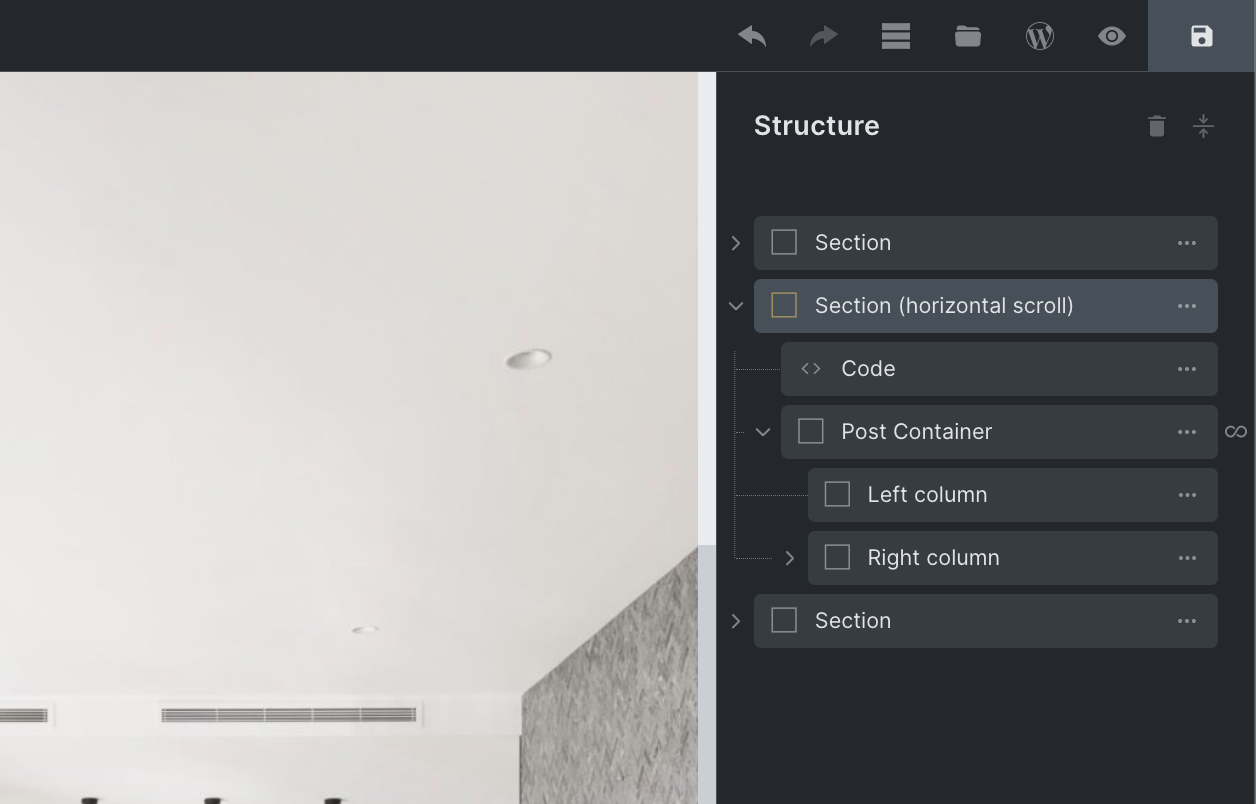
We can see from the structure, there's only one container inside of the horizontal scroll section, our 'post container'. This is being duplicated by the Query Loop feature to output three posts. If we weren't using the Query loop, we'd just add more containers manually inside of the section and add in the content.

This is a BricksLabs Pro tutorial.

For full access login below or create your BricksLabs Pro account

Get access to all 610 Bricks code tutorials with BricksLabs Pro

Related Tutorials..

Animated Border Hover Effect Buttons

Animated Border Hover Effect Buttons

Here's how can be implemented in HTML/WordPress/Bricks. Step 1 Add this CSS in your child theme's style.css or another appropriate location: Step 2 Add a…
Categories:
Custom Animations on Scroll without plugins in Bricks

Custom Animations on Scroll without plugins in Bricks

This tutorial provides the Javascript and CSS codes that can be pasted in order to create custom CSS animations on scroll without any third-party plugins…
Categories:
Create a App-Like Navigation in Bricks

Create a App-Like Navigation in Bricks

I've promised a few folks in the Facebook group to create a tutorial on how to create an app-like navigation in Bricks like in the…
Categories:
Pro
Dropdown Menu in Bricks using Interactions

Dropdown Menu in Bricks using Interactions

This Pro tutorial provides the steps to toggle a WordPress menu when a div is clicked using the Interactions feature in Bricks. When clicked: Step…
Categories:
Floats in Bricks for Wrapping Text Around Images

Floats in Bricks for Wrapping Text Around Images

In the Bricks Facebook group a user asks: Float, left or right? Just a quick question. Am I going crazy or can't I specify a…
Categories:
Tags:
Width and Height of Mobile Hamburger Toggle in Bricks

Width and Height of Mobile Hamburger Toggle in Bricks

Looking to change the size of Bricks hamburger toggle in the mobile menu? The default width value of 20px can be changed by selecting the…
Categories:
Pro
Image Banner as Query Loop Posts Grid’s Last Item in Bricks

Image Banner as Query Loop Posts Grid’s Last Item in Bricks

In the comments section of How to Insert Element(s) Between Query Loop Posts in Bricks tutorial, a site member asked: This is fantastic! Is there…
Categories:
Tags:
Pro
Centered Image Logo in Bricks

Centered Image Logo in Bricks

Updated on 8 Mar 2023 This Pro tutorial provides the steps to add a logo image as the center menu item that shrinks when the…
Categories: