
In the Bricks Facebook group, a user asks:
I'm a bit lost with the product search on my e-commerce site. I have a search bar in my header and I want to display the product archive page with only the results if I type the product name or its SKU. Can anyone help me? I don't quite understand.
One way to do this is by
- using a Filter - Search element on the Shop page
- configuring it to search for product titles and SKUs
- adding a custom search box that sends the search term to the Shop page with the correct URL parameter. Ex.:example.com/shop/?_product=V-Neck+T-Shirtorexample.com/shop/?_product=woo-vneck-tee
- adding custom code that redirects WC product title and SKU search terms to the Shop page
- additionally, removing products from the default WP search results
This Pro tutorial provides the details of how the above can be done to essentially redirect users to the Shop page with filtered results if the searched term matches a WC product title or SKU. And, if it does n't, to the default WP search results.
Step 1
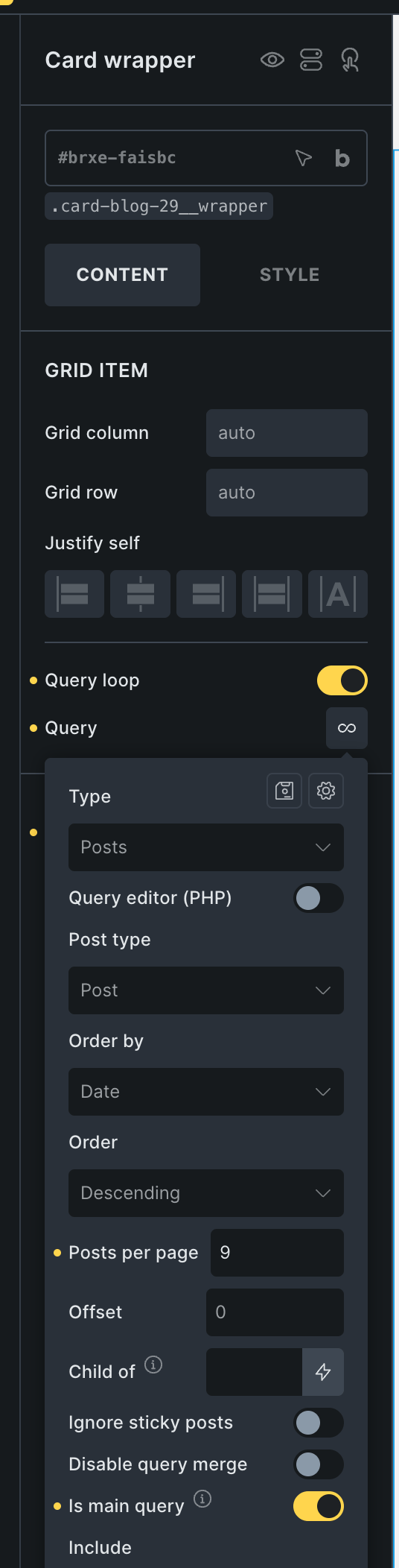
Set up a Bricks template for Search results.
If you'd like to import it, here's one from our dev site.
Mark the query as the main query. This is needed so we can use pre_get_posts to modify the post types enabled in the search results.
Step 2
Add the following in child theme's functions.php (w/o the opening PHP tag) or a code snippets plugin:


![[WooCommerce] Product Category Image Background in Bricks](https://brickslabs.com/wp-content/uploads/2024/07/woocommerce-product-category-image-background-bricks-768x399.jpg)
![[WooCommerce] Up-Sells and Cross-Sells Query Loop in Bricks](https://brickslabs.com/wp-content/uploads/2022/12/product-up-sells-bricks-query-loop-editor-768x347.jpg)