31st Mar '23/0 commentsNew Ribbon for Posts in BricksSridhar Katakam This Pro tutorial provides the steps to display a "New" ribbon for posts that were published in the last x days in Bricks. Update: Added instruction on showing the ribbon for posts that were modified after they were published. Step 1 Edit your Page/template with Bricks and set up a query loop. If you'd like to copy-paste a fully built one, head on to BricksSections. Step 2 Add a Code element alongside other post elements. Paste the following: This is a BricksLabs Pro tutorial. For full access login below or create your BricksLabs Pro account Username Password Remember Me Forgot Password Tagged: BricksProRibbonSridhar KatakamSridhar Katakam is a Bricks enthusiast. He likes helping others by researching and solving WordPress-related problems and building websites.Get access to all 610 Bricks code tutorials with BricksLabs Pro
How to Push The Footer Down in BricksLooking to have the footer stay at the bottom of the browser window in your Bricks site? Simply add this CSS: There are several places…Read more →Categories: Bricks, FreeTags: Footer
Plain HTML pages in BricksHow to output only raw HTML on the page with no other WordPress/Bricks (or any other active child/parent theme)/plugins baggage.Read more →Categories: Bricks, FreeTags: WordPress Page Template
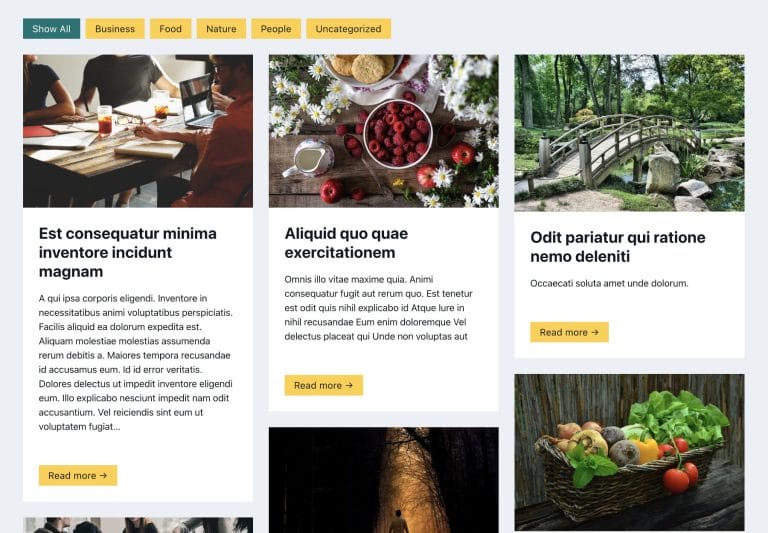
Pro Filtering Masonry-layout Posts by Categories in Bricks using IsotopeStep by step on how to use Isotope in Bricks for filtering posts by categories.Read more →Categories: Bricks, ProTags: Isotope, Masonry
Pro Mmenu Light in BricksHere's the steps to implement Mmenu Light for a sliding OffCanvas mobile menu in Bricks.Read more →Categories: Bricks, ProTags: Mmenu, Offcanvas
How to create filters with IsotopeJS in Bricks (Part 1)This tutorial series will explore the IsotopeJS library's features inside the Bricks ecosystem.Read more →Categories: Bricks, FreeTags: Filters, Isotope
Download Area with HappyFilesAside from the series I'm currently writing on how to create custom galleries and sliders with HappyFiles, Metabox and Bricks, I have developed a snippet…Read more →Categories: Free, PluginsTags: HappyFiles
Pro Responsive iframes in BricksThis Pro tutorial provides the steps to add responsive iFrames in Bricks. Step 1 Edit your Page/Template with Bricks. Add a Code element having this…Read more →Categories: Bricks, ProTags: iframes
Pro Codrops Dynamic Shape Overlay in BricksThis Pro tutorial provides the steps to implement Codrops' SVG shape overlay in Bricks. We shall display a WordPress menu in the overlay after an…Read more →Categories: Bricks, ProTags: Menu Overlay
Pro Search Results Template in BricksUpdated on 26 Oct 2023 This Pro tutorial provides the steps to set up a search template in Bricks with these features: Step 1 Create…Read more →Categories: Bricks, ProTags: Search Results