
In the members-only tutorials requests section, a user asked:
I have a CPT for “developer profiles” in that cpt i have a field group that puts info for a dev. in a metabox settings page I have a selection where we select 1 developer. I want to display the meta from this selected “post” (developer profile) but I am having an issue with getting any of the meta out. I can only get it to display the post name. Do oyu know the proper way to get this data? here is what I have tried – none of these do anything – it only shows the Post name and the post name is linked tothe post: -{mb_wl-settings_active_dev_profile:meta:dev_contact_email} -ID{mb_wl-settings_active_dev_profile:meta:post_id} -ID opt 2 {mb_wl-settings_active_dev_profile:ID} -{mb_get_post_meta:{mb_wl-settings_active_dev_profile},dev_contact_email}
This Pro tutorial shows how we can use the PHP query feature in Bricks to get the value (post ID) of a Post-type Meta Box custom field on a settings page and query it so that post's data like title, content, or any other custom fields can be easily output using the elements or dynamic data features.
Let's consider this sample scenario:
Post type: team
MB settings page having the ID of: settings
Field group for the above settings page:
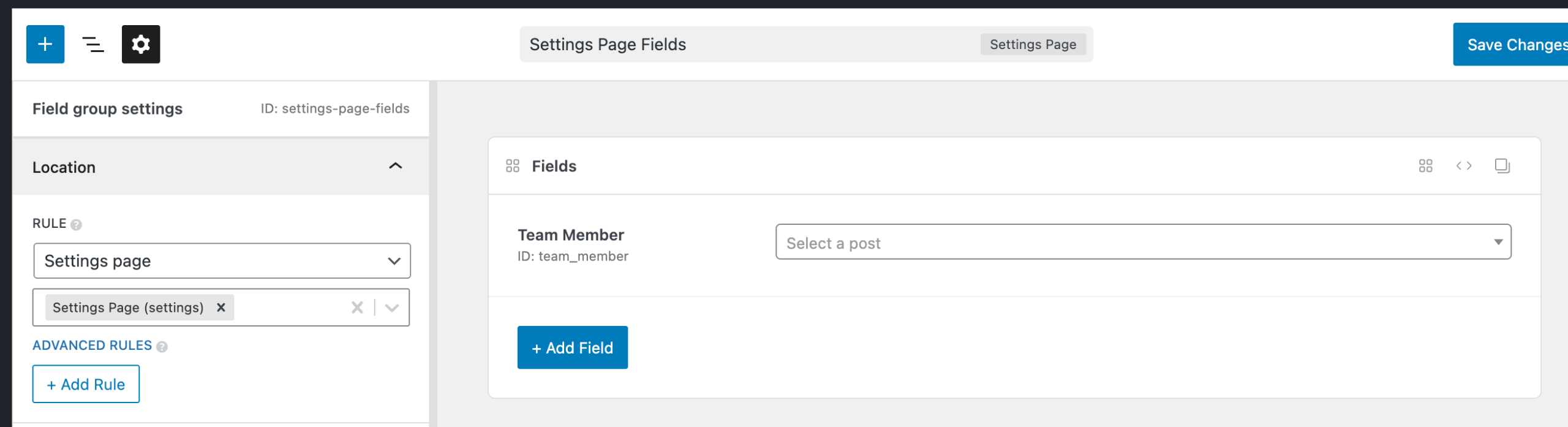
Field type: Post, Field ID: team_member
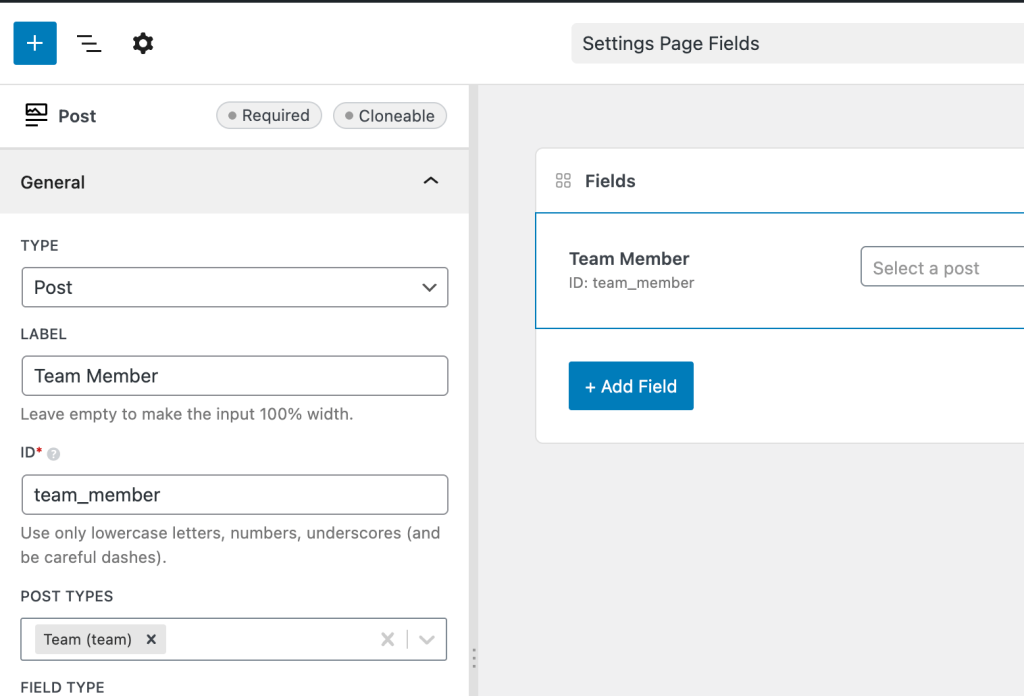
A team member post being selected on the settings page:

After implementing the tutorial, on a Page (like the homepage):

Step 1
Add a Block inside a Section's Container and enable query loop.
Toggle PHP query editor and paste:

