

Get access to all 624 Bricks code tutorials with BricksLabs Pro
Related Tutorials..
Pro

CSS Grid for Posts Element in Bricks
The "Posts" element in Bricks has "Grid" as the default layout but the actual CSS it applies on the page feels hacky with negative margins…
Categories:
Tags:

How to create filters with IsotopeJS in Bricks (Part 3): apply multiple filters
This tutorial will review how to apply multiple filters to an isotope container using the IsotopeJS library‘s features in Bricks.
Categories:
Tags:
Pro

Inserting Random Ad Between Posts in Bricks
How to insert random ads (post type) in between regular posts on the blog page.
Categories:
Tags:
Pro

Click-type Infinite Scroll in Bricks Builder
This Pro tutorial provides the steps to set up "click to load more" posts using Infinite Scroll JS in Bricks builder. Step 1 Edit your…
Categories:
Tags:

How to add SVG icon as list item bullets
Add this sample CSS: Replace brxe-list with the class of your ul element. Here's how you can generate the value of background-image property: Copy your…
Categories:
Tags:
Pro

Stacking Post Cards in Bricks
How we can stack posts in a query loop so they stick on top of the previous one when scrolling.
Categories:
Tags:
Pro

How to Hide the Header Initially and Show It After Scrolling Down in Bricks
Hiding the header when the scroll position is at the top and reveal it after the user scrolls down.
Categories:
Tags:

How to create filters with IsotopeJS in Bricks (Part 4): AJAX filter and infinite loops, Sorting, List view and Disable animations
This tutorial will explain how to enable the AJAX filter with an infinite scroll query loop container, how to add a sorting function, how to…
Categories:
Tags:
Pro
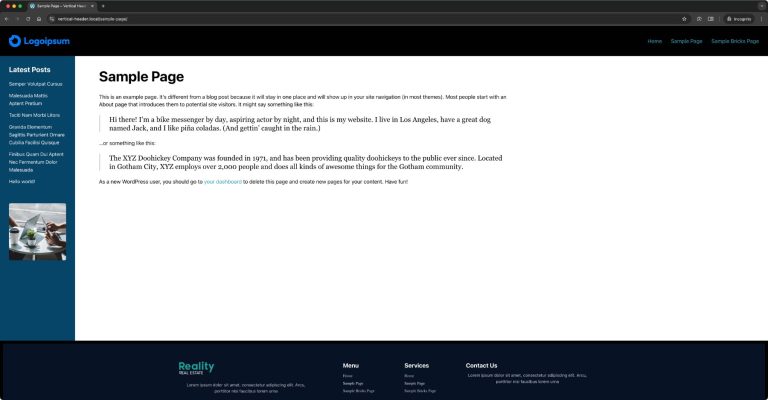
Another Fixed Sidebar Layout in Bricks
How to get the main content and sidebar sandwiched between the site header and footer.
Categories:
Tags: