16th Sep '25
/
9 comments

Staggered Entry Animations for Posts in Bricks Query Loops

This Pro tutorial provides the steps for animating the posts output by a Bricks query loop in a staggered animation.

We will cover 3 cases:

  1. once per page load
  2. once when scrolling from top to bottom as the posts come into view
  3. multiple times when scrolling from top to bottom or bottom to top as the posts come into view

CSS-only approach when the number of posts is known

If the number of posts is fixed/known, we can just use CSS. The downside is that the staggered animations run on page load and not when the posts come into view as they are scrolled to. If you prefer the fade in animations as the posts come into view, use the JavaScript approach detailed further down.

Set up your posts query loop.

If you want a head start, copy and paste the fully-built Section from here.

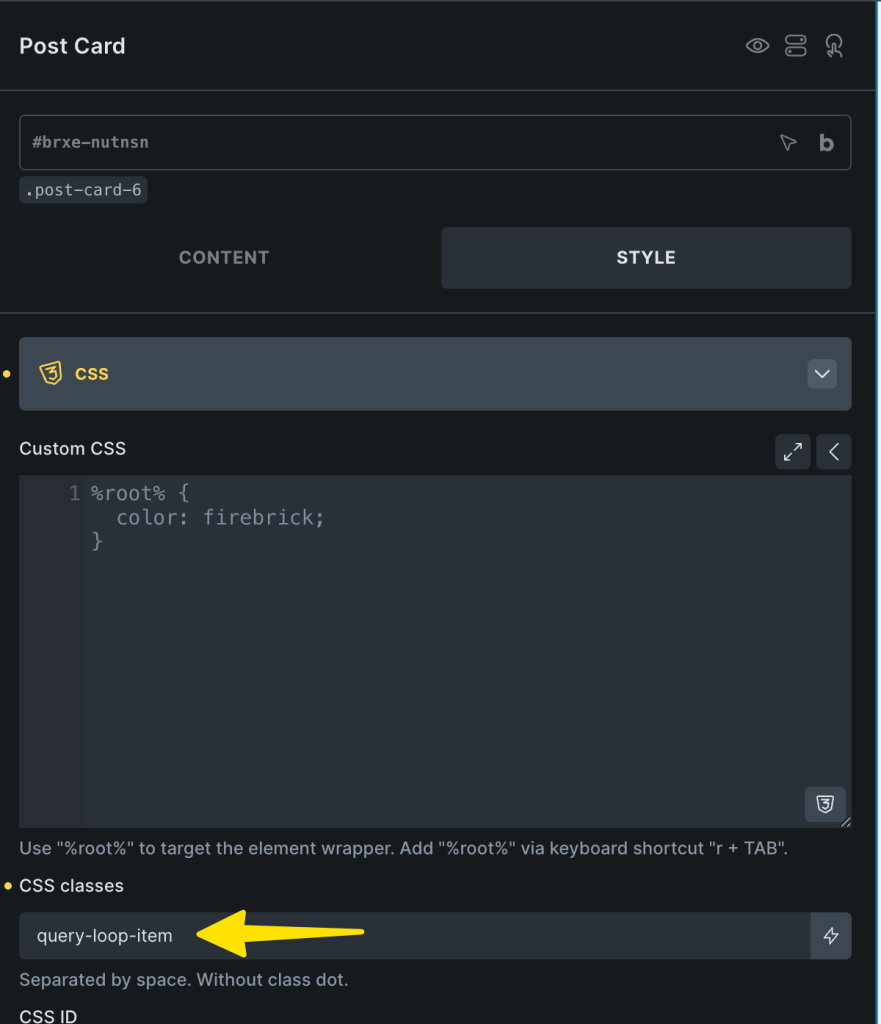
Select the query loop-enabled Block element, go to its CSS settings and add this class: query-loop-item
In the Page/Template PAGE SETTINGS, add this in Custom CSS:

This is a BricksLabs Pro tutorial.

For full access login below or create your BricksLabs Pro account

Get access to all 633 Bricks code tutorials with BricksLabs Pro

Related Tutorials..

Pro
Accordion Grid Query Loop in Bricks

Accordion Grid Query Loop in Bricks

How to set up a accordion in Bricks such that the "titles" are arranged in a grid with the full width content opening below.
Categories:
Using WP Grid Builder Facets with Bricks’ Query Loop

Using WP Grid Builder Facets with Bricks’ Query Loop

Update: This tutorial was written before WPGB had a Bricks add-on. Now, it is advisable to use that add-on instead. Get it from here. Updated…
Categories:
Pro
Bricks Query Loop for Top-level Parent Pages with Children

Bricks Query Loop for Top-level Parent Pages with Children

In the Bricks Facebook group, a user asked: Looking for a custom query to output a list of posts in the same hierarchy that the…
Categories:
How to create filters with IsotopeJS in Bricks (Part 3): apply multiple filters

How to create filters with IsotopeJS in Bricks (Part 3): apply multiple filters

This tutorial will review how to apply multiple filters to an isotope container using the IsotopeJS library‘s features in Bricks.
Pro
Mixed Post Types Grid in Bricks

Mixed Post Types Grid in Bricks

How to set up a mixed post types grid in Bricks, where you can display both standard posts and custom quote cards in alternating positions.
Categories:
Pro
Events grouped by Event Date custom field in Bricks

Events grouped by Event Date custom field in Bricks

This Pro tutorial for Bricks users provides the steps to output posts of an event custom post type dynamically grouped by the value of their…
Categories: