Opens in a new tab
26th Sep '25
/
4 comments

Custom Dynamic Data Tags for ACF Field Label, Prefix and Suffix in Bricks

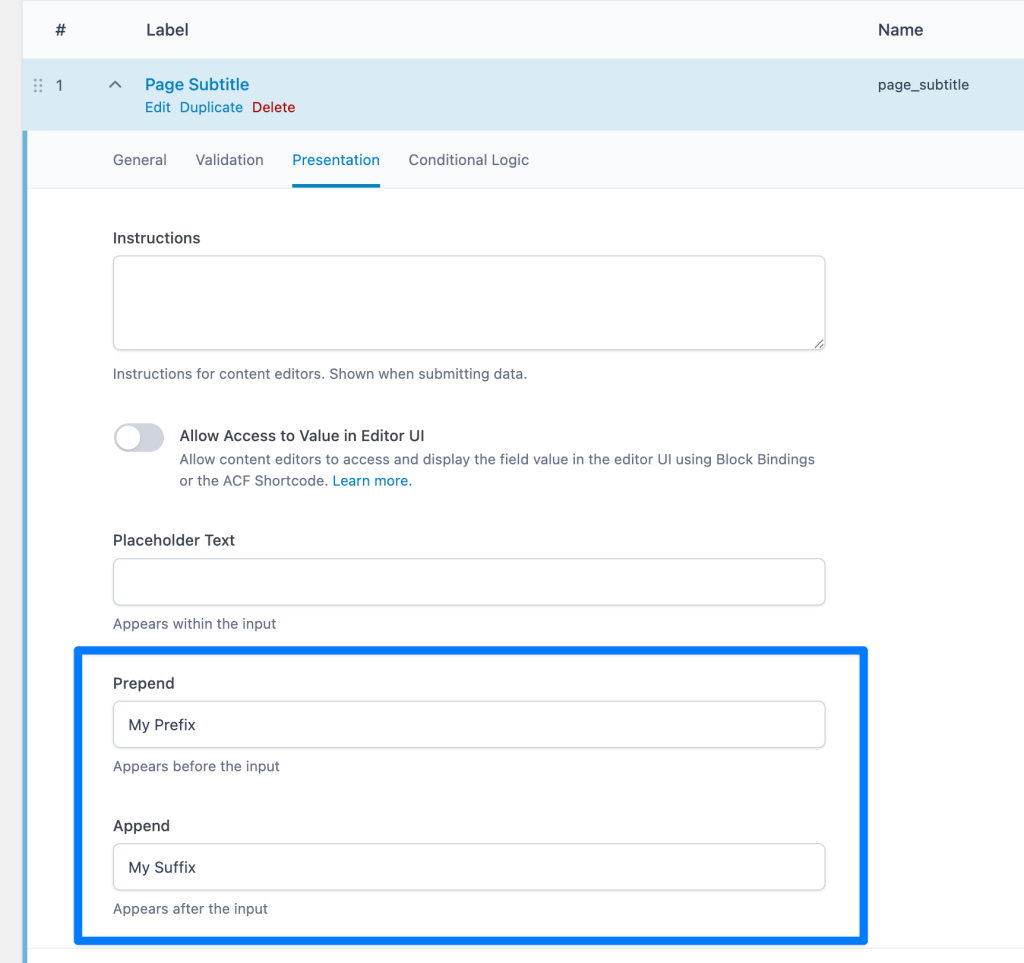
Bricks does not currently have built-in dynamic tags for outputting labels, 'prepend' and 'append' text for custom fields created using Advanced Custom Fields.

But it does provide

  • bricks/dynamic_tags_list
  • bricks/dynamic_data/render_tag
  • bricks/dynamic_data/render_content

PHP filters using which we can create our own custom data tags.

This Pro tutorial provides the code for registering the following dynamic data tags for use in Bricks editor:

  • {custom_acf_fieldname:label} - shows the field label
  • {custom_acf_fieldname:prefix} - shows the field prefix (prepend value)
  • {custom_acf_fieldname:suffix} - shows the field suffix (append value)

Ex.:

After adding the code:

Add the following in child theme's functions.php (w/o the opening PHP tag) or a code snippets plugin:

This is a BricksLabs Pro tutorial.

For full access login below or create your BricksLabs Pro account

Get access to all 633 Bricks code tutorials with BricksLabs Pro

Related Tutorials..

Pro
Category Grid with ACF Images in Bricks

Category Grid with ACF Images in Bricks

Creating a grid of post categories, each category card showing an image from an ACF field, category name & description.
Categories:
Pro
Related FAQs on Product pages Based on Product Category Taxonomy in Bricks

Related FAQs on Product pages Based on Product Category Taxonomy in Bricks

On product pages, we show all the FAQs associated with the current WooCommerce product's product categories.
Categories:
Dynamic Data :value filter in Bricks

Dynamic Data :value filter in Bricks

Bricks 1.5.7 introduced a new :value dynamic data filter. This tutorial provides a practical example of how this filter can be used. Meta Box Checkbox…
Categories:
Pro
Filtering Query Loop Posts by a Non-empty Custom Field in Bricks

Filtering Query Loop Posts by a Non-empty Custom Field in Bricks

This Pro tutorial shows how we can prefilter the results of a query output by a Bricks query loop to only those for which the…
Categories:
Tags:
How to create parallax effects using Rellax.js in Bricks

How to create parallax effects using Rellax.js in Bricks

This tutorial provides the JS & PHP codes that can be pasted in order to create smooth parallax effects using the Rellax.js library inside Bricks…
Categories:
Pro
Google Maps JavaScript API in Bricks

Google Maps JavaScript API in Bricks

This Pro tutorial provides the steps to show post-specific maps with custom marker content in Bricks using Google's Maps JavaScript API and Advanced Custom Fields.…
Categories: