
Updated on 29 Sep 2025
In the Bricks Discord chat, a user asks:
Got a quick question about limiting dynamic data - post_excerpt:55 – Limit post excerpt to 55 words. I like that it automatically puts a "..." at the end when the excerpt is longer. I want the same for other dynamic data such as {my_custom_description:55} but it only limits the words and doesnt put "..." at the end when its longer. How to achive that?
This Pro tutorial provides the code that registers a custom_field_word_limit_fieldname:number dynamic data tag to output the specified text-type field's text - truncated to the specified number of words (if the word limit is specified) with ellipsis (...) at the end.
For example, let's say you've used ACF and created a field named page_description.
custom_field_word_limit_page_description:22 enclosed in curly braces will render the page_description field's value limited to the first 22 words with ... at the end (if the text has more than 22 words).

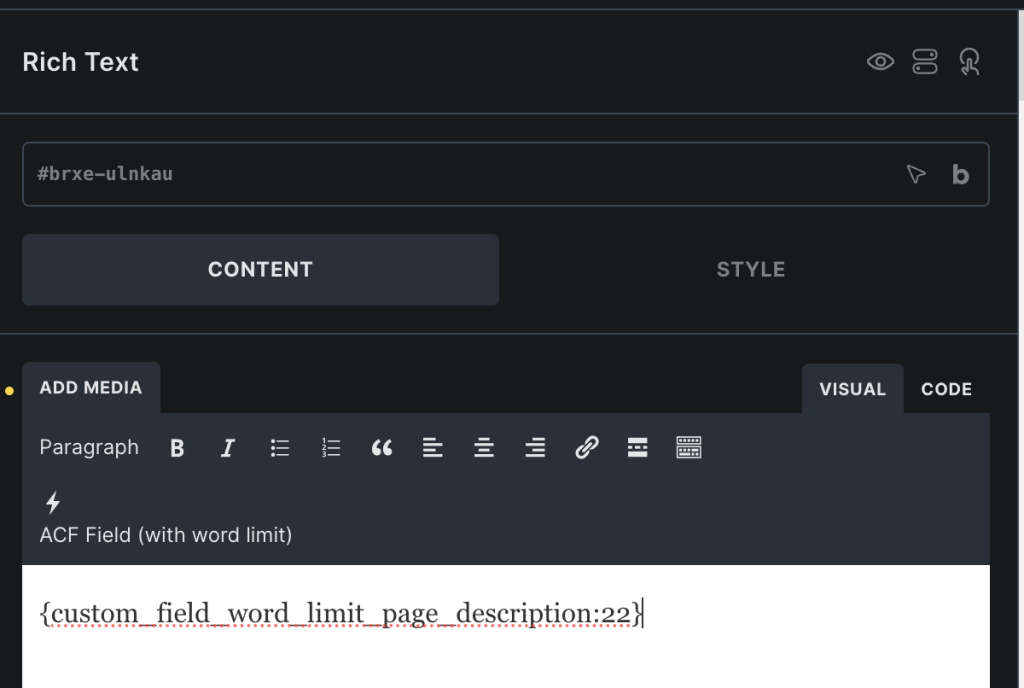

When the word limit number is omitted, the entire field value will be shown.
This works (or at least, should in theory - let us know in the comments if it doesn't) regardless of which custom fields plugin (if one is used) is being used - ACF or Meta Box or JetEngine etc.
Add the following in child theme's functions.php (w/o the opening PHP tag) or a code snippets plugin:


