6th Jul '23
/
4 comments

Sticky Footer Reveal in Bricks

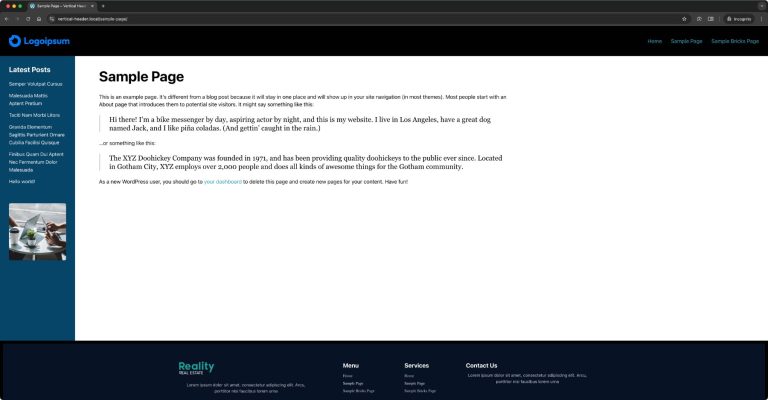
Looking for slideout/sticky reveal effect for your Bricks site’s footer like this?

Simply add this CSS:

main {
  /* make sure to cover the screen */
  min-height: 100vh;

  /* need a solid bg to hide the footer */
  background: white;

  /* put on top */
  position: relative;
  z-index: 1;
}

#brx-footer {
  /* place on the bottom */
  position: sticky;
  bottom: 0;
  left: 0;
}

Source: https://css-tricks.com/the-slideout-footer/

Get access to all 610 Bricks code tutorials with BricksLabs Pro

4 comments

  • Lucas Pelton

    With Bricks 1.9.9 the frontend.light.min.css has the following rule, which overrides the postition:sticky in your post

    #brx-footer { background-position: 50%; background-size: cover; flex-shrink: 0; margin-top: auto; position: relative; width: 100%; }

    You can fix the override by making your css more specific, like this:

    footer#brx-footer { /* place on the bottom */ position: sticky; ...

  • Yorgos Kastritseas

    on mobile the footer goes up and covers my header

Leave your comment


Related Tutorials..

How to Create a Right Overflow Effect on Sliders in Bricks

How to Create a Right Overflow Effect on Sliders in Bricks

In this tutorial, we'll learn how to recreate a nice overflow effect on the right of our sliders in Bricks. Introduction Recently, I've been asked…
Categories:
Pro
Mmenu Light in Bricks

Mmenu Light in Bricks

Here's the steps to implement Mmenu Light for a sliding OffCanvas mobile menu in Bricks.
Categories:
Animated Border Hover Effect Buttons

Animated Border Hover Effect Buttons

Here's how can be implemented in HTML/WordPress/Bricks. Step 1 Add this CSS in your child theme's style.css or another appropriate location: Step 2 Add a…
Categories:
Pro
Click-type Infinite Scroll in Bricks Builder

Click-type Infinite Scroll in Bricks Builder

This Pro tutorial provides the steps to set up "click to load more" posts using Infinite Scroll JS in Bricks builder. Step 1 Edit your…
Categories:
Pro
Accordion Grid Query Loop in Bricks

Accordion Grid Query Loop in Bricks

How to set up a accordion in Bricks such that the "titles" are arranged in a grid with the full width content opening below.
Categories:
Pro
Horizontal Scrolling Sections in Bricks Using GSAP’s ScrollTrigger

Horizontal Scrolling Sections in Bricks Using GSAP’s ScrollTrigger

In this Pro tutorial we'll use GSAP's ScrollTrigger library in Bricks to create a section that will scroll horizontally across a number of full width…
Pro
Custom Posts Grid Layout in Bricks using CSS Grid

Custom Posts Grid Layout in Bricks using CSS Grid

There are at least three ways in which we can build custom loops in Bricks. Posts elementTurning on Query Loop on a containerCode element While…
Categories:
Pro
Stripe’s Animated Gradient in Bricks

Stripe’s Animated Gradient in Bricks

This Pro tutorial provides the steps to set up an animated gradient as a background of a section in Bricks using the code generated by…
Categories:
How to create filters with IsotopeJS in Bricks (Part 3): apply multiple filters

How to create filters with IsotopeJS in Bricks (Part 3): apply multiple filters

This tutorial will review how to apply multiple filters to an isotope container using the IsotopeJS library‘s features in Bricks.