

Get access to all 630 Bricks code tutorials with BricksLabs Pro
Related Tutorials..
Pro

Post Titles and Post Content Tabs in Bricks
How to set up Nestable tabs with post titles as the tab menu, and post content and/or any other post-specific data as the tab content.
Categories:
Tags:
Pro

Deep Linking to Headings inside Bricks Tab Panes via URL Hash
Learn how to link to a specific heading inside a Tabs (Nestable) element's tab pane content using custom JavaScript.
Categories:
Tags:
Pro

How to Link to a Specific Tab in Bricks
This Pro tutorial provides the JavaScript code that will automatically switch to the tab when using Nestable Tabs elements based on the "tab" URL parameter…
Categories:
Tags:
Pro

WP Grid Builder Filters inside Bricks’ OffCanvas
This Pro tutorial provides the steps to move WP Grid Builder's filters inside the Bricks' native Offcanvas on smaller viewport widths. Let's work with the…
Categories:
Tags:
Pro

Grid.js in Bricks
This Pro tutorial provides the steps to use Grid.js in a WordPress site powered by Bricks builder. Grid.js is a lightweight and performant JavaScript library…
Categories:
Tags:

How to disable smooth scroll in Bricks
In certain situations like using ScrollSmoother, you may be looking to disable smooth scrolling functionality that’s built into Bricks.
Categories:
Tags:
Pro

How to Add a Live Search to Filter Posts Grouped by Categories in Tabs
This Pro tutorial builds on top of the earlier Dynamic Tabs in Bricks tutorial and provides steps to add a live search input for filtering…
Categories:
Tags:
Pro

Opening Submenus with Click Instead of Hover in Bricks
This Pro tutorial provides the code for opening submenus with click instead of hover in Bricks. Step 1 Add this in child theme's style.css: Step…
Categories:
Tags:
Pro
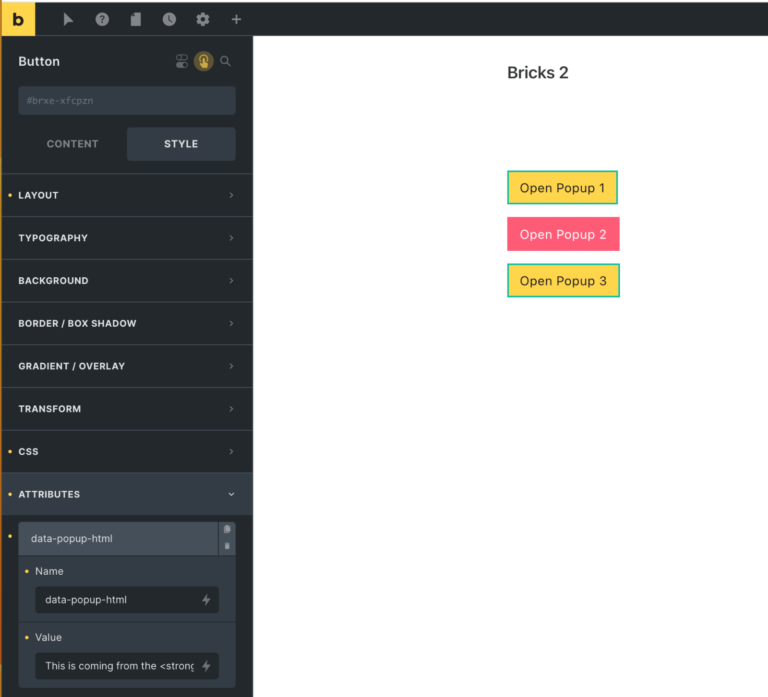
Button-specific HTML in Bricks Popup
In the Bricks Facebook group a user asks: I need to create popups to expend the text (eg. read more). I wonder if I have…
Categories:
Tags: