10th Mar '26
/
0 comments

WooCommerce Products Live Search in Bricks

This Pro tutorial provides the steps to set up a live search for WooCommerce products in Bricks.
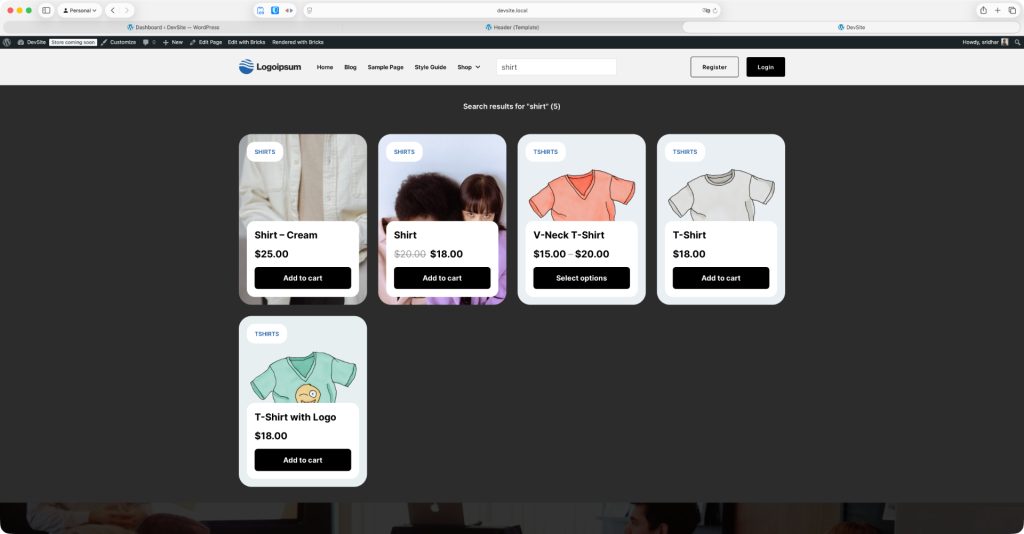
Note: Bricks' live search works with any type of query, not just posts.

Step 1

Edit Header template with Bricks.

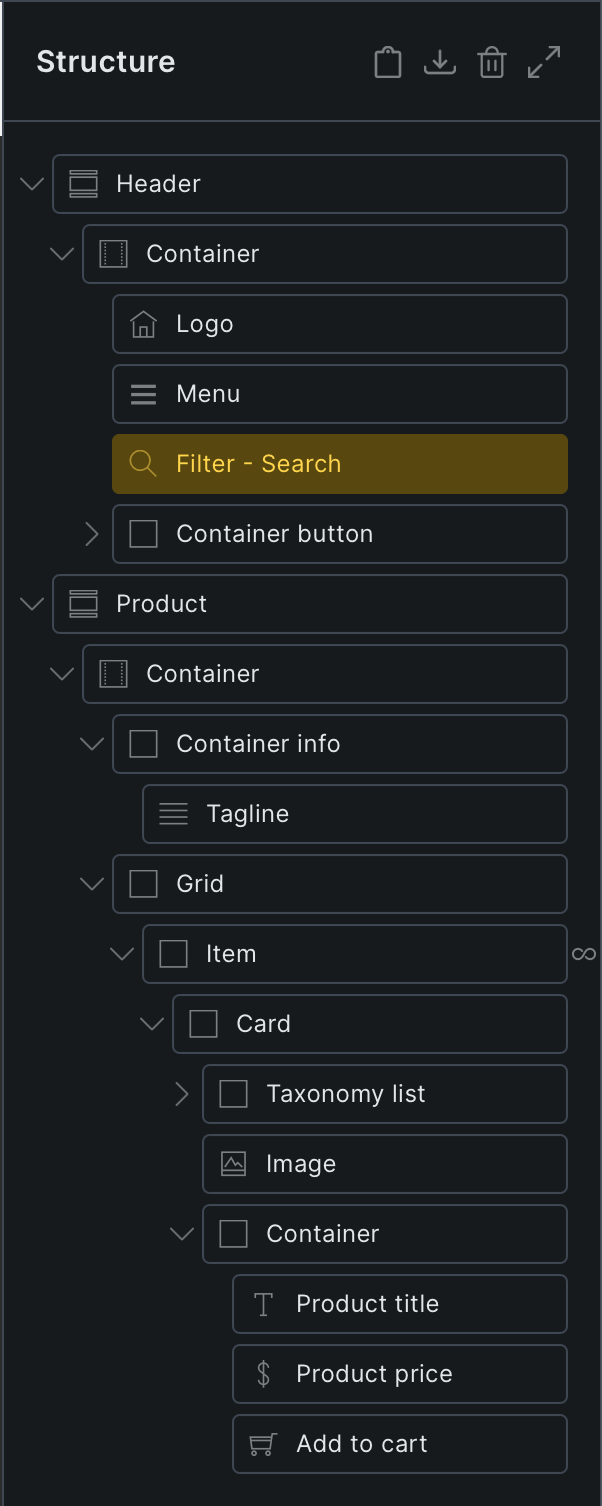
Add a Section having a query loop-enabled Block with the query type set to Products.

JSON link for copying the fully-built Section can be found below.
This is a BricksLabs Pro tutorial.

For full access login below or create your BricksLabs Pro account

Get access to all 630 Bricks code tutorials with BricksLabs Pro

Related Tutorials..

How to add a “Sold Out” badge for out of stock products in Bricks

How to add a “Sold Out” badge for out of stock products in Bricks

Looking to add a "Sold Out" badge for products in the Shop page for WooCommerce products that are out of stock when using Bricks' Products…
How To Remove the Featured Image from WooCommerce Product Gallery

How To Remove the Featured Image from WooCommerce Product Gallery

Product Gallery on single product pages in WordPress include the product's featured image by default. If you are looking to exclude it so only the…
Categories:
Appending WooCommerce Endpoint Names To My account Page Titles in Bricks

Appending WooCommerce Endpoint Names To My account Page Titles in Bricks

Adding the WooCommerce endpoint names, “Orders”, “Downloads” after the WooCommerce ‘My account’ Page’s title text at the various endpoint URLs.
Categories:
Pro
WooCommerce Product Carousel in Bricks

WooCommerce Product Carousel in Bricks

How to set up a carousel that shows WooCommerce products with the product title, price and Add to Cart button for each.
Categories:
Pro
Top-Level Product Categories in Bricks

Top-Level Product Categories in Bricks

How to show top-level WooCommerce product categories in Bricks using a query loop.
Categories:
Pro
How to Modify Products Element Query in Bricks to Output Child Products

How to Modify Products Element Query in Bricks to Output Child Products

This Pro tutorial provides the steps to limit WooCommerce products output by Bricks' Products element on single product pages to only the children of the…