29th Jul '25
/
4 comments

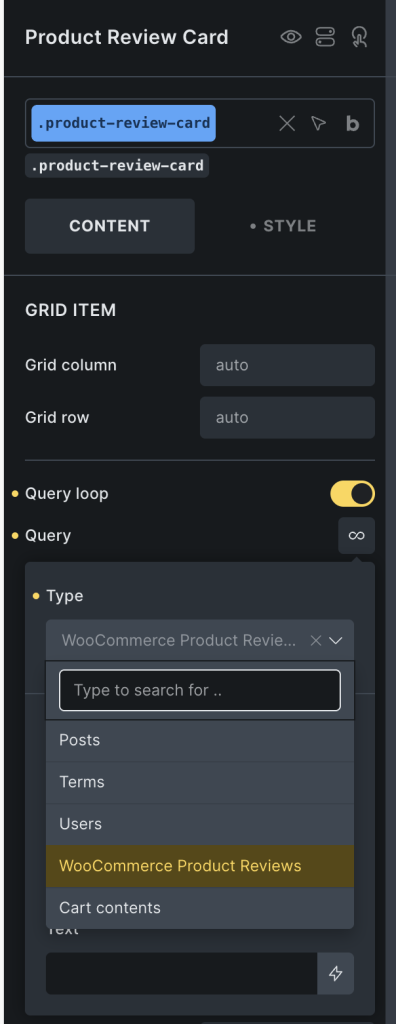
WooCommerce Product Reviews Bricks Query Loop

Updated on 22 Mar 2026

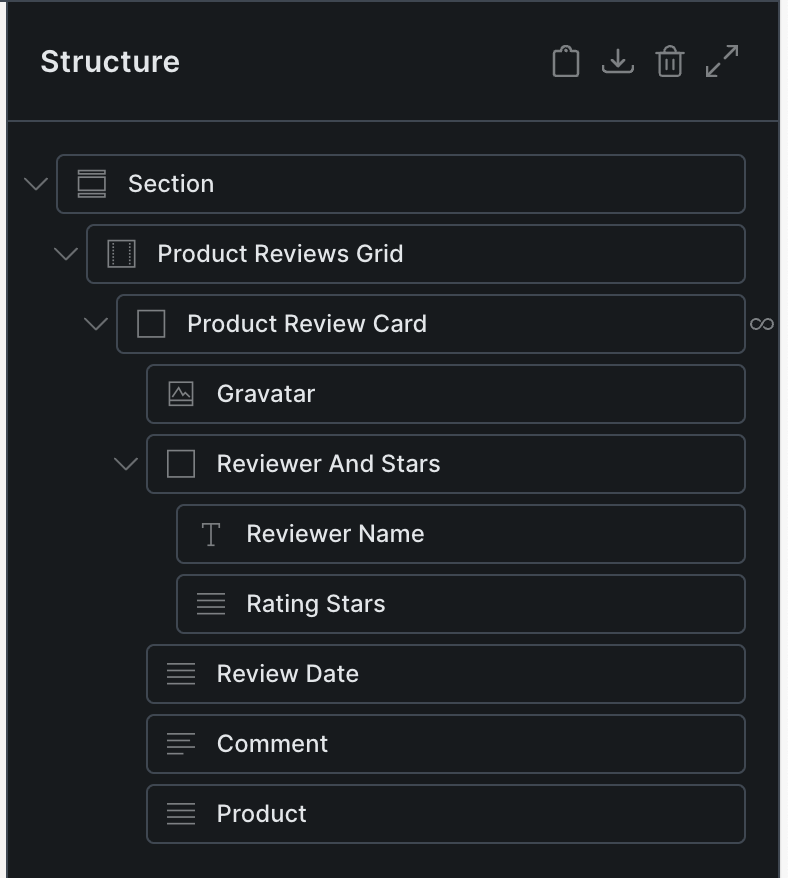
This Pro tutorial provides the steps to create a custom Bricks query type for showing WooCommerce product reviews with custom dynamic data tags for reviewer name, product rating, comment text, product etc. so you can visually design/build product reviews structure using Bricks builder's elements.

All the reviews will be displayed by default on non single product pages. On single product pages, the reviews for the current product will be shown.

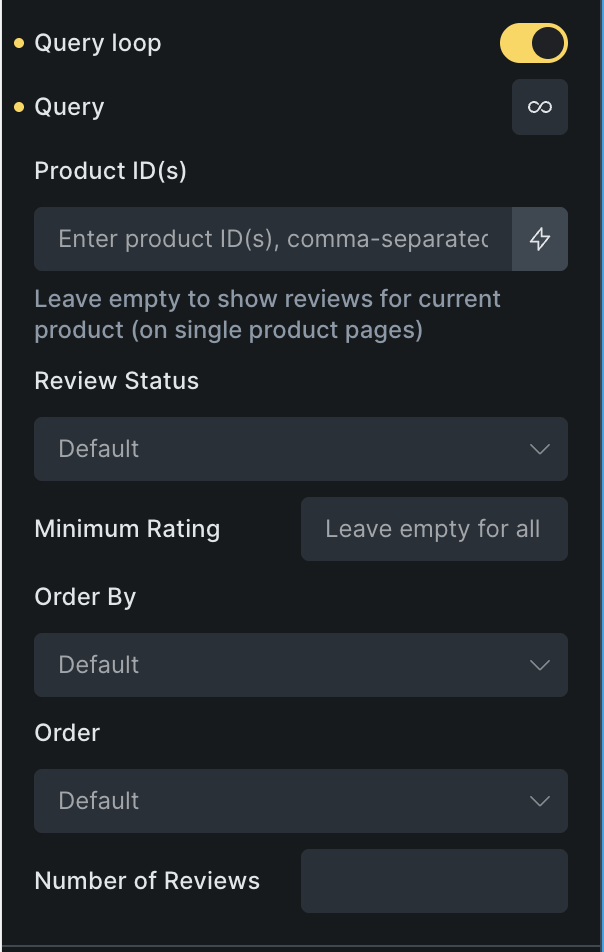
We shall also add custom query controls for:

  • comma-separated product IDs to limit the reviews to specific products
  • minimum rating value to limit the reviews to
  • ordering by date, rating, random
  • number of reviews

Step 1

Add the following in child theme's functions.php (w/o the opening PHP tag) or a code snippets plugin:

This is a BricksLabs Pro tutorial.

For full access login below or create your BricksLabs Pro account

Get access to all 633 Bricks code tutorials with BricksLabs Pro

Related Tutorials..

How to List Your Posts Divided by Categories in Bricks

How to List Your Posts Divided by Categories in Bricks

In this tutorial, we'll learn how to display a list of posts divided by each category. The DOM tree Here is how I structured my…
Categories:
Pro
Masonry for Query Loop in Bricks

Masonry for Query Loop in Bricks

If you are looking to implement masonry with a 'view more' button i.e., click-type of infinite scroll follow this tutorial instead. Updated on 15 Mar…
Categories:
Pro
Alternating Posts from Two Post Types in Bricks

Alternating Posts from Two Post Types in Bricks

How to output posts from two seperate post types, alternating in a query loop.
Categories:
Random Posts in the Same Category as the Current Single CPT Post in Bricks

Random Posts in the Same Category as the Current Single CPT Post in Bricks

Here’s how query loop can be set in Bricks to show related posts by a taxonomy’s terms
Categories:
Pro
WooCommerce Product Carousel in Bricks

WooCommerce Product Carousel in Bricks

How to set up a carousel that shows WooCommerce products with the product title, price and Add to Cart button for each.
Categories:
Pro
Out of Stock Ribbon for WooCommerce Products in Bricks

Out of Stock Ribbon for WooCommerce Products in Bricks

Show an “OUT OF STOCK” ribbon for WooCommerce products that are output via the Products element on listing pages.
Categories:
Pro
WooCommerce Products Live Search in Bricks

WooCommerce Products Live Search in Bricks

This Pro tutorial provides the steps to set up a live search for WooCommerce products in Bricks. Note: Bricks' live search works with any type…
Categories: