9th Feb '24
/
8 comments

Top-level Pages and Children Bricks Query Loop

This Pro tutorial for Bricks users can be considered Part 2 or a variation of the earlier Bricks Query Loop for Top-level Parent Pages with Children tutorial.

Given this Page structure:

The objective is to list all top-level Pages (not just parent Pages) in the outer query loop and the child Page(s) (if present) of the current Page being iterated from the outer loop in the inner query loop.

Like this:

Note: This tutorial works with any hierarchical post type, not just page.

Step 1

Let's first define a custom function to check if the current post has children.

Add the following in child theme's functions.php (w/o the opening PHP tag) or a code snippets plugin:

This is a BricksLabs Pro tutorial.

For full access login below or create your BricksLabs Pro account

Get access to all 632 Bricks code tutorials with BricksLabs Pro

Related Tutorials..

Pro
How to Insert Element(s) Between Query Loop Posts in Bricks

How to Insert Element(s) Between Query Loop Posts in Bricks

Update on 16 Aug 2023: Follow this tutorial instead. This Pro tutorial shows how we can insert a Div (or any custom HTML) after nth…
Pro
Querying Posts by ACF Date Sub Field in Bricks

Querying Posts by ACF Date Sub Field in Bricks

Updated on 17 Nov 2023. This Pro tutorial shows how we can set post__in query parameter of a query loop in Bricks to an array…
Categories:
Tags:
Pro
How to Insert an Ad or an Element Between Posts in Bricks

How to Insert an Ad or an Element Between Posts in Bricks

How to insert an image or any Bricks element between posts output by a query loop.
Categories:
Tags:
Pro
Posts Grouped by Post Dates in Bricks

Posts Grouped by Post Dates in Bricks

Setting up query loops for “Post Dates” with an the inner loop displaying all posts published on that day.
Categories:
Pro
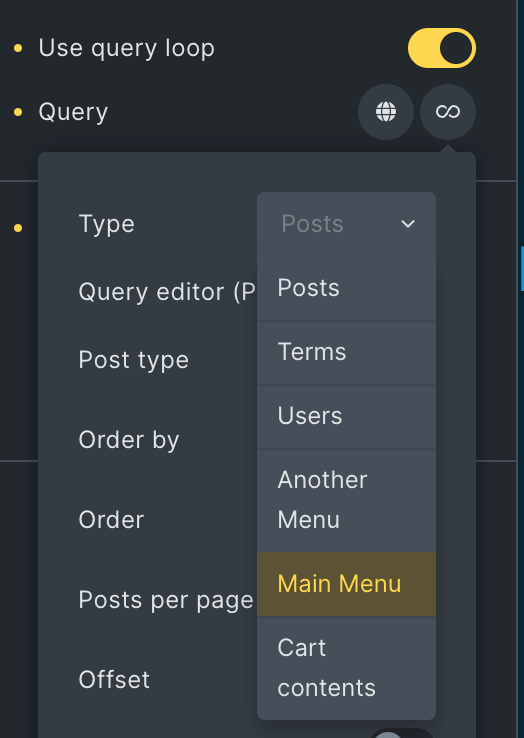
Nav Menus Custom Query Types in Bricks

Nav Menus Custom Query Types in Bricks

Updated on 21 Aug 2024 This Pro tutorial shows how custom query types for each navigation menu can be generated in Bricks. This enables us…
How to display a Query Loop in 3 columns in Bricks

How to display a Query Loop in 3 columns in Bricks

This tutorial provides the builder settings and CSS codes that can be pasted in order to create a 3-columns query loop container inside Bricks Builder.
Categories:
Pro
Events grouped by Event Date custom field in Bricks

Events grouped by Event Date custom field in Bricks

This Pro tutorial for Bricks users provides the steps to output posts of an event custom post type dynamically grouped by the value of their…
Categories: