15th Nov '25
/
0 comments

HappyFiles Folder Images via Meta Box Taxonomy Field in Bricks Image Gallery

In the Bricks Facebook group, a user asks:

Hey everyone.

I hope you are doing well.

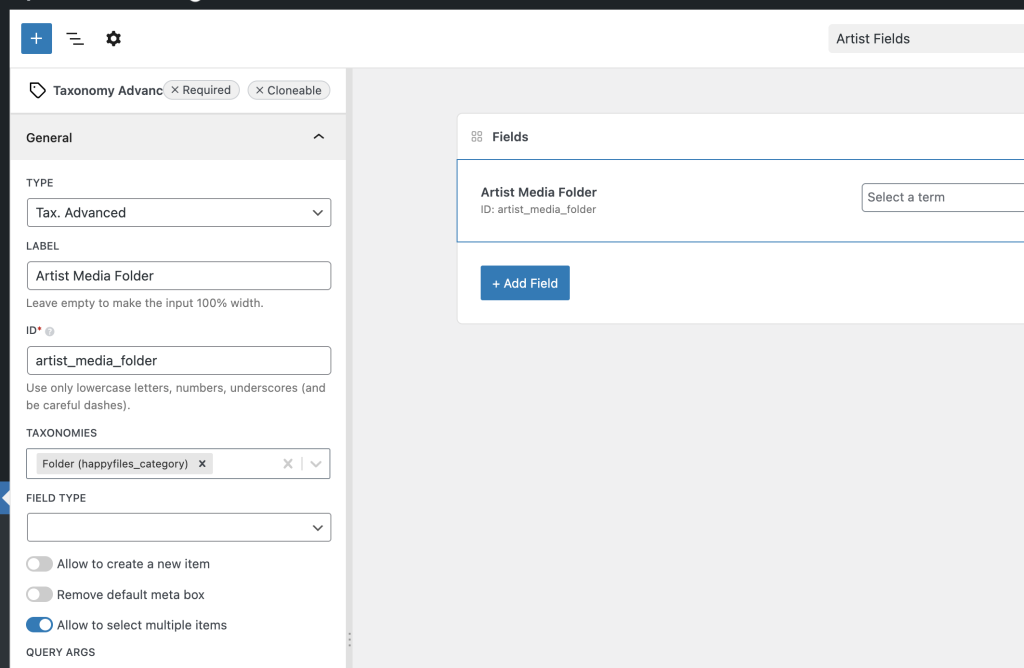
I’m building a single-page template for a custom post type that represents different performance artists. Each artist has their own HappyFiles folder for images, and I’m using a MetaBox Taxonomy Advanced field to select the folder on each post. I have made the HappyFiles category taxonomy public so I can query it in Bricks.

The challenge is that the Bricks gallery element cannot run a query, and when I try to loop a container of Media attachments filtered by the selected HappyFiles folder, the query returns zero images even though the attachments are correctly assigned to that folder.

I may be missing something in the loop setup or the correct method of outputting attachments dynamically. Has anyone managed to query HappyFiles folders dynamically in a Bricks template and display the images without needing separate galleries?

I’m looking for the proper setup to loop attachments by the HappyFiles taxonomy and display them as a gallery for each artist.

Thank you!

This Pro tutorial provides the steps to set the source of Bricks' Image Gallery element on a single post to images present in the selected HappyFiles Folder(s) via a Meta Box Taxonomy or Taxonomy Advanced custom field.

CPT: artist

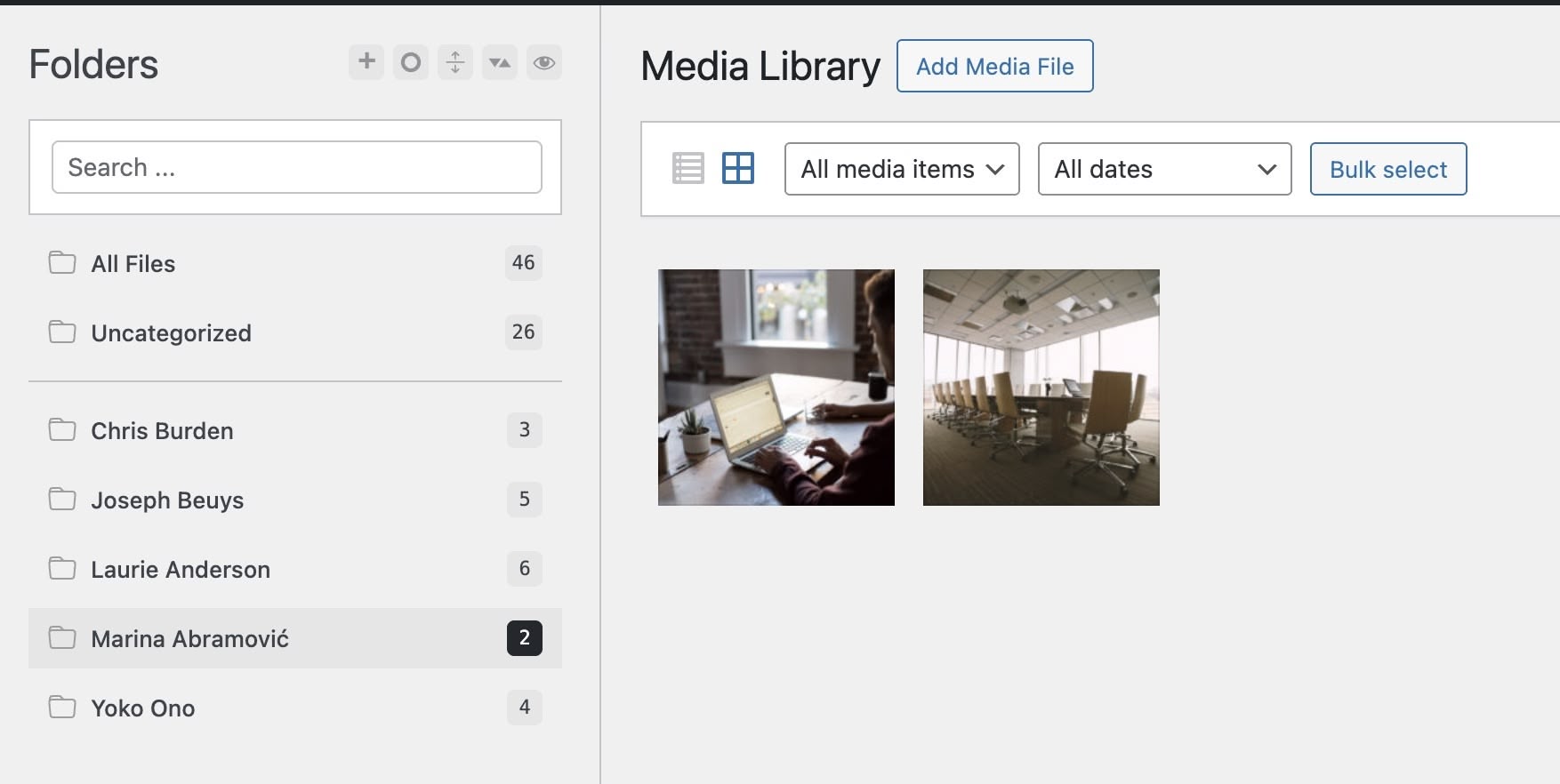
HappyFiles folders with one folder for each artist:
MB custom field for artist posts:
Objective: When viewing the single artist page, show the images from the selected HF folders in the Image Gallery.

We shall also ensure that our solution works when multiple HappyFiles folders are selected.

Step 1

Add the following in child theme's functions.php (w/o the opening PHP tag) or a code snippets plugin:

This is a BricksLabs Pro tutorial.

For full access login below or create your BricksLabs Pro account

Get access to all 611 Bricks code tutorials with BricksLabs Pro

Related Tutorials..

Pro
Meta Box Related Project’s Featured Image URL on Single Reviews

Meta Box Related Project’s Featured Image URL on Single Reviews

Updated on 26 Jun 2025 In a recent website I worked on, a requirement was to get the URL of the featured image of a…
Pro
Adding FAQ page Schema with SlimSeo Schema & Meta Box

Adding FAQ page Schema with SlimSeo Schema & Meta Box

SlimSeo Schema is a plugin by the people behind both SlimSEO & Meta Box. It takes care of adding all the page schema across your…
Categories:
Pro
Meta Box Group’s Number Sub Field Values Sum

Meta Box Group’s Number Sub Field Values Sum

In the Bricks Facebook group a user asked: We can define a custom function that takes a Meta Box group ID, the sub field ID…
Categories:
Tags:
Pro
Filtering posts by a group field’s true / false field sub field value with ACF or Meta Box in Bricks

Filtering posts by a group field’s true / false field sub field value with ACF or Meta Box in Bricks

This Pro tutorial covers how posts of a Bricks query loop can be filtered to show only the ones whose true / false or checkbox…
Categories:
Tags:
Pro
Media Library PDF Attachments Listing in Bricks

Media Library PDF Attachments Listing in Bricks

Updated on 9 Sep 2024 This Pro tutorial provides the steps for displaying PDF files from a HappyFiles folder as a list/grid using a Bricks…
Pro
Dynamic Source for Video Element in Bricks Using Meta Box Post Field

Dynamic Source for Video Element in Bricks Using Meta Box Post Field

This Pro tutorial provides the steps to set the source of a Bricks video element on single CPT pages to be the URL of a…
Categories: