15th Apr '23
/
2 comments

Meta Box Cloneable Field Query Loop in Bricks

Updated on 5 Mar 2025

This Pro tutorial provides the steps to create a custom query type for outputting the values of one or more instances/items/rows of a cloneable custom field created using Meta Box in Bricks.

This is similar to our earlier Looping Through a Cloneable Meta Box Sub Field in Bricks tutorial.

Note 1: Bricks has built-in support for a Meta Box group. But there could be certain times when you don't want to use a group-type field and hence this tutorial.

Note 2: It is probably easier/simpler/faster to just use a Code Block and output the values of your cloneable field using the code that Meta Box generates than implementing this tutorial.

If you want to use Bricks elements like Basic Text for the output for visual styling though, follow along.

We shall also ensure that the parent Section gets output only if there is at least one item of the cloneable field.

Let's take an example of a Course CPT that has a cloneable "Course Date" Date Picker field.

and for a particular course, the field is populated like this:

Step 1

Add the following in child theme's functions.php or a code snippets plugin:

This is a BricksLabs Pro tutorial.

For full access login below or create your BricksLabs Pro account

Get access to all 633 Bricks code tutorials with BricksLabs Pro

Related Tutorials..

Pro
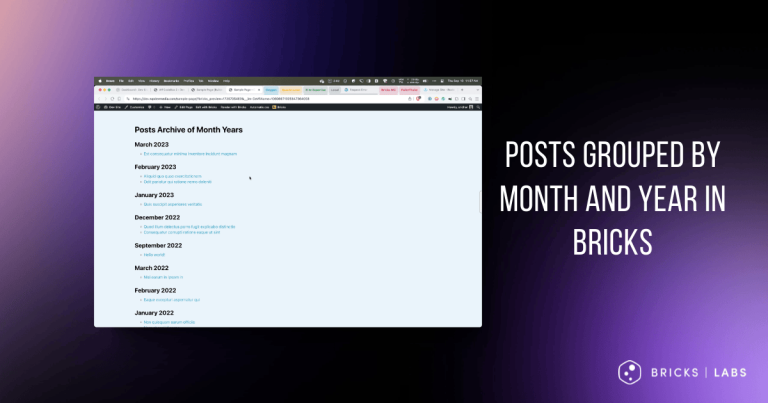
Posts Grouped by Month and Year in Bricks

Posts Grouped by Month and Year in Bricks

Nesting query loops with months & years in descending order, with the inner loop outputting the posts.
Categories:
Pro
Masonry for Query Loop in Bricks

Masonry for Query Loop in Bricks

If you are looking to implement masonry with a 'view more' button i.e., click-type of infinite scroll follow this tutorial instead. Updated on 15 Mar…
Categories:
Pro
Meta Box Group’s Number Sub Field Values Sum

Meta Box Group’s Number Sub Field Values Sum

In the Bricks Facebook group a user asked: We can define a custom function that takes a Meta Box group ID, the sub field ID…
Categories:
Tags:
Pro
ACF User Field Bricks PHP Query

ACF User Field Bricks PHP Query

In the Bricks Facebook group a user asks: my end goal was to create a set of cards that would display the Users that are…
Categories:
Pro
Filtering Bricks Query Loop By Meta Box Relationship

Filtering Bricks Query Loop By Meta Box Relationship

In the Bricks Facebook group a user asks: Consider this setup: CPTs: Service Areas and City Pages Meta Box Relationship: City Pages to Service Areas…
Categories:
How to display a Query Loop in 3 columns in Bricks

How to display a Query Loop in 3 columns in Bricks

This tutorial provides the builder settings and CSS codes that can be pasted in order to create a 3-columns query loop container inside Bricks Builder.
Categories:
Pro
Dynamic Source for Video Element in Bricks Using Meta Box Post Field

Dynamic Source for Video Element in Bricks Using Meta Box Post Field

This Pro tutorial provides the steps to set the source of a Bricks video element on single CPT pages to be the URL of a…
Categories: