19th Jul '24
/
0 comments

Bidirectional Relationship between a CPT and a Taxonomy of another CPT using ACF in Bricks

Bidirectional Relationship between a CPT and a Taxonomy of another CPT using ACF in Bricks

A couple of members asked:

I have a cpt called "Markets" aand a cpt "tools". Tools have a taxonomy "tools group". How can i create a relation between Market (cpt) and tool group (taxonomy). My goal is to display related market inside the tool group (taxonomy) archive. Thanks

Hi, I have a CPT=“Product” with a taxonomy=”Product-group” and a CPT=”Team member”. Is it possible to link Team member and product-group with a bi-directional relation using ACF? And then ouput the related product group inside team member single template? It would be great if you're able to help me with this! Many thanks in advance!

This Pro tutorial walks through the process of setting up a bidirectional relationship between posts of a CPT and a custom taxonomy of another CPT and outputting the items of related object(s) on the single CPT pages and term archive pages in Bricks using ACF.

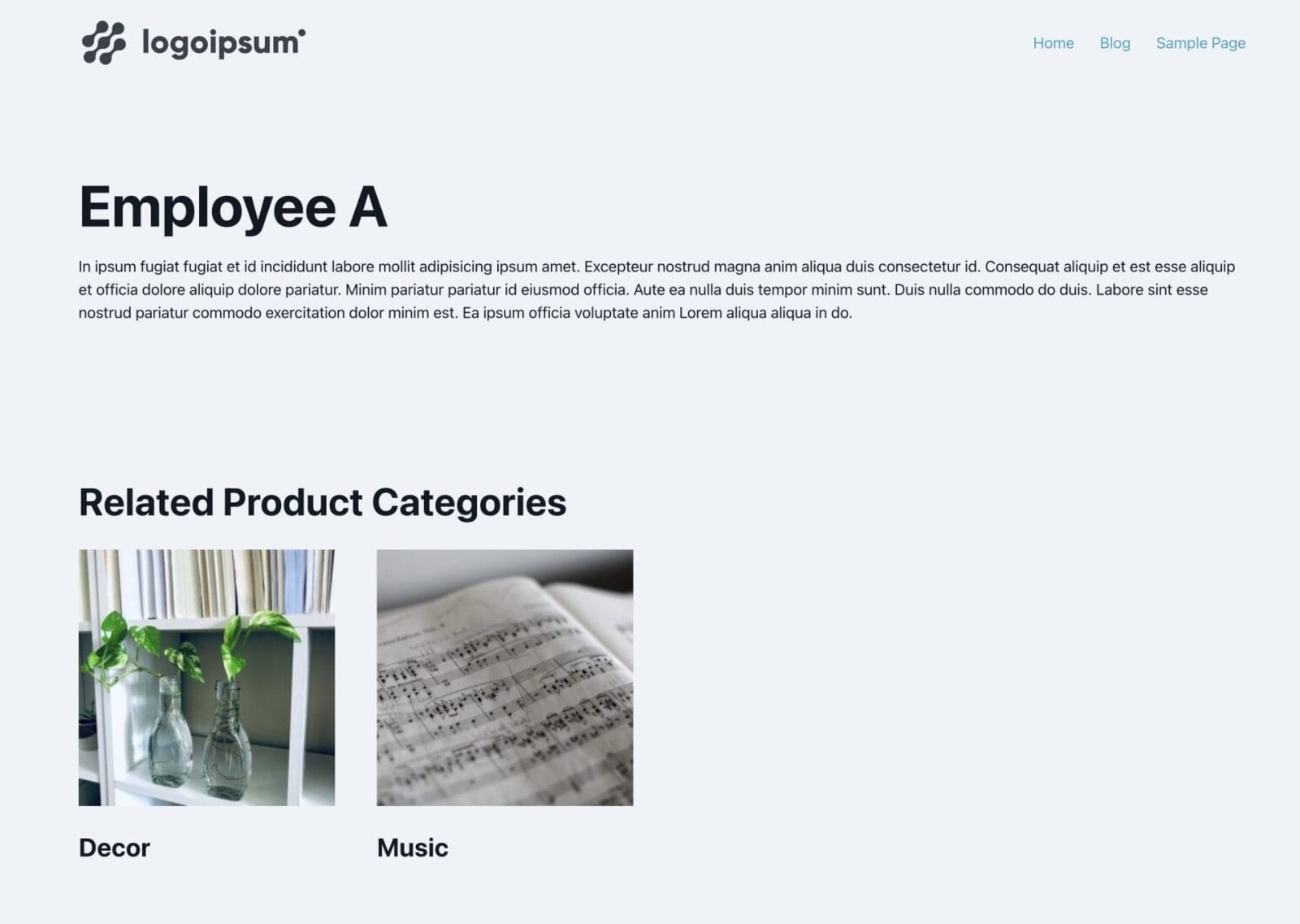
Scenario covered in this tutorial: Team Member <-> Product Category.

Product Category is a taxonomy for another CPT (Product).

Sample Team Member posts:

After implementing the tutorial, 'Employee A' post on the front end:

'Employee B' post on the front end:

'Decor' product category archive in the backend:

On the front end:

'Music' product category archive in the backend:

On the front end:

We shall also ensure that the Sections get output only if there is at least one related item (CPT post or taxonomy term).

Step 1

Install and activate ACF.

Create your CPT.

Ex.:

Create the other CPT and an associated taxonomy. In our dev site, we used product CPT and product_cat taxonomy that come with WooCommerce.

Step 2

Create a field group for your main CPT (team-member in this example).

This is a BricksLabs Pro tutorial.

For full access login below or create your BricksLabs Pro account

Get access to all 633 Bricks code tutorials with BricksLabs Pro

Related Tutorials..

How to conditionally load your scripts based on an ACF field

How to conditionally load your scripts based on an ACF field

This tutorial provides the PHP codes that can be pasted in order to enqueue your scripts conditionally based on the value of an ACF field…
Categories:
Pro
Post-specific ACF Repeater Galleries as Sliders in Bricks

Post-specific ACF Repeater Galleries as Sliders in Bricks

How to output ACF Repeater field rows with the images of the Gallery-type sub field as a slider.
Pro
Events grouped by Event Date custom field in Bricks

Events grouped by Event Date custom field in Bricks

This Pro tutorial for Bricks users provides the steps to output posts of an event custom post type dynamically grouped by the value of their…
Categories:
Pro
Meta Box Relationship Posts Filtered by a Taxonomy Term in Bricks

Meta Box Relationship Posts Filtered by a Taxonomy Term in Bricks

Updated on 17 Feb 2025 In the Inner Circle a user asks: Hello, I have a relationship made in metabox between two Post Types “Travel”…
Categories:
How to populate a map with dynamic markers from a CPT using ACF in Bricks (PART 1)

How to populate a map with dynamic markers from a CPT using ACF in Bricks (PART 1)

This tutorial provides the PHP & JS codes that can be pasted in order to create a dynamic map with markers populated from a custom…
Categories: