Opens in a new tab
25th May '22
/
2 comments

CSS Grid for Posts Element in Bricks

CSS Grid for Posts Element in Bricks

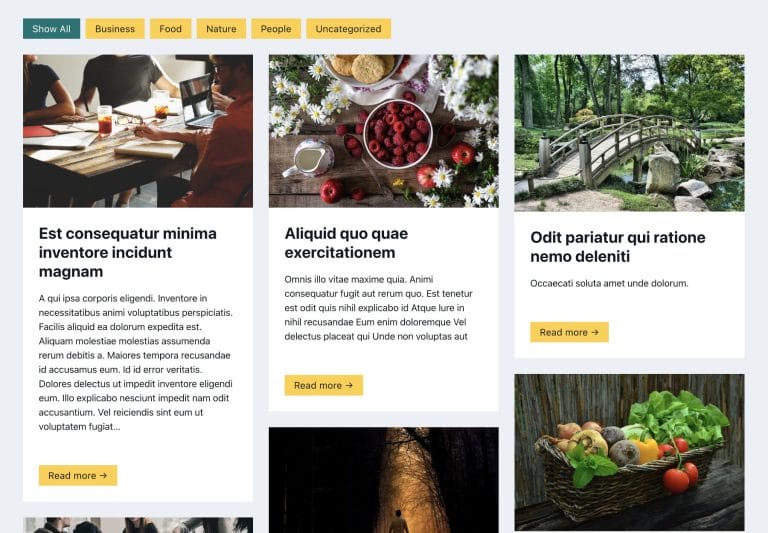
The "Posts" element in Bricks has "Grid" as the default layout but the actual CSS it applies on the page feels hacky with negative margins and padding values to compensate for those adjustment etc.

This Pro tutorial provides the CSS code for

  • automatic responsive grids and
  • manual responsive grids

using CSS Grid for the Posts element.

Add a Section having a Container.

Add a Posts element inside the Container.

Under the CONTENT tab, ensure that the Layout is Grid. This is the default setting. The default spacing value of 30px can be left alone as well. It is going to be overridden with our custom CSS.

Go to STYLE → CSS and under Custom CSS paste:

This is a BricksLabs Pro tutorial.

For full access login below or create your BricksLabs Pro account

Get access to all 633 Bricks code tutorials with BricksLabs Pro

Related Tutorials..

Pro
Search Results Template in Bricks

Search Results Template in Bricks

Updated on 26 Oct 2023 This Pro tutorial provides the steps to set up a search template in Bricks with these features: Step 1 Create…
Categories:
Pro
Slow Zoom Effect for Slides in Bricks

Slow Zoom Effect for Slides in Bricks

This Pro tutorial provides the steps to set up a slow zoom effect for slides of nestable slider element in Bricks. Step 1 Add a…
Categories:
Tags:
Pro
Sticky Scrolling in Bricks Builder

Sticky Scrolling in Bricks Builder

Updated on 22 Apr 2024 This Pro tutorial provides the steps to fix elements in the viewport i.e., make them sticky while adjacent content in the section…
Categories:
Tags:
Pro
Horizontal Scrolling Sections in Bricks Using GSAP’s ScrollTrigger

Horizontal Scrolling Sections in Bricks Using GSAP’s ScrollTrigger

In this Pro tutorial we'll use GSAP's ScrollTrigger library in Bricks to create a section that will scroll horizontally across a number of full width…
Pro
Ken Burns Background Slideshow in Bricks

Ken Burns Background Slideshow in Bricks

Setting up a hero section, having images that pan and move as a background slideshow with content on top.
Categories:
Tags:
Plain HTML pages in Bricks

Plain HTML pages in Bricks

How to output only raw HTML on the page with no other WordPress/Bricks (or any other active child/parent theme)/plugins baggage.
Pro
Meta Box/ACF Images Staggered Grid Gallery in Bricks

Meta Box/ACF Images Staggered Grid Gallery in Bricks

Showing images from two Gallery-type of ACF or Image Advanced-type of Meta Box fields in a staggered grid layout.
Pro
Filtering Masonry-layout Posts by Categories in Bricks using Isotope

Filtering Masonry-layout Posts by Categories in Bricks using Isotope

Step by step on how to use Isotope in Bricks for filtering posts by categories.
Categories: