20th Feb '25
/
2 comments

Bricks Dynamic Condition – Check if today falls within 5 days before any holiday date

Update on 18 Aug 2025: Added the ACF version in the comments.

In the members-only Tutorial Requests section, a user asks

Conditionally show a banner if date exists and is equal to today + 5 days before

I would like to set up a banner for office closures based on holidays/ dates that I put into a meta box custom field ( would a repeater work?) I'd like the banner to show based on in the date is ON or 5 days before that day. It would go disappear if the date has passed. How can I do this?

This Pro tutorial provides a custom function that returns true or false depending on whether today falls within 5 days before any holiday dates selected on a Meta Box setting page.

Consider these dates (in yyyy-mm-dd format) on a settings page:

After implementing the tutorial you'll be able to do set a dynamic data condition like this

on a Section so it gets output only if the current date (i.e., today) is either one of the selected holiday dates or going back 5 days from any of the holiday dates.

Use case: Show a holiday banner only during the holiday period.

Example:

If one of the holiday dates is set to: 23rd August 2025, then any Bricks element can be set to be output only on these dates:

23 Aug 202522 Aug 202521 Aug 202520 Aug 202519 Aug 202518 Aug 2025

Step 1

Install and activate Meta Box and Meta Box AIO.

Meta Box → Settings Pages: Add a new settings page titled say, "Global Settings".

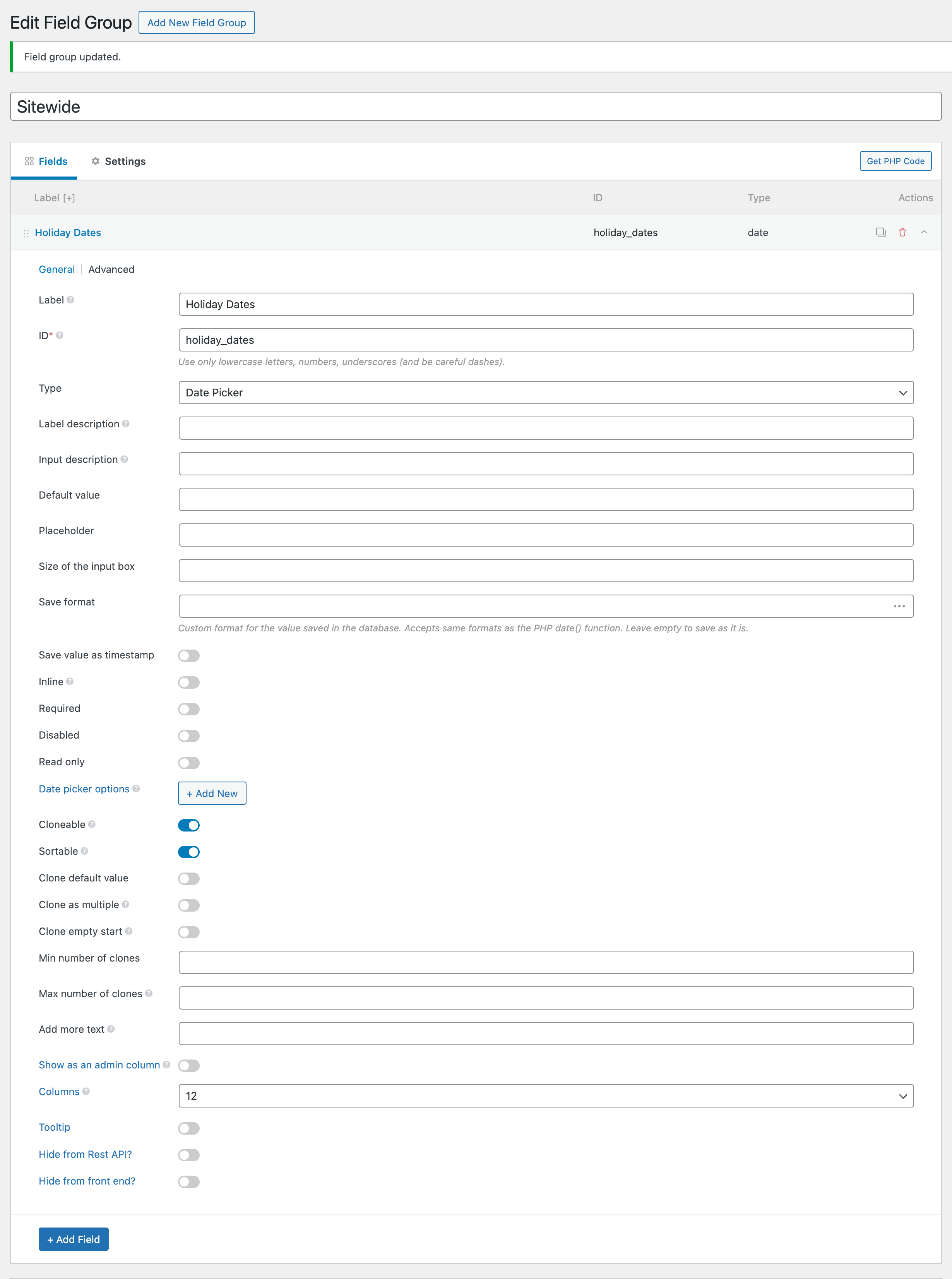
Meta Box → Custom Fields: Add a new field group titled say, "Sitewide". Add a Date Picker type field having a label of say, "Holiday Dates". Enable Cloneable and Sortable.

Location: Settings page = Global Settings.
Step 2

Go to your settings page and select as many holiday dates as the site's business has.

Save settings.

Step 3

Add the following in child theme's functions.php (w/o the opening PHP tag) or a code snippets plugin:

This is a BricksLabs Pro tutorial.

For full access login below or create your BricksLabs Pro account

Get access to all 632 Bricks code tutorials with BricksLabs Pro

Related Tutorials..

Pro
At Least 1 Search Result Condition in Bricks

At Least 1 Search Result Condition in Bricks

Registering a custom condition to render elements depending on whether there is at least one search result.
Categories:
JetEngine Checkbox Condition in Bricks

JetEngine Checkbox Condition in Bricks

How elements in Bricks can be conditionally output depending on the selected option from a JetEngine checkbox field.
Categories:
Tags:
Pro
Filtering Cloneable Meta Box Group by Sub Field Value in Bricks

Filtering Cloneable Meta Box Group by Sub Field Value in Bricks

This Pro tutorial provides the steps to filter the rows of a Meta Box cloneable group to only those that have a date custom field…
Pro
Filtering Query Loop Posts by a Non-empty Custom Field in Bricks

Filtering Query Loop Posts by a Non-empty Custom Field in Bricks

This Pro tutorial shows how we can prefilter the results of a query output by a Bricks query loop to only those for which the…
Categories:
Tags:
Pro
Post Data for the Current User in Bricks with Meta Box

Post Data for the Current User in Bricks with Meta Box

How to configure a query loop to output the post data of the SalesRep CPT associated with the current user.
Categories:
Pro
Condition to Check if the Current Category Has At Least One Child

Condition to Check if the Current Category Has At Least One Child

Looking to render an element in the category archive Bricks template only if the category of the current category archive page is a parent? This…
Categories:
Pro
Bricks Forms + Meta Box: Auto-Create Post Relationships on Form Submission

Bricks Forms + Meta Box: Auto-Create Post Relationships on Form Submission

How to link a Bricks post-creation form on a post to a newly created post of another post type using Meta Box relationship.
Output HappyFiles Folders in Metabox Select-Field

Output HappyFiles Folders in Metabox Select-Field

This tutorial is part of a series where I'm gonna show you how to output custom HappyFiles Galleries and Sliders. Part one will cover a…
Categories: