Update: You may want to see and follow the newer Limiting the Number of Images in Bricks Image Gallery Element tutorial instead.
In the Bricks Facebook group a user asks:
Hello, is it possible to limit the number of images from the gallery (ACF Gallery) when loading them dynamically?
For example: I have created a post type called Gallery. Here I have created individual galleries, each containing an ACF Gallery field. On the archive page, I list these galleries using a Query loop (title + ACF gallery), but I want the ACF gallery to return only 3 images on the archive page (normally the gallery has 10 or more images).
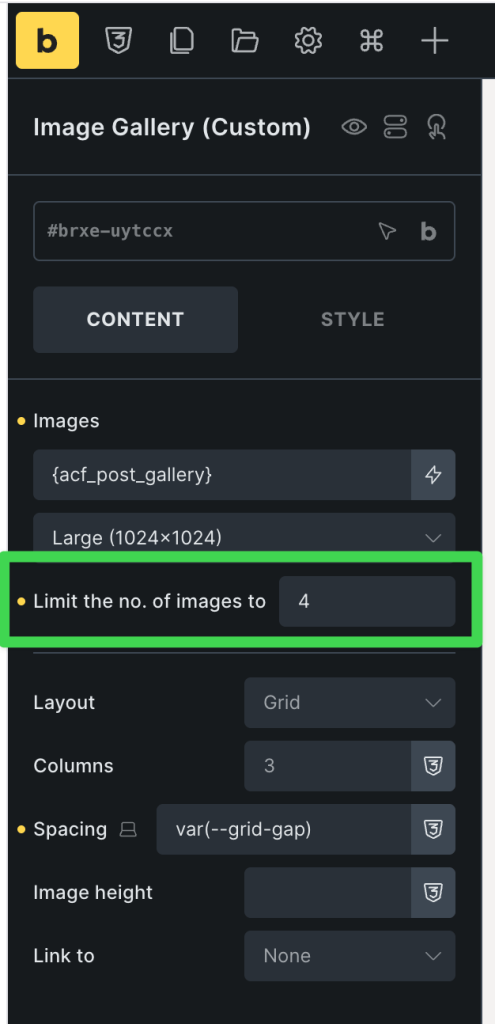
Since there is no PHP filter to limit the number of images output by the built-in Image Gallery element in Bricks, we can duplicate the element's code and modify it to add a custom image limit text input control. This Pro tutorial shows how.
If Bricks is currently active, upload the official Bricks child theme and activate it. This can be done at any time - even if the site is fully built without affecting anything.
Edit child theme's functions.php.
Step 1
Locate
/**
 * Register custom elements
 */
add_action( 'init', function() {
	$element_files = [
		__DIR__ . '/elements/title.php',
	];

	foreach ( $element_files as $file ) {
		\Bricks\Elements::register_element( $file );
	}
}, 11 );
Change it to
/**
 * Register custom elements
 */
add_action( 'init', function() {
	$element_files = [
		__DIR__ . '/elements/title.php',
		__DIR__ . '/elements/image-gallery-custom.php',
	];

	foreach ( $element_files as $file ) {
		\Bricks\Elements::register_element( $file );
	}
}, 11 );
Step 2
Create a file named image-gallery-custom.php in the elements directory having the following code: