23rd Jun '23/14 commentsBricks Query Loop – How to Insert Elements After Every Nth PostSridhar Katakam Update: Follow this tutorial instead. This Pro tutorial provides the steps to output element(s) in a Bricks' query loop after every nth post. Use case: Show an ad after every 3rd post. This is based on the previous How to Insert Element(s) Between Query Loop Posts in Bricks tutorial. It is possible to apply display: grid to the query loop element's parent if a grid layout is needed. Note This might break pagination. Implement this only for a non-paginated list of posts. Step 1 Let's define a couple of custom functions for getting the loop index and the modulus of loop index. Add the following in child theme's functions.php or a code snippets plugin: This is a BricksLabs Pro tutorial. For full access login below or create your BricksLabs Pro account Username Password Remember Me Forgot Password Tagged: BricksLoop IndexProSridhar KatakamSridhar Katakam is a Bricks enthusiast. He likes helping others by researching and solving WordPress-related problems and building websites.Get access to all 630 Bricks code tutorials with BricksLabs Pro
Pro Ordering Posts by Terms in BricksHow to output upcoming events at the top and past events below in a single query loop in Bricks.Read more →Categories: Bricks, ProTags: Query Loop
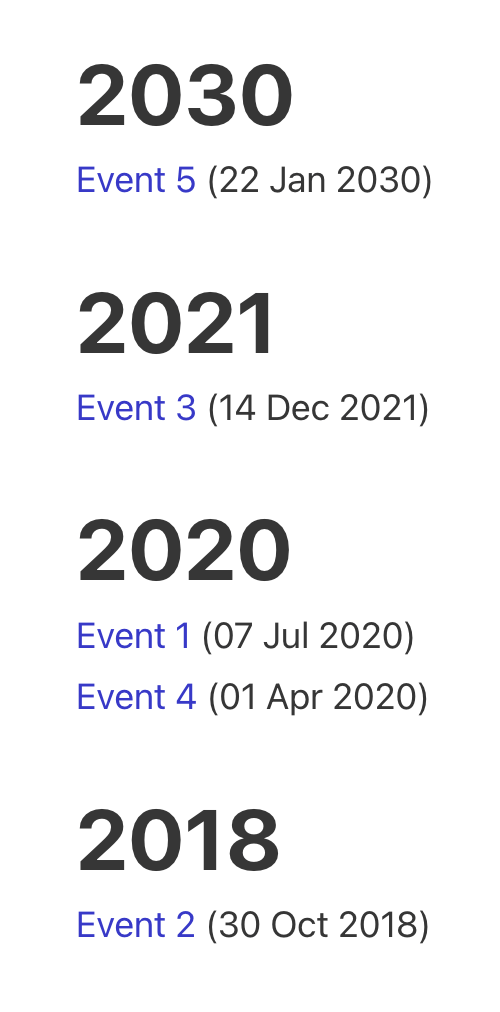
Pro Events grouped by months within years based on event date custom field valueHow to output events grouped by years and months using three nested query loops in Bricks.Read more →Categories: Bricks, ProTags: Nested Queries
Pro ACPT Gallery Field Query Loop in BricksHow we can output images from ACPT‘s Gallery field for posts as a grid using a query loop.Read more →Categories: Bricks, Plugins, ProTags: ACPT, Query Loop
Pro Looping Through a Cloneable Meta Box Sub Field in BricksThis Pro tutorial shows how a custom query type can be set up in Bricks to render YouTube videos (via the built-in Video element) whose…Read more →Categories: Bricks, Plugins, ProTags: bricks/query/run, bricks/setup/control_options, Custom Query Type, Filters, Meta Box, Query Loop
Using WP Grid Builder Facets with Bricks’ Query LoopUpdate: This tutorial was written before WPGB had a Bricks add-on. Now, it is advisable to use that add-on instead. Get it from here. Updated…Read more →Categories: Bricks, FreeTags: Query Loop, WPGridBuilder
How to Show Future Events in BricksOne of the common requirements in WordPress is being able to filter the events (or could be posts of any post type) to only those…Read more →Categories: Bricks, FreeTags: Meta Query
Pro Posts Grouped by Years and Months in BricksHow display posts organized by months & within years based on the published date.Read more →Categories: Bricks, ProTags: Nested Queries
Pro Posts from Random Categories in BricksUpdated on 31 Jul 2023 In BricksLabs Facebook group a user asked: How would you query 3 WordPress posts from 3 different categories with Brick…Read more →Categories: Bricks, ProTags: bricks/posts/query_vars
Filtering Bricks Posts Query Loop by Meta Box Group’s Radio Subfield ValueIn the past we showed how a Bricks posts query loop can be filtered by Meta Box group's subfield of types text/number and Datepicker here.…Read more →Categories: Bricks, PluginsTags: Meta Box, Query Loop