
In the BricksLabs Facebook group a user asked:
I'm displaying an ACF repeater on a page using Bricks query loop. I want to filter the rows based on a radio or select field. Is this possible, or should I use CPT in the query loop instead?
The ACF repeater is for a team members section. Each member has a role. My plan is to create 3 separate loops for each role and display the members in each role separately.
I know this is possible with a CPT but it's a requested modification to an already existing setup. Is it still doable with just querying the ACF repeater or should I just create a CPT and migrate the team members data there?
This Pro tutorial shows how ACF Repeater rows output by a Bricks query loop can be filtered using the bricks/query/run PHP filter.
Consider this field group attached to a Page:

and a sample Page with the Repeater field populated like this:
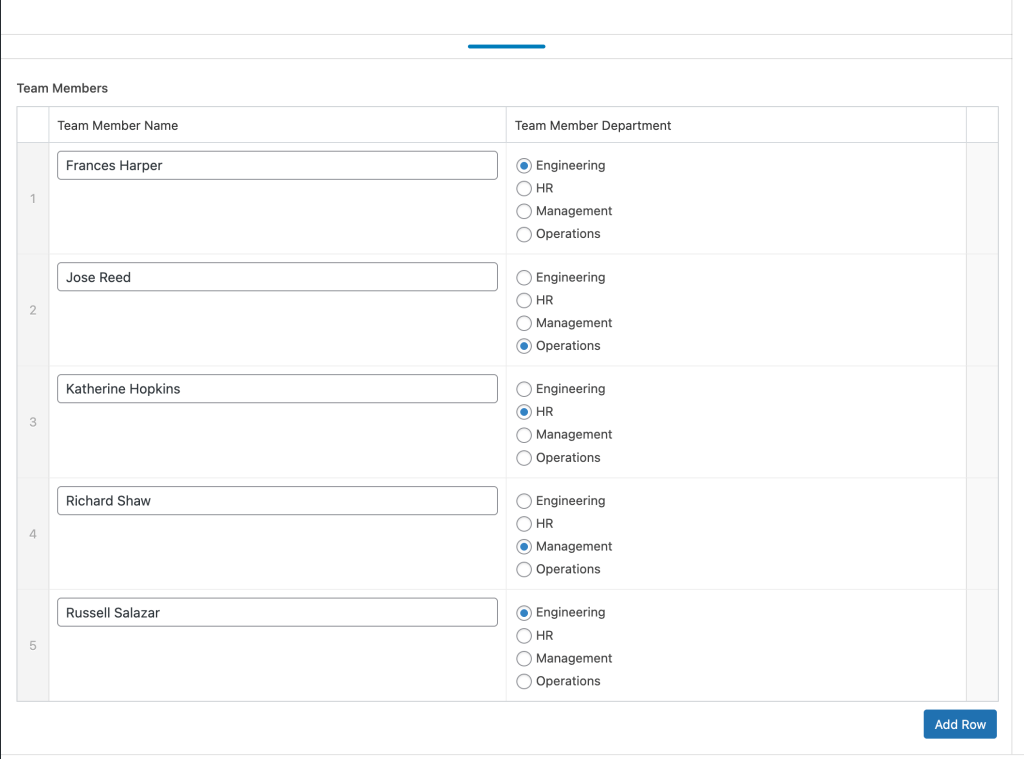
When this Page or a template that applies to this Page is edited with Bricks, a query loop can be enabled on a Block like this:
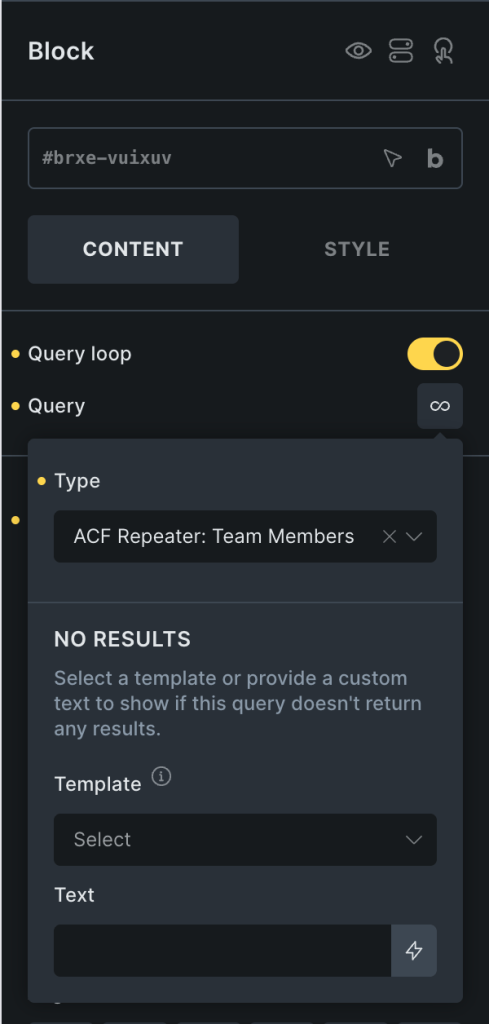
to show all the team members on the front end:

Now the objective is to say, show only the team members that are in the Engineering department or only in HR.
After implementing the tutorial - output of two different query loops, each filtered to show only the rows from matching department sub field name:

This works with any ACF field type that contains a string value.
Add the following in child theme's functions.php (w/o the opening PHP tag) or a code snippets plugin:


