In the BricksLabs group, a user asks:
Hi everyone!
I'm working on a website where I need to list a large number of products on the product archive page, which would slow down the website.
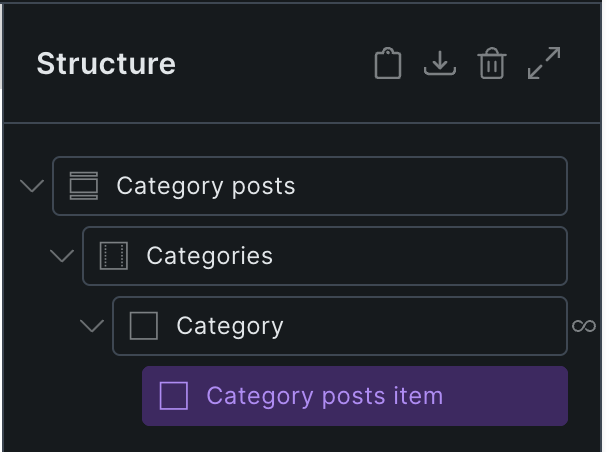
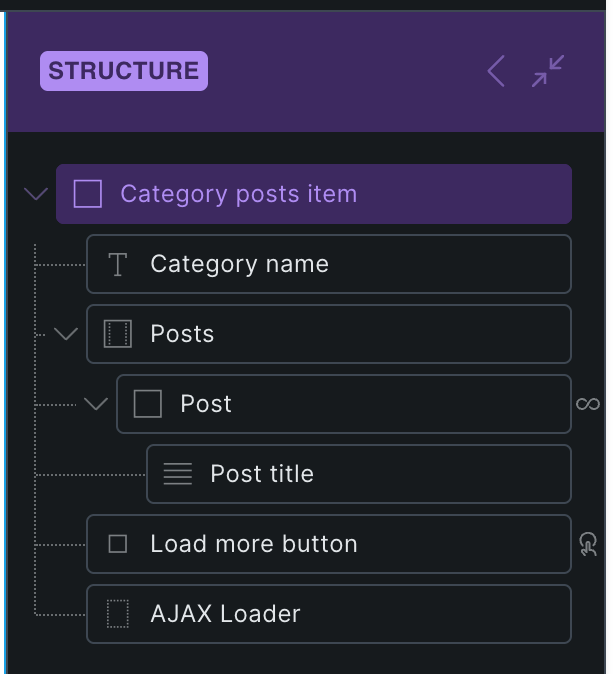
Currently, the page structure works as follows: there is a query that lists the product categories ("Telefonok", "Tabletek", etc.), and within that there is another query that lists the products of the given category.
My idea was to display 4-5 products per category, and when the user clicks the "Load More" button, additional products would appear (it would also be fine if, when the user clicks "Load More" within a given category, it triggers infinite scroll so that products load automatically on scroll — but only within that specific category).
My main problem is that since the product categories are also dynamic (they come from a query), I can't choose a unique CSS selector for the AJAX-based loading, so the infinite loader doesn't work either.
Please advise on how this problem can be overcome. Thank you!
This Pro tutorial provides the steps to make Load more buttons below posts under categories work in Bricks when using nested query loops.
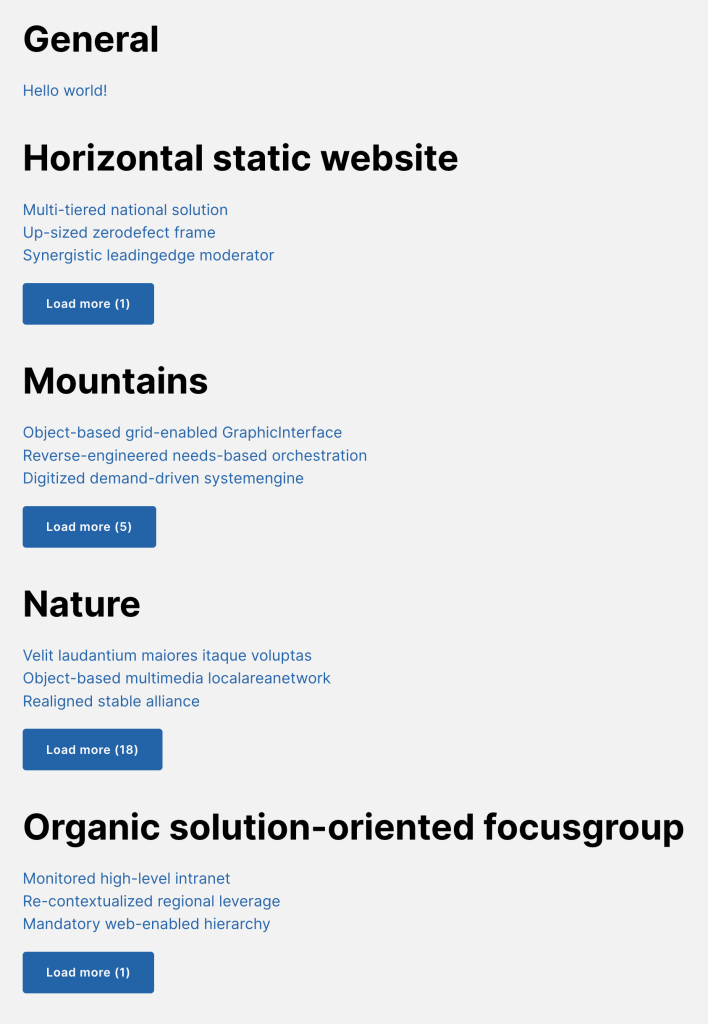
Bricks Builder's native Load more interaction breaks down in nested query loops. For example, when posts are grouped inside a taxonomy loop, every category shares the same query instance key, so clicking any Load more button loads posts for the wrong category or affects all groups at once.
This tutorial walks through a complete solution using a Bricks Component to encapsulate the per-group markup, a custom JavaScript file that reads Bricks' internal query trail elements before they are removed from the DOM, and a custom PHP dynamic data tag {bl_remaining_posts} that reports how many posts remain per group on initial page load.
Our solution also covers keeping the remaining count in sync after each AJAX load, wiring up Bricks' built-in AJAX loader animations so the correct spinner appears inside the active group only, and hiding buttons once all posts for a given term are loaded.
Step 1
Edit your Page/Template with Bricks, copy the fully-built Section's JSON from our site and paste.