21st Aug '25
/
0 comments

Querying Posts by Date Field to Exclude Past Events with ACPT Plugin

In the Bricks’ Facebook group, a user asked:

Meta query? What am I missing?

Hi all, really need a little guidance on this one. I have a CPT called tradeshows, set up with ACPT. I have a loop showing them, but I would like to have the ones that the “End Date” has passed the current date to drop off and not be a part of the loop. I have tried so many combinations my head is spinning. Nothing is working. The field for the “end date” is {acpt_tradeshows_trade-show_end-date} I have tried Numeric instead of date for type, nothing is working. Please ask if theres anyhting I’m not sharing that might be helpful. Thank you!

The key to remember is that with ACPT, the date field is not stored as a Y-m-d string or a timestamp and hence can’t be used for direct comparisons in WP meta queries per my understanding.

While it is possible to use a custom function to convert the string to a timestamp or Y-m-d date and use it in Bricks query loop settings, the simpler approach is to change the date format in the advanced field settings to yyyy-mm-dd (it is the same as Y-m-d).
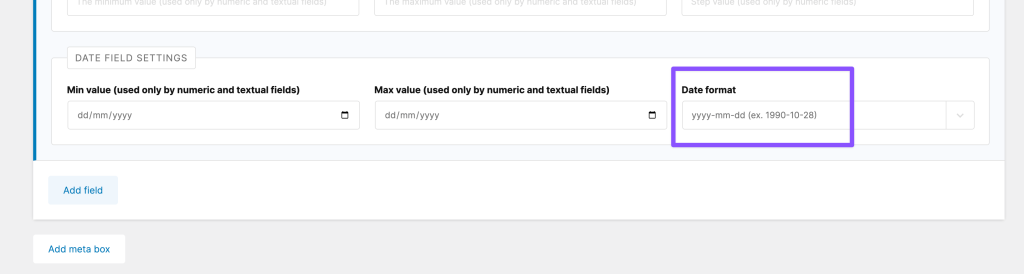
Next, edit all the posts and save them to update the date format.

Finally, configure your query loop in the Bricks editor like this:

{current_wp_date:Y-m-d}

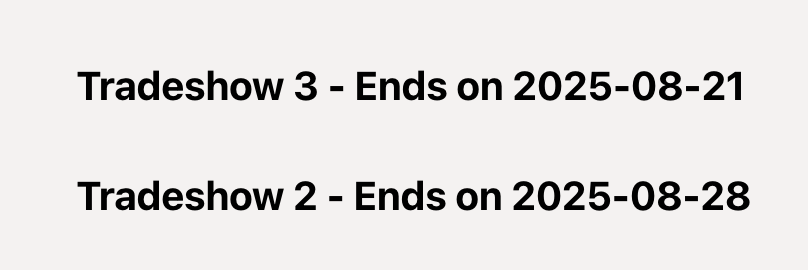
This will ensure that past events are not shown.

Before:

After:
Get access to all 626 Bricks code tutorials with BricksLabs Pro

Leave the first comment


Related Tutorials..

Pro
“My Favorites” in Bricks

“My Favorites” in Bricks

This Pro tutorial provides the steps to set up and use My Favorites in Bricks Builder.
Categories:
Pro
Dynamic Horizontal Posts Accordion in Bricks

Dynamic Horizontal Posts Accordion in Bricks

Update on 8 Sep 2024: You may want to follow the newer version that considers accessibility. Looking to make a Horizontal Image Accordion dynamic? This…
Pro
Current Post’s Terms in Bricks

Current Post’s Terms in Bricks

Updated on 15 Jan 2024 This Pro tutorial provides the steps to set up a grid of terms (like categories) that the current post is…
How to create filters with IsotopeJS in Bricks (Part 3): apply multiple filters

How to create filters with IsotopeJS in Bricks (Part 3): apply multiple filters

This tutorial will review how to apply multiple filters to an isotope container using the IsotopeJS library‘s features in Bricks.
How to populate a map with dynamic markers from a CPT using ACF in Bricks (PART 1)

How to populate a map with dynamic markers from a CPT using ACF in Bricks (PART 1)

This tutorial provides the PHP & JS codes that can be pasted in order to create a dynamic map with markers populated from a custom…
Categories:
Pro
Custom Nested Queries in Bricks

Custom Nested Queries in Bricks

In most of the previous tutorials covering nested query loops in Bricks on this site, we accessed the parent query's looping object in the inner…
Categories:
Pro
Query Loop in Bricks

Query Loop in Bricks

This Pro tutorial walks you through the steps to use the Query Loop feature in Bricks to display a responsive grid of posts using CSS…
Categories: