
Updated on 5 Feb 2025
I don’t know about you but this is how I want Pages to be rendered when using Bricks:
- When a Page has only WordPress content (Gutenberg blocks), the title and the WP content should show.
- When a Page has only Bricks content, Bricks content should show.
- When a Page has both WordPress and Bricks content, the Page title + WP content AND Bricks content should show.
This tutorial shows how such a (what I consider the) perfect Page template can be set up in Bricks.
First, some sample screenshots.
WP content only

Bricks content only

WP and Bricks content

This one-time setup does not involve a custom fields plugin or constant Page-by-Page maintenance/decision-making.
Step 1
Whitelist has_blocks function by adding the following in the child theme’s functions.php (preferred) or a code snippets plugin:
add_filter( 'bricks/code/echo_function_names', function() {
  return [
    'has_blocks',
  ];
} );
You should also add any other functions (native or custom) being used in your Bricks instance in addition to has_blocks. This can be checked at Bricks → Settings → Custom code by clicking the Code review button.
More info on whitelisting can be found here.
Step 2
(JSON export near the end)
Create a Bricks template named say, “Page” of type Single.
Edit it with Bricks.
Set a condition to make it apply to all Pages.

Set up the structure like this:

Add a class of wp-content-section to ‘WP Content Section’ at STYLE → CSS → CSS classes.
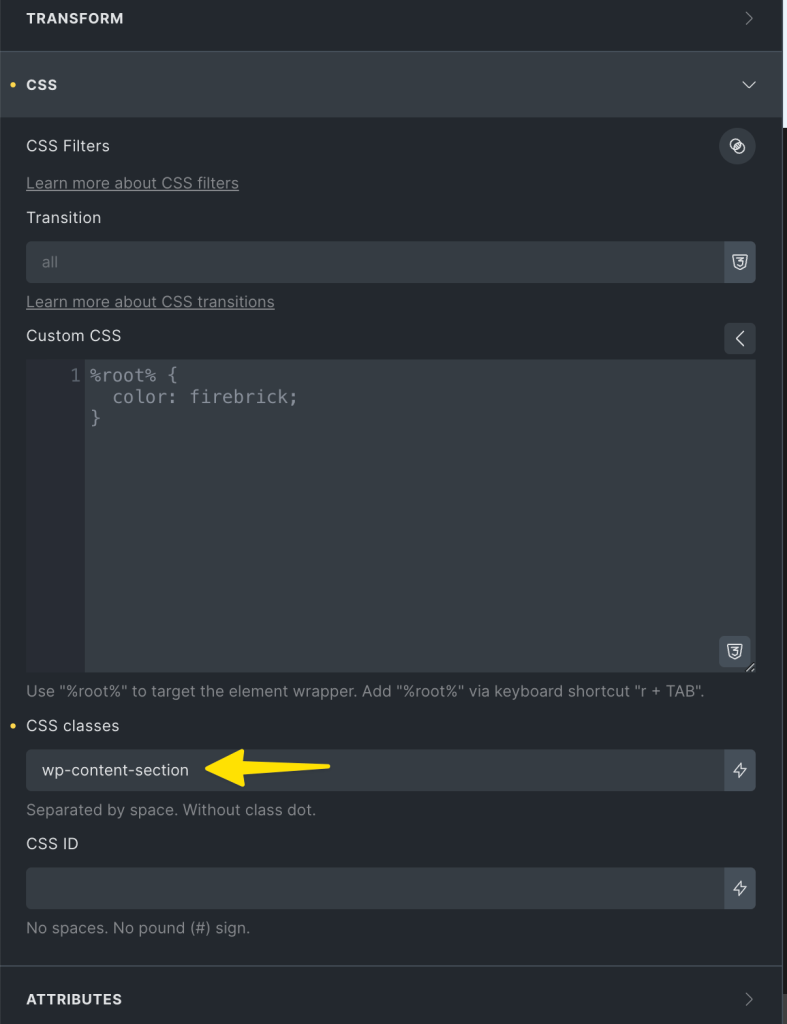
Data source for the Post content element inside the “WP Content Section” should be the default i.e., WordPress.
The “Bricks Content” is another Post content element whose Data source is set to Bricks.
Apply this Dynamic data condition on WP Content Section:

{echo:has_blocks}

That’s it!
JSON Export of the Page (can be imported on the Bricks template screen)
Note: There is no need to apply a condition on the ‘Post content’ element whose source is set to Bricks. It will automatically only be output if there is Bricks content.
Step 3
Bricks 1.12 began showing outer Post Content elements in the builder (reference). This means when editing Pages that have only Bricks content, the unwanted ‘WP Content Section’ will now show up in the builder.
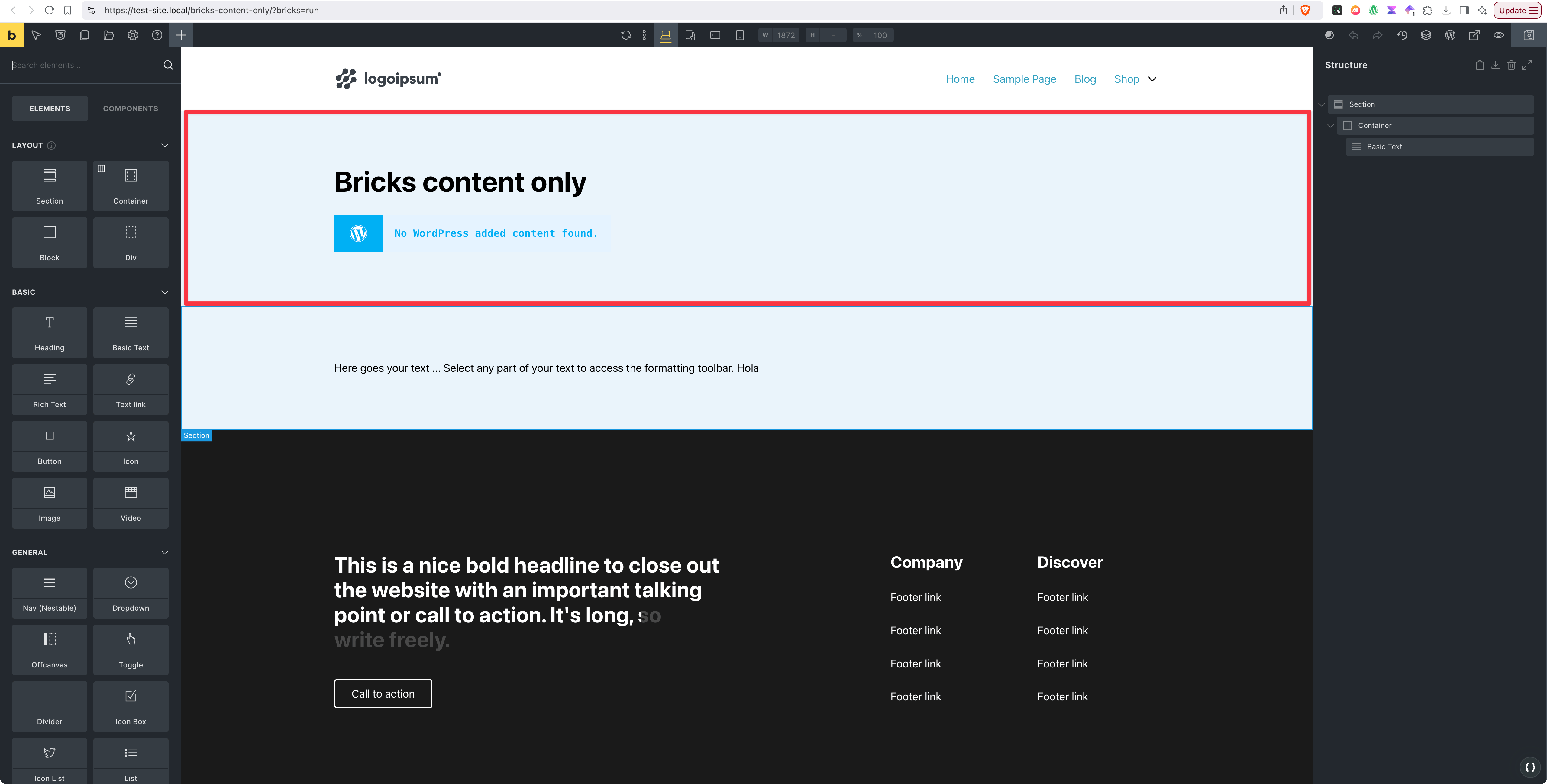
The reason for adding a class to ‘WP Content Section’ in the previous step is to hide this unwanted WordPress content section on such Pages.
Let’s use WPCodeBox for this.
Add a new CSS snippet titled say, “Custom CSS in Bricks editor canvas”.
In the Description, paste:
<?php

bricks_is_builder() && ! bricks_is_builder_main() && ! has_blocks() && ! empty ( get_post_meta( get_the_ID(), BRICKS_DB_PAGE_CONTENT, true ) );
Open the condition builder, select ‘Custom PHP Condition’ and paste the same.
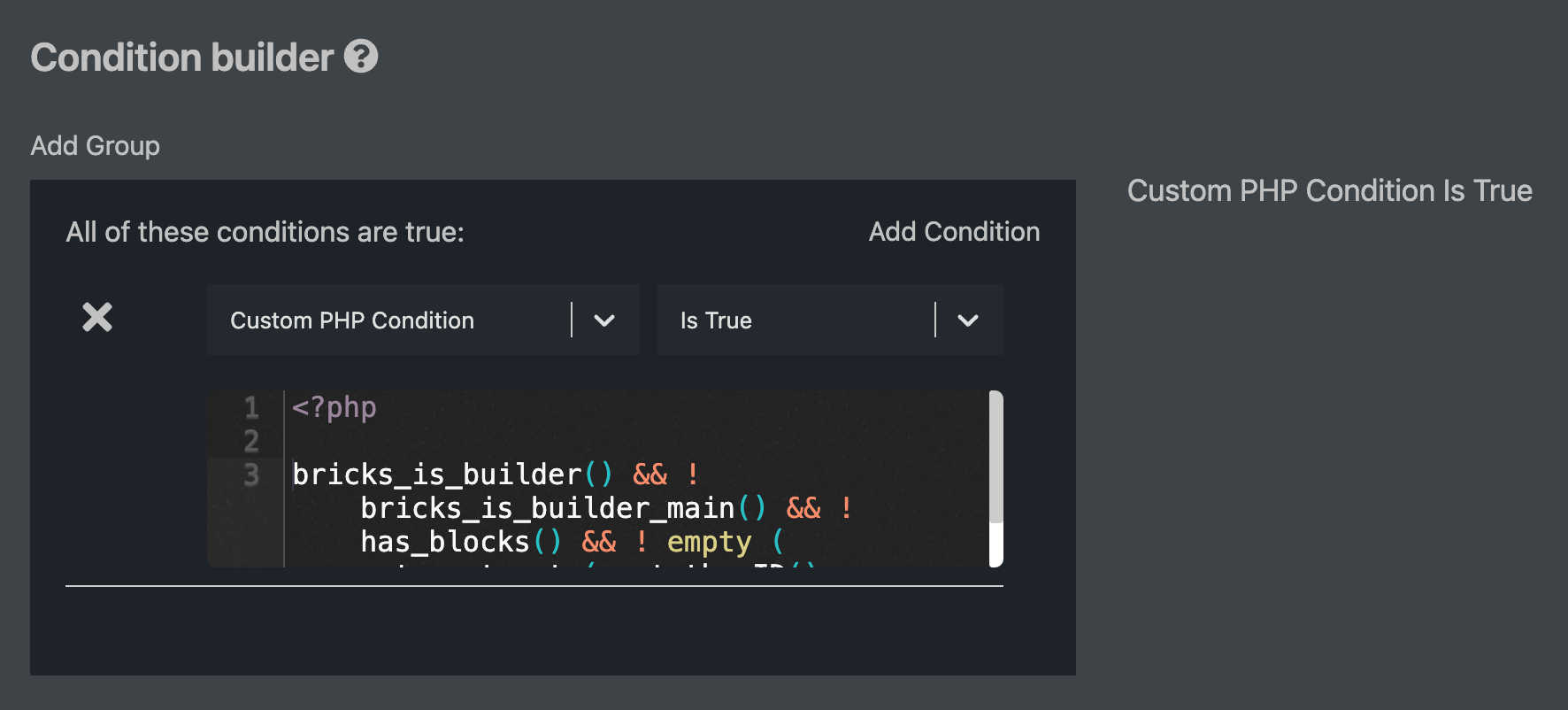
bricks_is_builder() && ! bricks_is_builder_main()targets the Bricks builder canvas (reference).
! has_blocks()targets posts that do not have Gutenberg content.
! empty ( get_post_meta( get_the_ID(), BRICKS_DB_PAGE_CONTENT, true ) )targets posts that have Bricks content (reference).
Putting it all together, we are saying run the CSS (given below) only in the Bricks editor for posts (Pages are of concern for us) that have only Bricks content.
The reason for adding the above in Description field is because WPCodeBox would (does?) not retain the conditions when snippets are uploaded to cloud and downloaded.
Paste this for the snippet code:
.wp-content-section {
    display: none;
}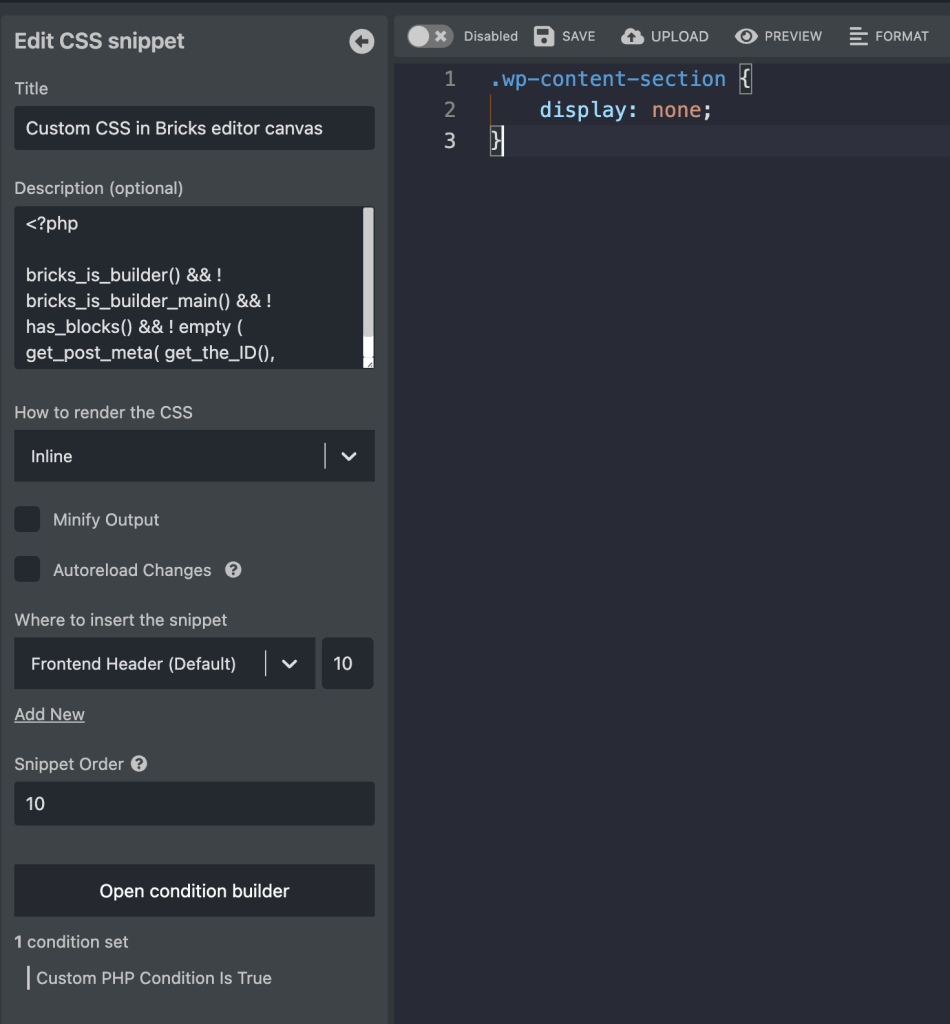
Save the snippet and enable it.
After:

For those using classic editor
If you are not using the Gutenberg/block editor, you’d need to replace has_blocks with a custom function.
Add the following in child theme‘s functions.php (w/o the opening PHP tag) or a code snippets plugin:
<?php

function bl_has_wp_content(): bool {
    $id = is_home() ? get_option( 'page_for_posts' ) : get_the_ID();

    return '' !== get_post( $id )->post_content;
}
We defined a custom function that returns true if the current single post (can be of any post type, but we are using it here only for Pages) has WordPress content and false if it does not.
We’ve also made this function useful for the Posts page (typically called “Blog”) – meaning, WP content (if present) added in the Page designated as the Posts page will appear at the top or before the Bricks content.
References
https://brickslabs.com/bricks-setup-guide/#page
https://wagepirate.com/blog/bricks-gutenberg-content-same-template/


12 comments
Rafal
Looks like Bricks changes render method to WordPress the moment Bricks content is removed. I have had to switch back to "Render with Bricks" in order to continue using the proper, Bricks template. I'm on Bricks 2.1.2.
Laurent DRAPEAU
Hello, Is there a way to add the CSS condition for ".wp-content-section" without WPCodeBox plugin? Thx
ian
Is this necessary now? I see Post Content element can have WordPress or Bricks data source.
Sridhar Katakam
It was never necessary. It's just a method that I prefer.
Post Content element has always supported both Bricks and WP content data source options from what I remember.
Michael van Dinther
Is it possible to set this type of template up to be conditional? For example only apply this for Post > Category > News or CPT Projects?
Sridhar Katakam
It should work. Give it a try.
Change the template condition to where it should apply (referring to this screenshot: https://brickslabs.mystagingwebsite.com/wp-content/uploads/2024/03/CleanShot-2024-03-21-at-6%E2%80%AF.30.18@2x.png)
Austin Reason
Could this be modified so that instead of has_blocks it used something like has_bricks? I'd like to take the structure that you have (Gutenberg Content section followed by Bricks div) and have it render the Gutenberg content only if the page isn't built with Bricks and use the Bricks div only if the page IS built with Bricks. It's a small distinction, but it's because I often will build a page with Bricks and put the WPcontent element in the layout somewhere. When I do, I won't want the first section (Gutenberg) to display because then there would be duplication. Currently I use a similar setup where the two sections display based on a Metabox switch on each page. I'd prefer to not have to toggle that switch because it often gets forgotten.
Sridhar Katakam
Wrote a new tutorial to answer this.
https://brickslabs.mystagingwebsite.com/condition-for-checking-bricks-content/
susan
Nice tutorial, question:
Where you say "Whitelist has_blocks function" in step 1, what do you mean by "whitelist"? Do you just mean we need to add the code in the box to our functions.php?
Sridhar Katakam
That is correct. But depending on what other functions (WordPress native or custom) may be in use on your site already (if any), those would need to included as well.
I have just updated the tutorial to make the whitelisting part more clear.
Susan
Thanks Sridhar for the fast response :)
Benjamin Ogg
Wow, that's super awsome, Sridhar! ❤️