
There could be situations where you want to check if a given category (by its slug) has at least 1 post assigned to that category.
This tutorial shows how we can define a custom function for this and use it with Bricks‘ dynamic data condition.
After implementing this tutorial you should be able to do something like
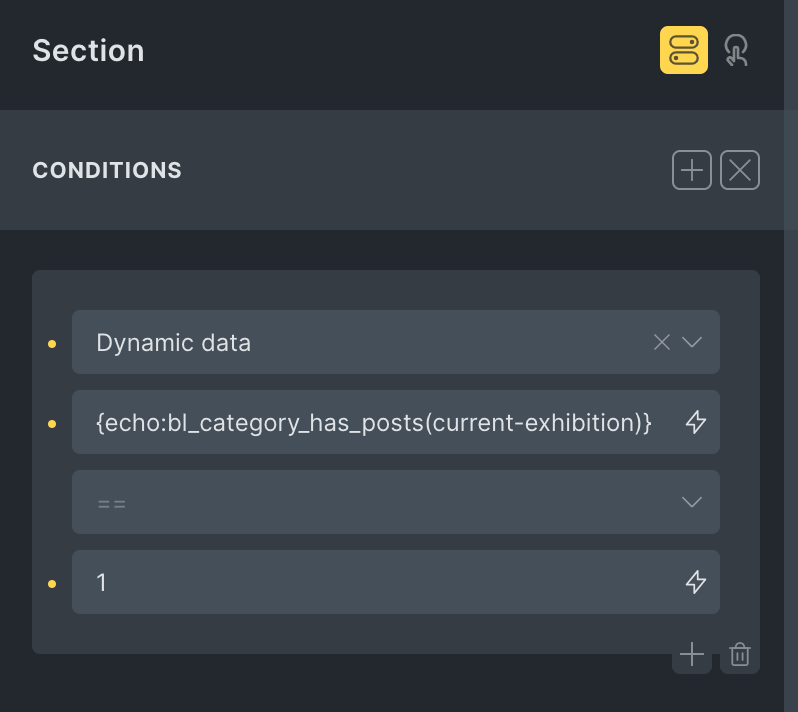
where current-exhibition is the slug of the category. With that in place, the Section will not be output if there is no post assigned to the Current Exhibition category.
Step 1
Add the following in child theme‘s functions.php (w/o the opening PHP tag) or a code snippets plugin:
<?php

/**
 * Check if a category has at least one published post.
 *
 * @param string $category_slug The slug of the category to check.
 * @return bool True if the category has at least one published post, false otherwise.
 */
function bl_category_has_posts( string $category_slug ): bool {
  // Get the category object by slug
  $category = get_term_by( 'slug', $category_slug, 'category' );

  // If category doesn't exist, return false
  if ( ! $category || is_wp_error( $category ) ) return false;

  // The count property contains the number of published posts in this category
  return $category->count > 0;
}
Step 2
Whitelist the bl_category_has_posts function.
Ex.:
<?php

add_filter( 'bricks/code/echo_function_names', function() {
  return [
    'bl_category_has_posts'
  ];
} );
You should also add other functions (native or custom) being used in your Bricks instance besides bl_category_has_posts. This can be checked at Bricks → Settings → Custom code by clicking the Code review button.
More info on whitelisting can be found here.
Step 3
Add a dynamic data condition on any element in the Bricks builder which should be output if a specific category contains a post.
{echo:bl_category_has_posts(current-exhibition)}
Replace current-exhibition with the slug of category you want to check for.


