4th Feb '25
/
2 comments

Checking ‘PublishPress Future’ plugin’s Future Action enabled posts

PublishPress Future is a handy plugin for scheduling actions like unpublishing or deleting posts (of any post type) at a specified date and time in the future.
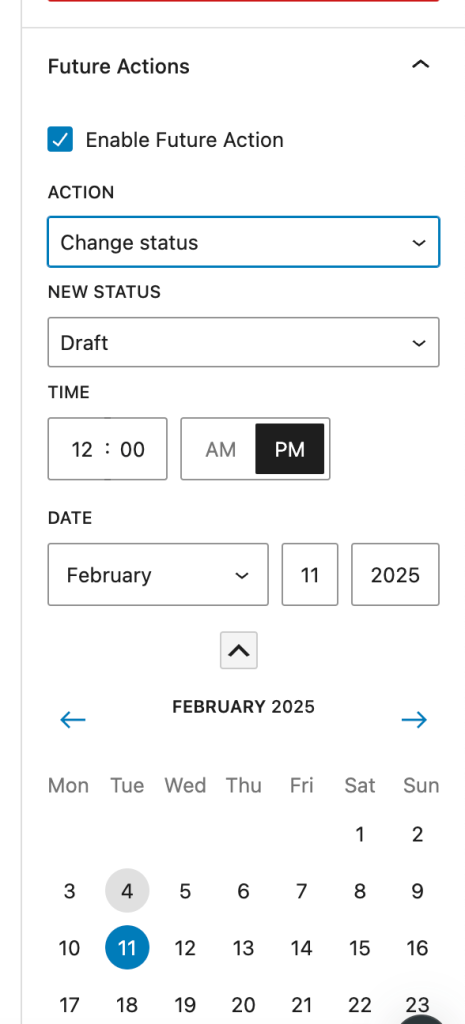
It provides a handy [futureaction] shortcode that outputs the current single post's action date.

If you are looking to conditionally output an element in Bricks depending on whether the current post has a PublishPress Future action set, define a custom PHP function like this:

This is a BricksLabs Pro tutorial.

For full access login below or create your BricksLabs Pro account

Get access to all 633 Bricks code tutorials with BricksLabs Pro

Related Tutorials..

Conditionally Hide a Section on a Specific Taxonomy’s Term Archives in Bricks

Conditionally Hide a Section on a Specific Taxonomy’s Term Archives in Bricks

A user asked: I have a CTA in the footer of my site, which I have custom fields on various templates, etc to populate. I…
Categories:
Checking if the current post has been published within the last x days

Checking if the current post has been published within the last x days

Conditionally output an element if the current post has been published in the last x number of days.
Categories:
Pro
Day of Week Condition in Bricks

Day of Week Condition in Bricks

Displaying elements conditionally based on the current day of the week.
Categories:
Pro
Conditional Rendering in Bricks Based on CSS Class

Conditional Rendering in Bricks Based on CSS Class

Updated on 19 Jun 2024 A user asks: Is there a way to apply the same conditions to several elements like we set styles appending…
Categories:
Pro
Conditional Related Posts in Bricks

Conditional Related Posts in Bricks

How to output a section only if there is at least 1 related post for the current post being viewed.
Categories:
Checking for Post Type in Bricks

Checking for Post Type in Bricks

A way to output elements conditionally based on the current post type in the loop in Bricks.
Categories: