

Get access to all 625 Bricks code tutorials with BricksLabs Pro
Related Tutorials..
Pro
How to Add a Live Search to Filter Posts Grouped by Categories in Tabs
This Pro tutorial builds on top of the earlier Dynamic Tabs in Bricks tutorial and provides steps to add a live search input for filtering…
Categories:
Tags:
Pro

“Pro” Category Ribbon for Posts in Bricks
This Pro tutorial provides the steps to show a "Pro" ribbon for posts that are categorized under the "Pro" category when using Bricks builder. Step…
Categories:
Tags:
Pro

New Ribbon for Posts in Bricks
This Pro tutorial provides the steps to display a "New" ribbon for posts that were published in the last x days in Bricks. Update: Added…
Categories:
Tags:

Floating Element in Bricks
How to create a floating element in Bricks that appears across the entire website.
Categories:
Tags:
Pro
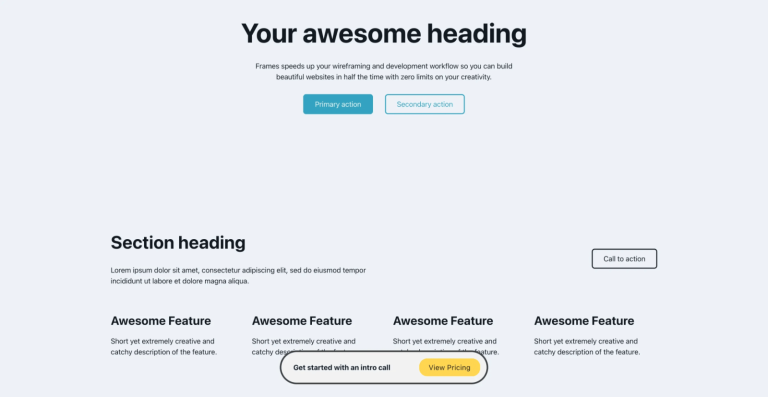
Floating Bottom Div when Scrolling Down in Bricks
Creating a floating call to action element that reveals only as the user scrolls down.
Categories:
Tags:
Pro

Posts Grouped by ACF or Meta Box Select Field Value as Tabs in Bricks
Updated on 9 Mar 2023: Added Meta Box specific instructions. This Pro tutorial provides the steps to show labels of an Advanced Custom Fields' Select-type…
Categories:
Tags:
Pro

Oxygen’s Focus Section in Bricks
These are the steps to implement Focus Section, an Oxygen’s composite element, in Bricks.
Categories:
Tags:

How to create filters with IsotopeJS in Bricks (Part 4): AJAX filter and infinite loops, Sorting, List view and Disable animations
This tutorial will explain how to enable the AJAX filter with an infinite scroll query loop container, how to add a sorting function, how to…
Categories:
Tags:
Pro

Deep Linking to Headings inside Bricks Tab Panes via URL Hash
Learn how to link to a specific heading inside a Tabs (Nestable) element's tab pane content using custom JavaScript.
Categories:
Tags: