
Looking to order the list of events output via a query loop in Bricks when using The Events Calendar?
Set Order by to Meta value and Order meta key to _EventStartDate.

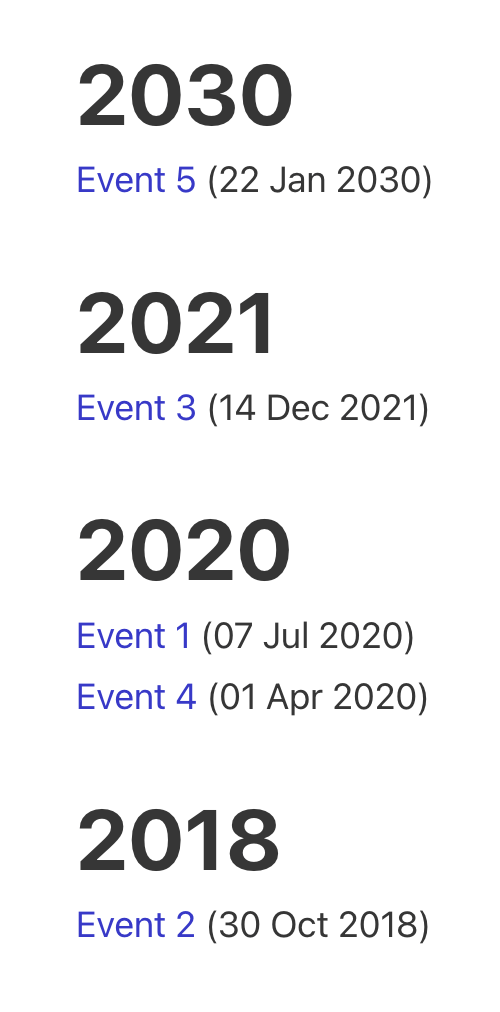
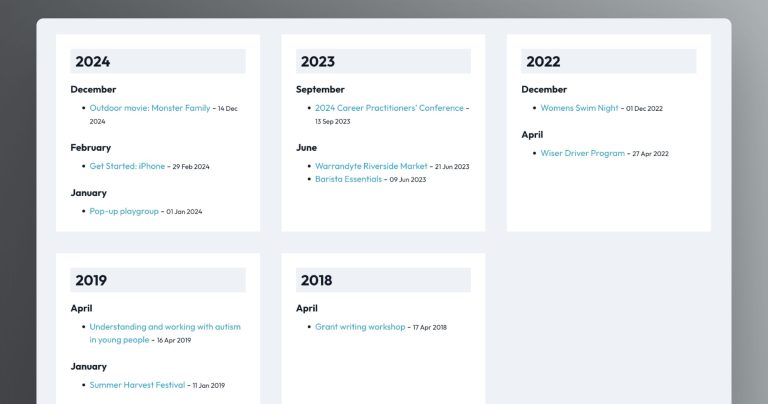
Result:

To display the date, you could use a Basic Text element having:
{echo:tribe_get_start_date}




5 comments
Ronnie Fang
This is very helpful!
I'm trying to create a custom events archive page that lists all events by the selected month. I'm stuck using the TEC backend but do not like the use of AJAX on their frontend.
The user would be able to navigate back in time one page (month) at a time. I was wondering if you could provide some tips or a starting point on how to implement this query filter as well as the pagination navigation by month.
Sridhar Katakam
This can be done using custom AJAX functionality. Here's an example: https://brickslabs.com/custom-mini-calendar-using-wordpress-rest-api/.
Michael van Dinther
Looking to order by upcoming or past events? Use Meta Query within the Query Loop.
Meta Key: _EventStartDate Meta Value: function mizzinc_get_current_datetime() { $current_datetime = current_time( 'mysql' ); if ( $current_datetime ) { return $current_datetime; } else { return ''; } } Comparison: is either Greater or Lesser than or equal to.
Note the use of the custom function for the Meta Value This is important, because you want to show your users Upcoming and Past events in THEIR local time zone. Whereas current_datetime() uses UTC time zone.
Daniel Raghu
This is very timely because we're building something using The Events Calendar and I'm at my wits end.
Sridhar Katakam
See if this helps: https://brickslabs.mystagingwebsite.com/single-event-template-for-the-events-calendar-in-bricks/.