2nd Oct '25
/
0 comments

ACF Flexible Content Gallery Field Bricks PHP Query

In the Bricks Facebook group a user asks:

Does anyone have experience accessing an acf gallery with a php query within a flexible content loop?

Normally I use this to access the gallery as a php query:

$acf_images = get_field("gallery"); if (!empty($acf_images)) { return [ 'post_type' => 'attachment', 'post_mime_type' => 'image', 'post_status' => 'inherit', 'orderby' => 'post__in', 'post__in' => $acf_images, 'posts_per_page' => -1, ]; } else { return []; }

I've also tried to incorporate this:

$acf_row = \Bricks\Query::get_loop_object();

to access the subfield within the loop but I can't seem to target it

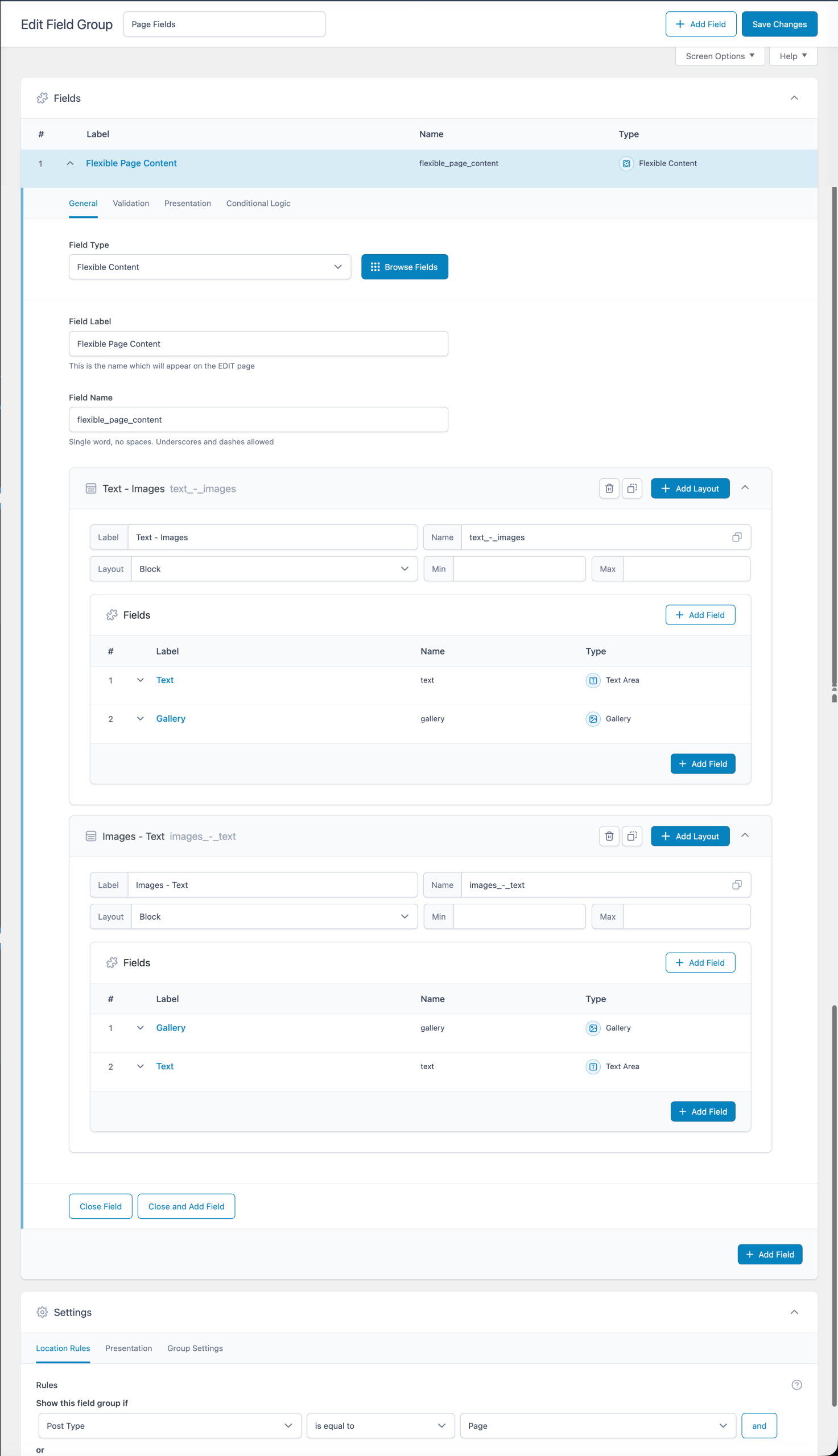
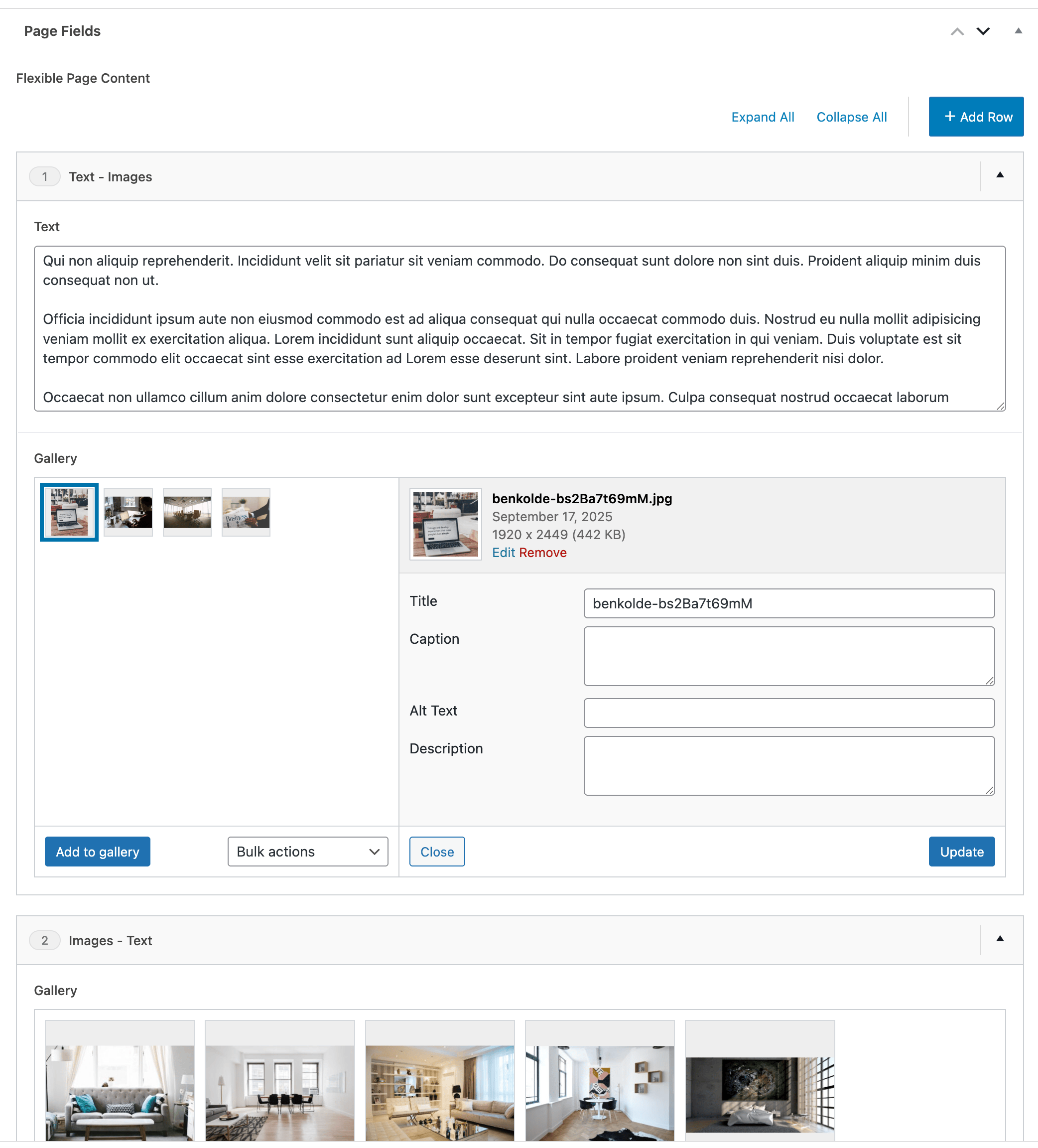
This Pro tutorial walks you through setting up a ACF Flexible Content field with a couple of layouts (Text - Images and Images - Text) where the Images part uses Gallery-type fields and outputting the galleries' images using PHP query loops.

The magic sauce is the Bricks' render_tag() function.

Note: No custom code is needed to display the gallery images using a 'Image Gallery' element. This tutorial is for when you want more control on the layout via a query loop instead of using the Image Gallery element.

Step 1

Create a field group for your post type having a Flexible Content field.
Step 2

Edit a Page (or a post of your post type) and populate the field.
Step 3

Let's create a custom function that takes a field name and returns an array Bricks' rendered image IDs in the field value.

Add the following in child theme's functions.php (w/o the opening PHP tag) or a code snippets plugin:

This is a BricksLabs Pro tutorial.

For full access login below or create your BricksLabs Pro account

Get access to all 633 Bricks code tutorials with BricksLabs Pro

Related Tutorials..

Pro
Custom SQL Ordering for Sorting Events in Bricks

Custom SQL Ordering for Sorting Events in Bricks

Showing events ordered by the event date with upcoming events in ascending order and past events in descending order.
Categories:
Pro
Posts older than today in Bricks

Posts older than today in Bricks

How to display only posts that were published before today in a query loop.
Categories:
Pro
6 Random Posts from Tag A + 6 Random Posts from Tag B in a Single Bricks Query Loop

6 Random Posts from Tag A + 6 Random Posts from Tag B in a Single Bricks Query Loop

Displaying two set of random posts, inside one query loop.
Categories:
Pro
Outputting ACF Repeater’s Sub Fields

Outputting ACF Repeater’s Sub Fields

This Pro tutorial provides the code for printing custom HTML after looping through rows of a ACF Repeater (available in ACF Pro) that has a…
Categories:
Pro
Conditionally Outputting Query Loop Item Based on Post Meta in Bricks

Conditionally Outputting Query Loop Item Based on Post Meta in Bricks

Rendering query-loop enabled posts depending on the value of each post's custom field value is tricky because by default, the custom field plugins' functions or…
Categories:
Pro
Ordering Posts by Terms in Bricks

Ordering Posts by Terms in Bricks

How to output upcoming events at the top and past events below in a single query loop in Bricks.
Categories: